
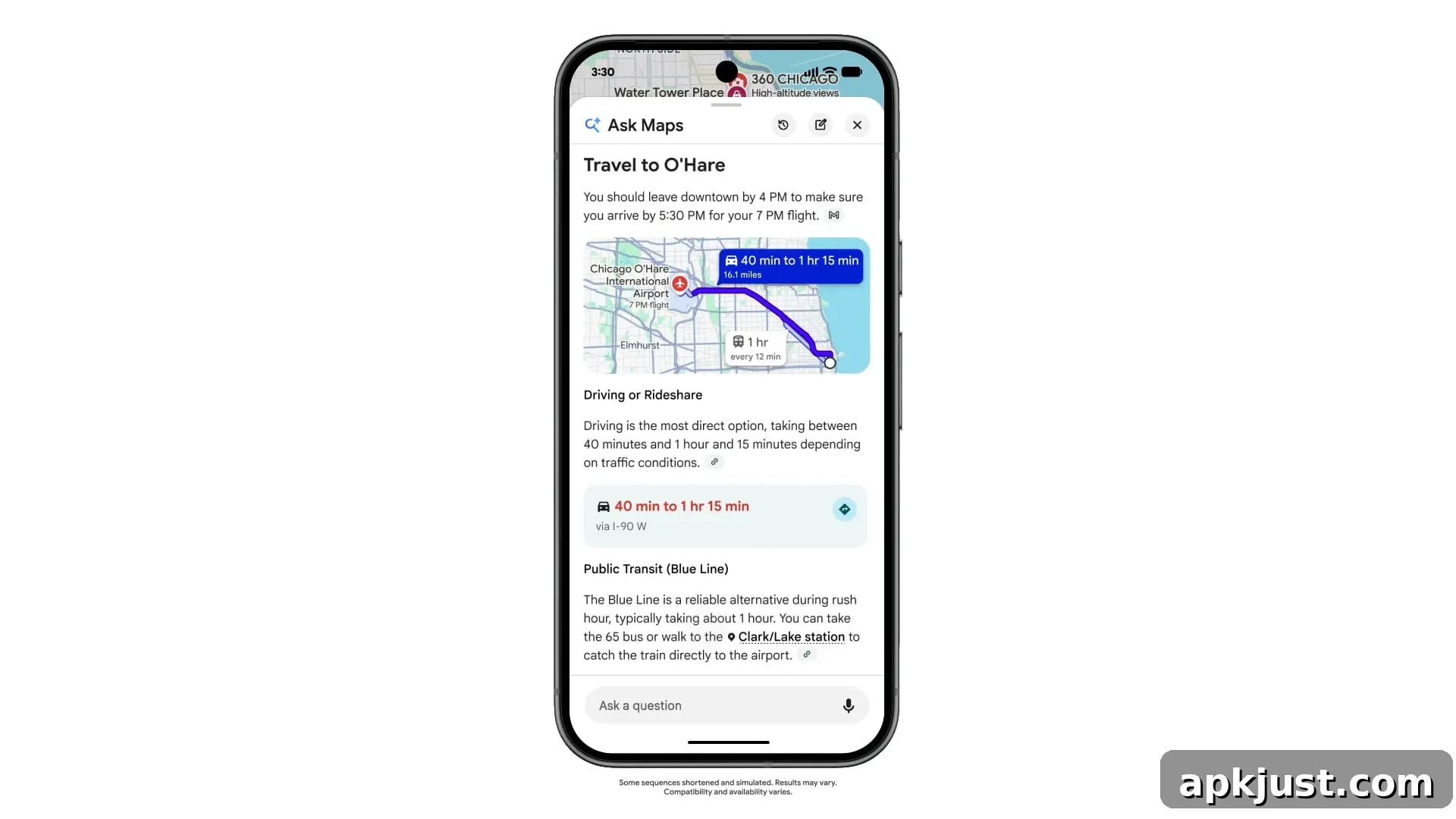
After debuting in the US in March, Google’s Gemini-powered Ask Maps chat in Google Maps is receiving several major updates today and expanding to more countries. The conversational feature, found beneath the search bar in Maps, is rolling out in English to Australia, Brazil, Canada, Indonesia, Japan, and Mexico, along with more than 150 other countries and territories.
A key addition is integration with Personal Intelligence, the same functionality behind the Gemini app and AI Mode. The first supported integration is Gmail: Ask Maps can now consider details from your Gmail reservations, such as upcoming flights or dinner bookings, to offer tailored recommendations without requiring you to repeat your plans.
For example, if you’re traveling, try asking: “Give me ideas on how to spend a few hours near the hotel before my flight tomorrow.” Ask Maps can use your hotel reservation in Gmail to suggest nearby activities and provide advice on when to leave for the airport.
Personal Intelligence must be enabled manually in Ask Maps. Support for additional apps, including Google Calendar, is planned for future updates.
Ask Maps also gains conversational memory when History settings are enabled. The chat can recall prior discussions and resume planning so you don’t lose context between sessions.
Ask things like, “Remind me, what activities did you suggest for my trip to Seattle?” and Maps will bring up your earlier suggestions so you can pick up where you left off.
In addition to traffic data, Ask Maps now accesses real-time transit details for buses, trains, subways, and ferries. The chat can answer questions such as “Is there a ferry to Taronga Zoo with views of the Opera House?” and display a virtual departure board that updates if delays occur.
These three features—Personal Intelligence, conversational memory, and real-time transit—are rolling out to all regions where Ask Maps is available.
Ask Maps has also gained new agentic capabilities that let the assistant carry out multi-step tasks on your behalf, such as ordering food. You can use natural prompts like “Order spicy pad kee mao with seafood for me to pick up on my way home.” The system searches for open restaurants along your route, takes saved places and dietary preferences into account, and adds the selected item to the restaurant’s cart for you to review and complete. At launch, Ask Maps supports ordering through Square and Toast, with Uber Eats integration coming soon.
Beyond food ordering, Ask Maps can help compare hotels for availability and price, and it can find local events that match your interests. Ask Maps can filter options by preferences such as price, rating, amenities, and proximity to venues you’ll be visiting.
For a conference in downtown Miami, you might ask: “Find me a reasonably priced, top-rated hotel with an artsy vibe within walking distance of a gym and restaurants,” and Ask Maps will present suitable choices.
Ask Maps in the Contribute tab makes it easier to suggest edits conversationally. Instead of navigating menus, you can describe changes like “more parking is available behind the building,” and Ask Maps will guide and submit the update.
You can also upload a photo of a storefront sign; Maps will detect new hours from the image and prompt you to confirm before sending the suggestion.
Food ordering, hotel and event discovery, and conversational contributions are starting to roll out in the US now, with broader availability following as the new features expand globally.