States across the United States are gradually enabling the ability to add a driver’s license or state ID to the Google Wallet app on Android devices. This digital option is rolling out in stages and is intended to make identity verification faster and more convenient while keeping the physical card as the official document to carry.
Update 9/5
Table of contents
- How to add your state ID on Android
- What Google Wallet state IDs are supported
- Where state IDs are coming next
- Where you can use state IDs
- Using passport as REAL ID
How to add your state ID on Android
- Open the Google Wallet app on a device running Android 9 or newer.
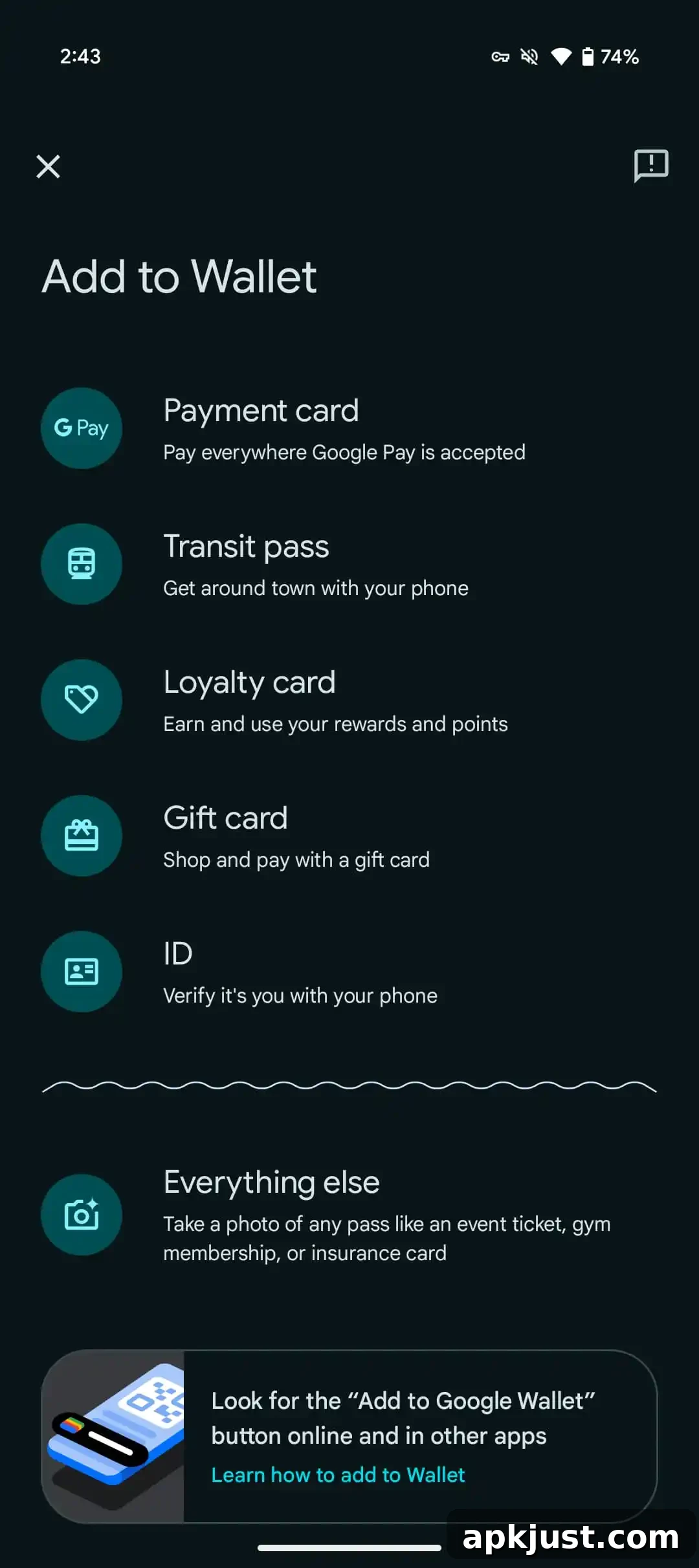
- Tap the plus (+) button near the bottom of the screen, next to “View more.”
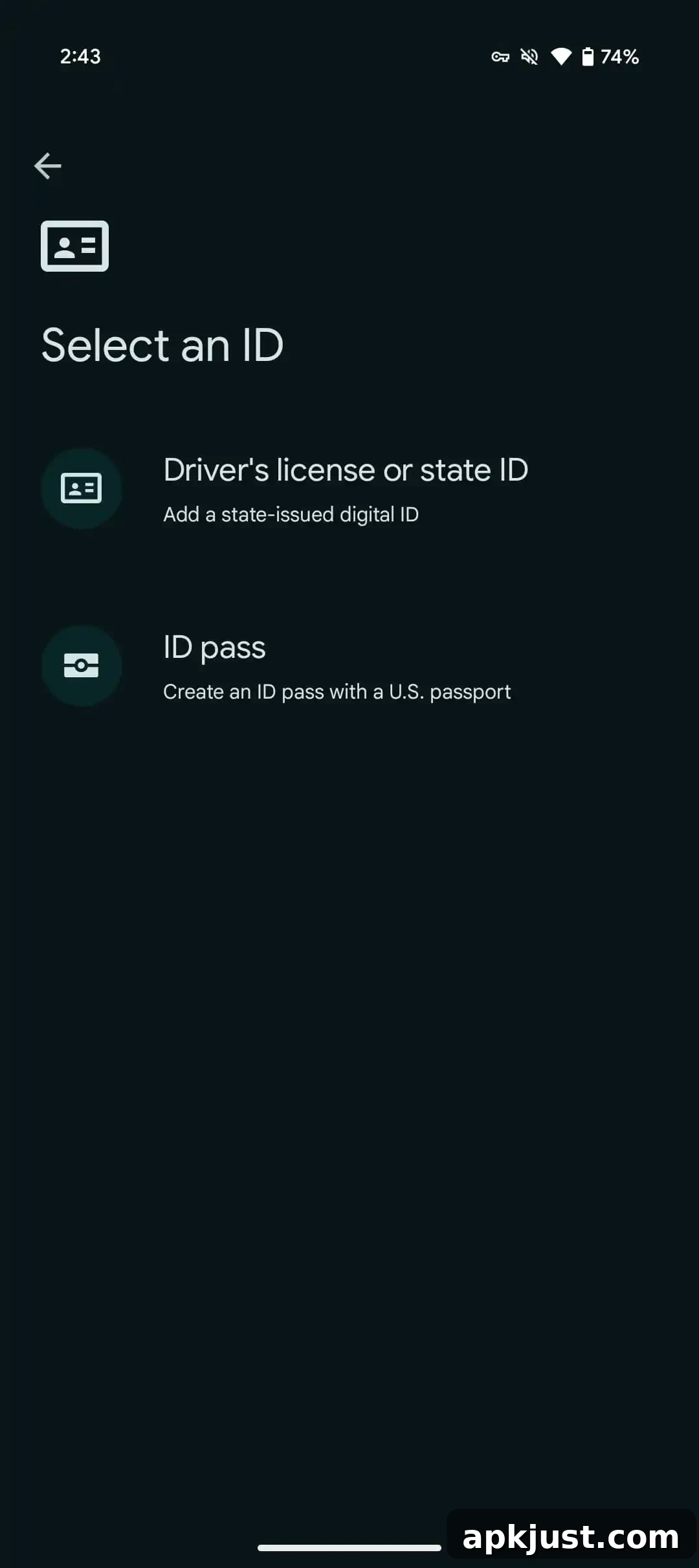
- Select “ID & personal info,” then choose “Driver’s license or state ID.”
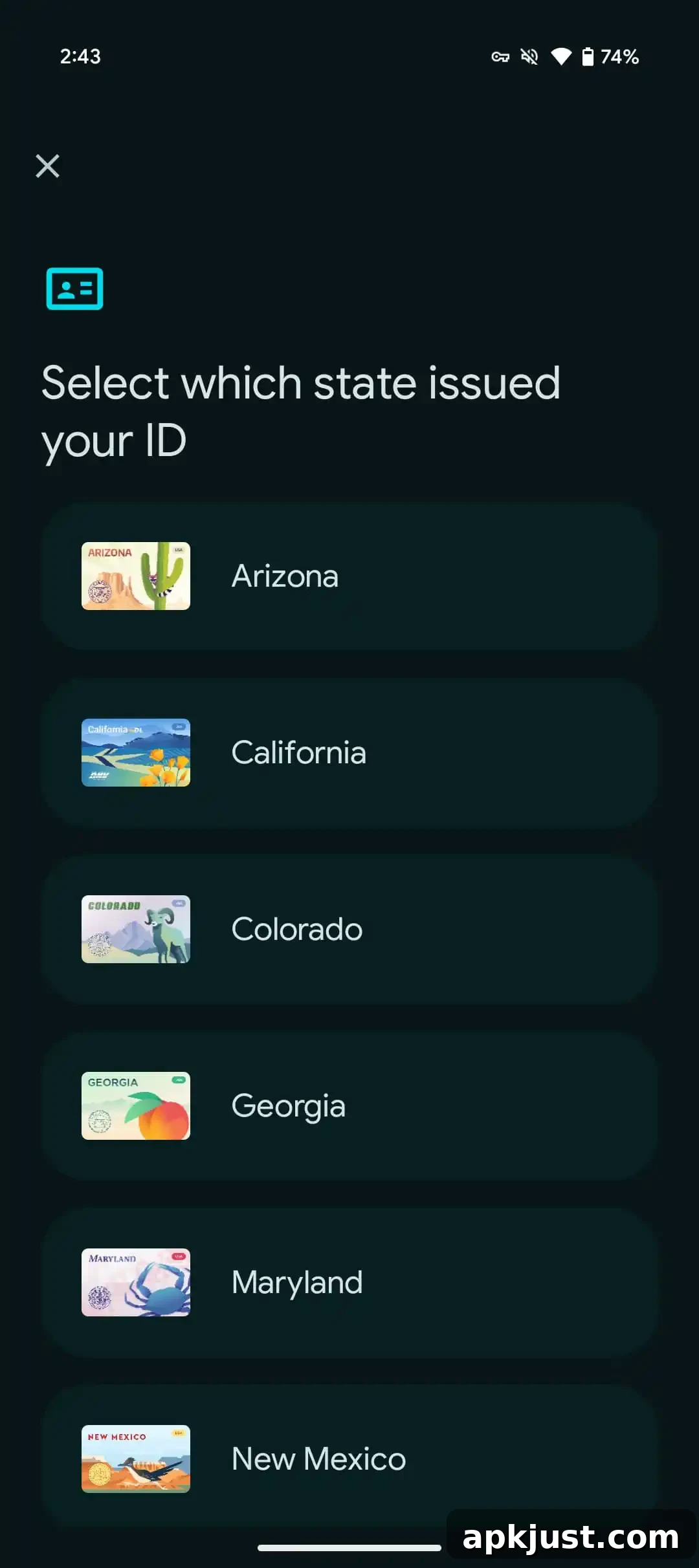
- Pick your state and follow the on-screen instructions to complete setup.
The setup requires photographing the front and back of your physical ID card and recording a short verification video of yourself. The video is used to capture a still image that will be submitted to the issuing authority for verification. After the issuer approves the submission, the digital ID is stored in Google Wallet and appears alongside your payment cards and passes. You can rearrange the order of items in Wallet, and you can remotely remove the ID if your phone is lost or stolen by managing your account settings.
What Google Wallet state IDs are supported
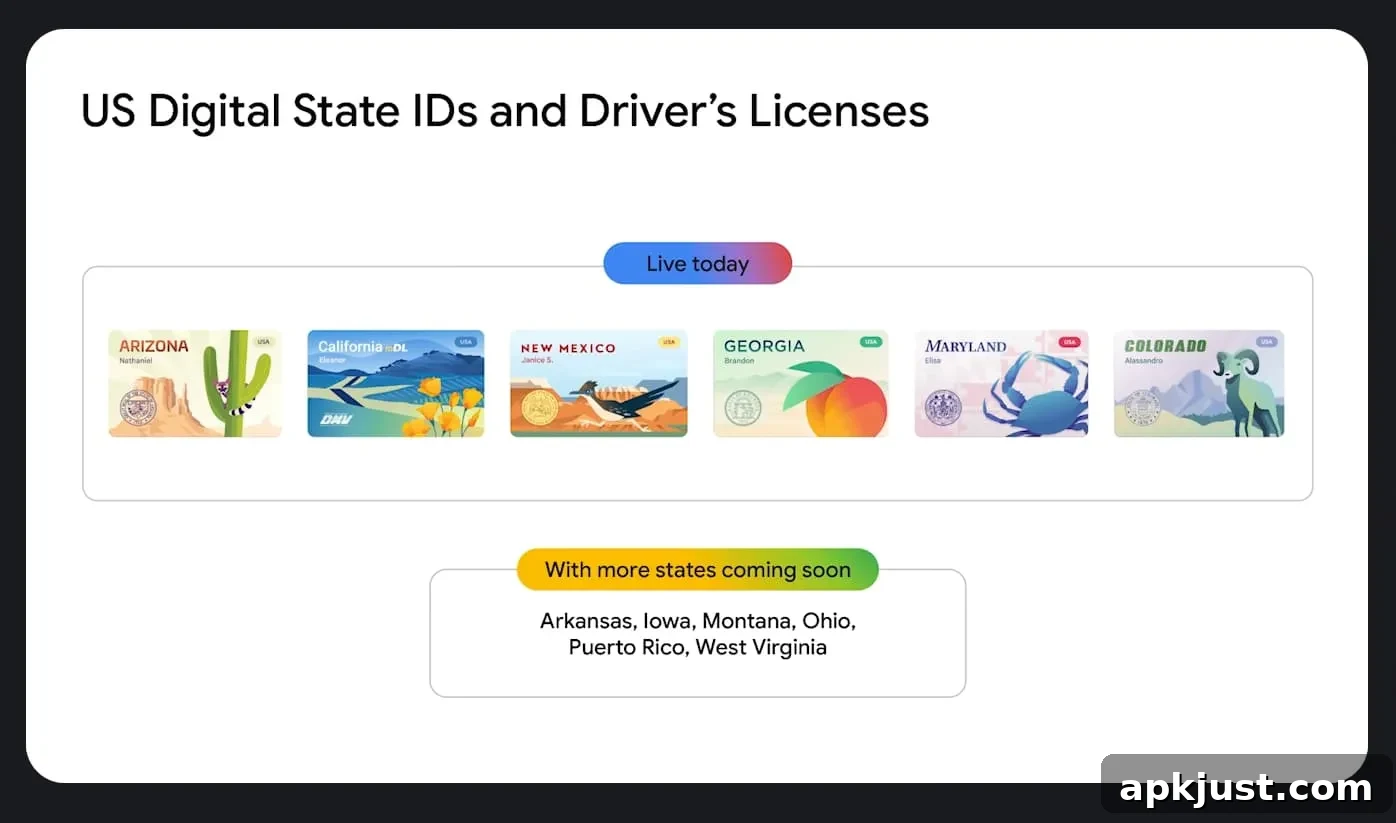
- Arizona (rolled out October 2023)
- Arkansas (rolled out October 2025)
- California (rolled out August 2024)
- Colorado (rolled out October 2023)
- Georgia (rolled out October 2023)
- Iowa (rolled out June 2025)
- Maryland (rolled out December 2022)
- Montana (rolled out August 2025)
- New Mexico (rolled out December 2024)
- North Dakota (rolled out October 2025)
- [New] Ohio (rolled out September 2026)
- Puerto Rico (rolled out October 2025)
Where state IDs are coming next
Google has announced additional states that will support digital state IDs in the future. Availability varies by state and depends on agreements between Google and each issuing agency, so timing can change as states complete testing and rollouts.
- West Virginia (upcoming availability announced)
Where you can use state IDs
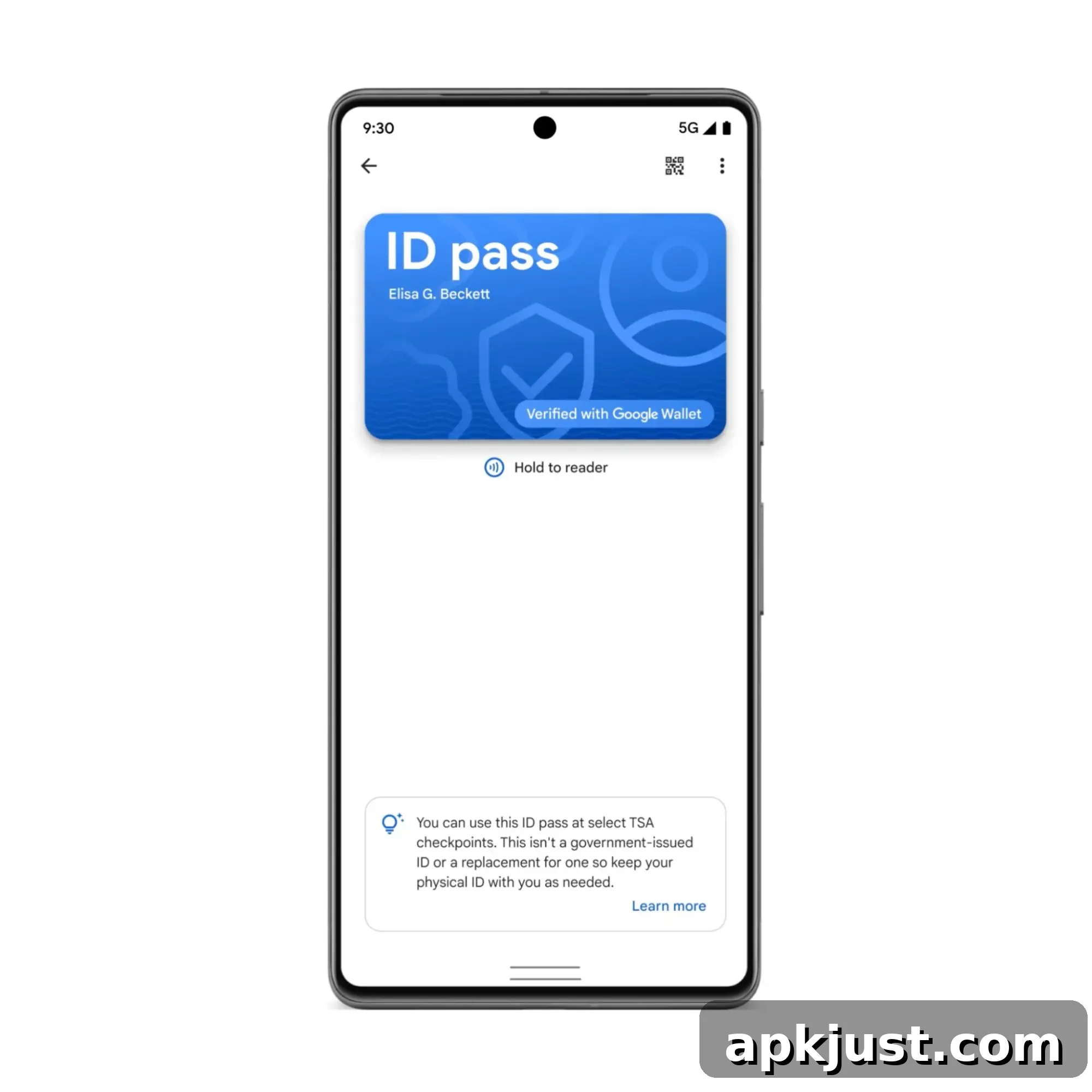
The primary official use for a Google Wallet digital ID today is at participating TSA checkpoints at select U.S. airports. There are two common methods for sharing your digital ID at a checkpoint:
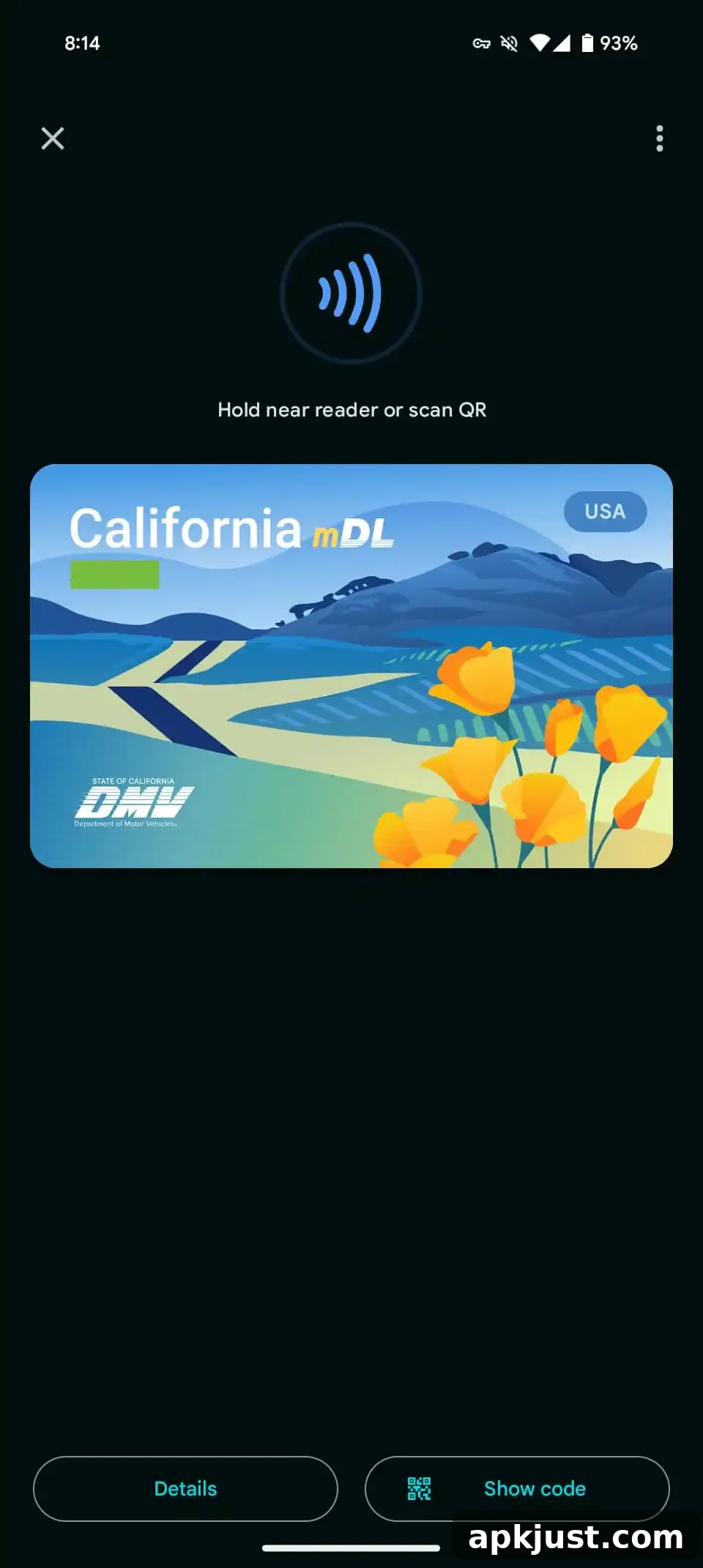
- Tapping your phone at an NFC terminal and approving the exact data to share, then authenticating with your device unlock method.
- Opening the ID in Google Wallet and presenting a generated QR code for scanning.
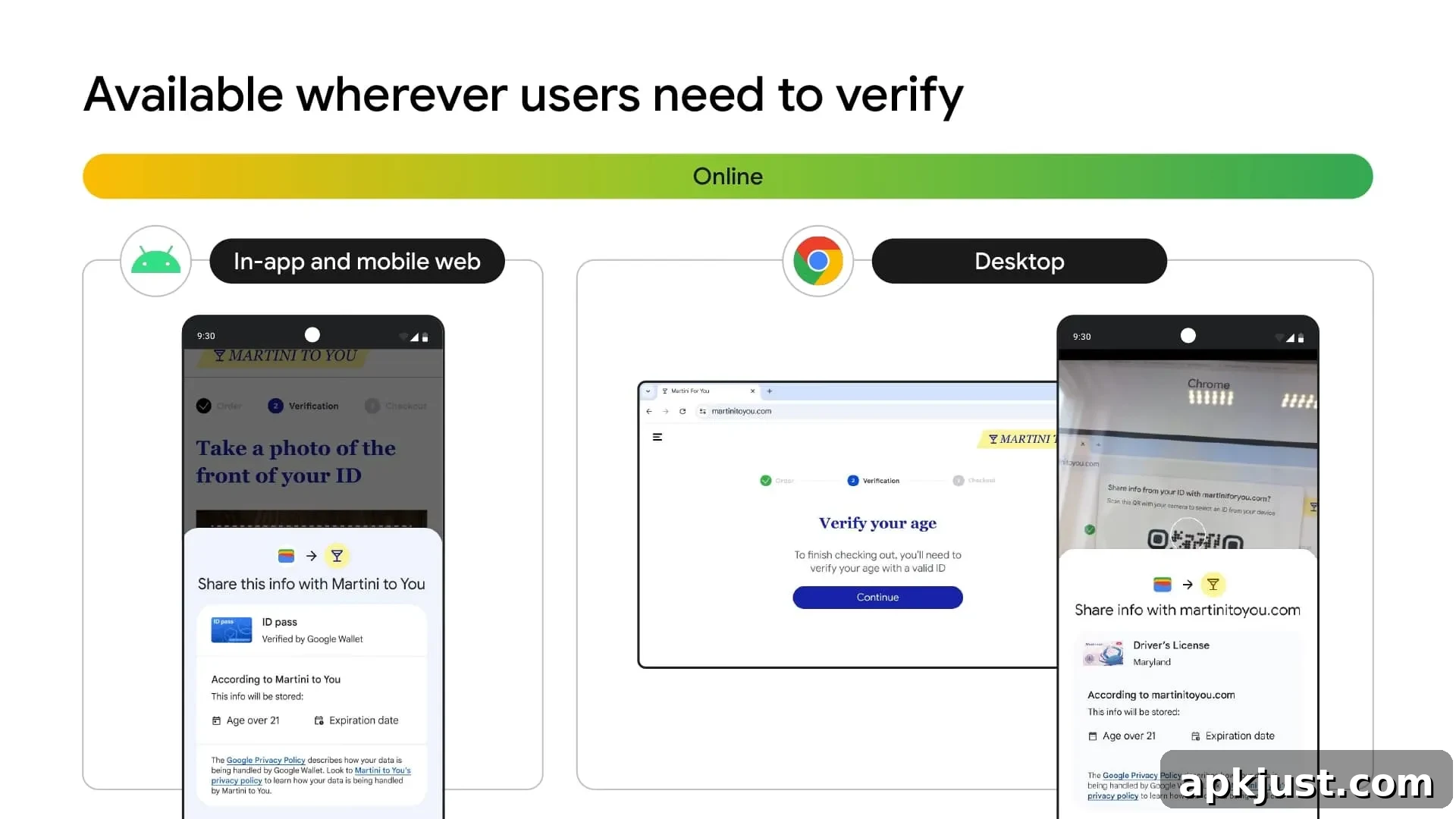
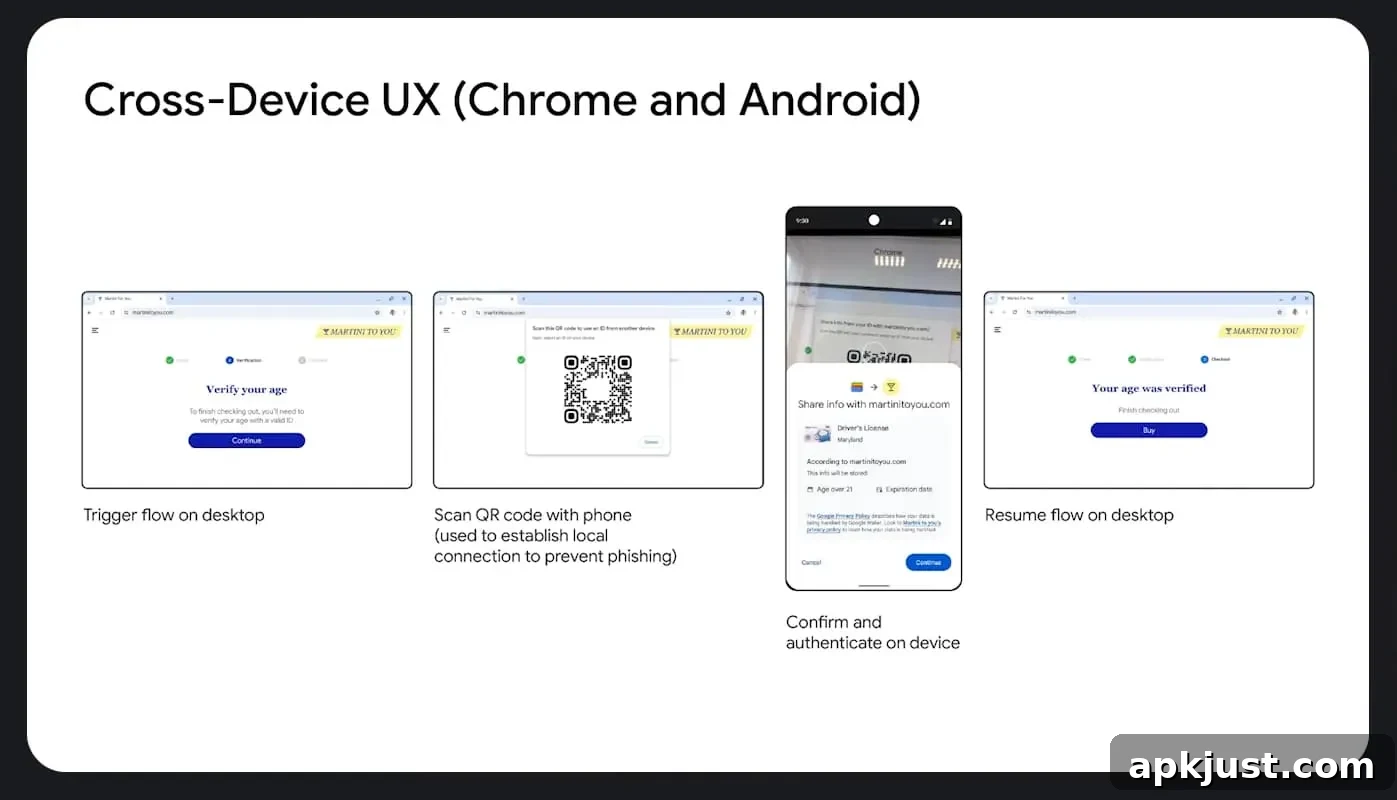
Beyond airports, some private businesses and apps — for example, car rental services and other age or identity verification systems — are beginning to accept digital IDs. In mobile apps and on compatible websites, a system prompt will let you confirm and authenticate sharing specific details such as age. On desktop, the process typically involves scanning a QR code shown on the website with your phone.
Google is working on privacy-preserving features that can verify attributes like age or eligibility without exposing unnecessary personal data. The company calls this approach Zero-Knowledge Proof and plans to make related tools available to developers and partners.
Looking ahead, digital IDs are expected to be accepted at certain Department of Motor Vehicles locations in participating states to streamline customer interactions. Google is also exploring ways to let digital IDs assist with account recovery and online identity checks for services such as online retailers, healthcare portals, and ride-hailing platforms, while maintaining user privacy.
Using passport as REAL ID
Google has noted that a digital ID created from a U.S. passport can be used at participating TSA checkpoints for domestic travel, even if you do not hold a REAL ID-compliant driver’s license or state-issued ID. This option requires adding an ID pass in Google Wallet and completing a verification flow.
The passport-based setup includes photographing the passport’s information page, scanning the passport’s embedded chip, and recording a short face video for verification. The process confirms that you are the passport holder and helps prevent fraud. The digital passport ID is used in the same way as a digital state ID at terminals that accept NFC or QR code presentations. Travelers should still carry their physical passport when required and note that the digital passport ID is intended for domestic use with supported checkpoints.