Google is rolling out the September 2026 Android Drop, bringing several notable features and improvements across Android devices and Google services.
Find Hub Remembered
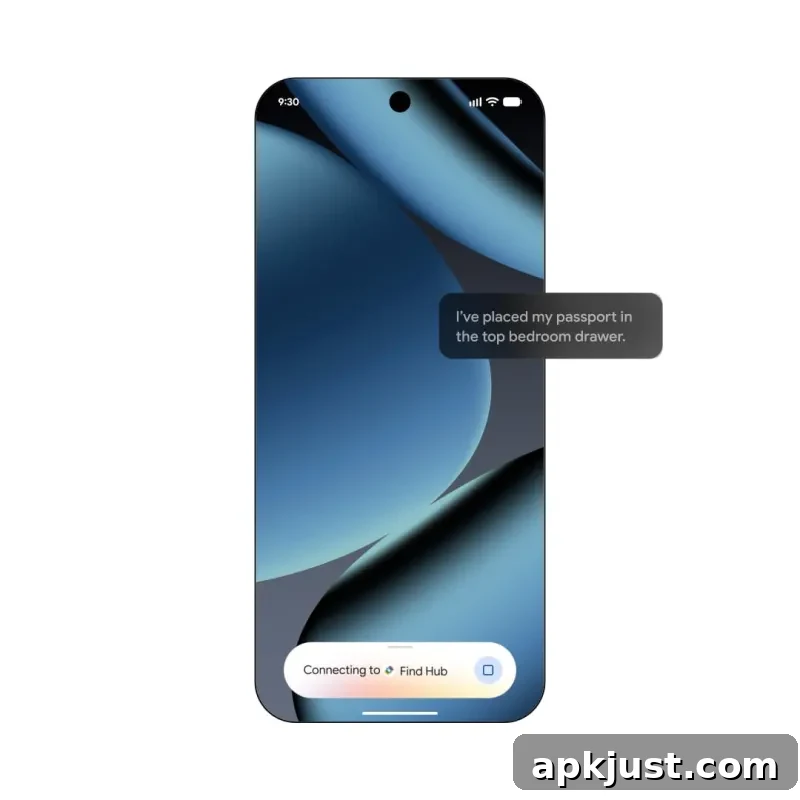
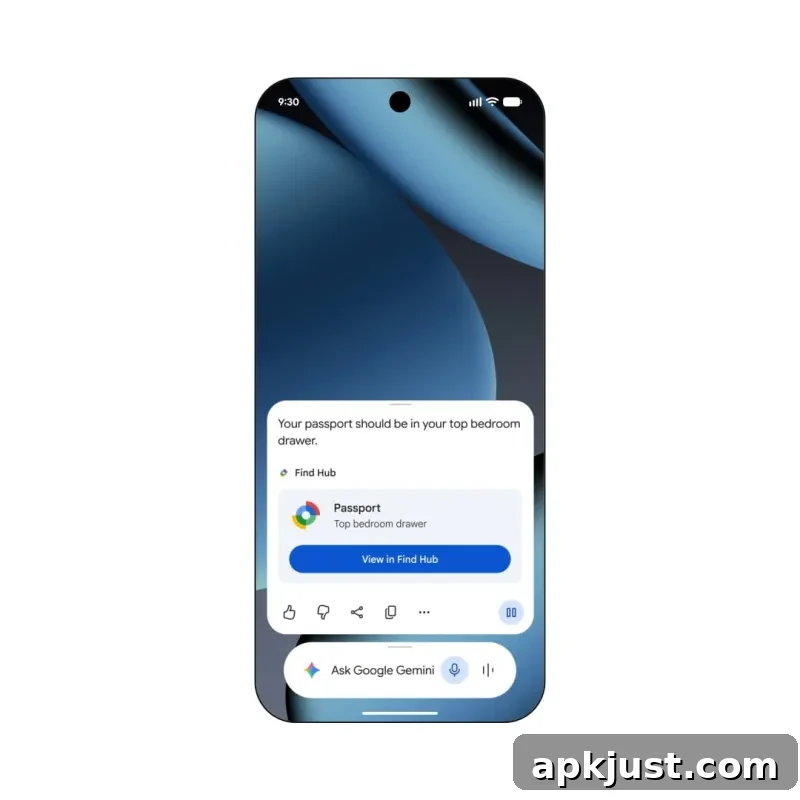
Find Hub and Gemini now let you save the locations of items that don’t have a physical tracker. You can tell Gemini to remember where you placed important belongings and add an optional photo for reference. For example, you can say, “Hey Google, remember in Find Hub that I put my passport in my bedroom drawer,” and that location will be recorded.
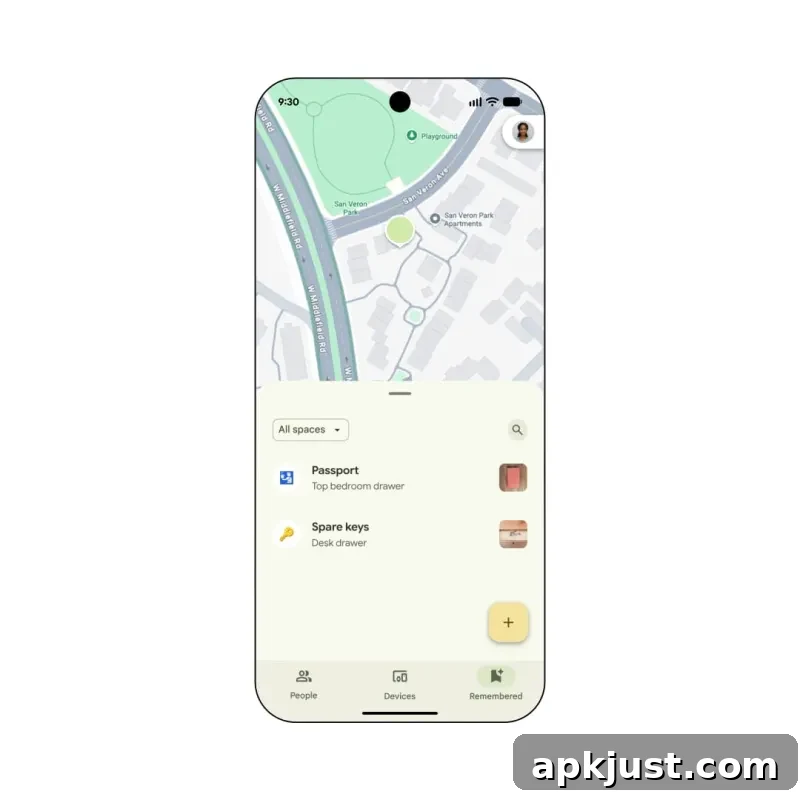
Saved locations appear in a new “Remembered” tab within the Find Hub app, making it easier to find items later. You can also ask Gemini by voice for an item’s location. This capability is rolling out to devices running Android 16 and later, and is useful for tracking frequently misplaced objects like keys, wallets, or important documents without requiring a separate tracker tag.
Motion Assist
Motion Assist is a new accessibility feature designed to reduce motion sickness while traveling. Available on Android 17 and later, it displays a subtle bubble overlay on the screen that moves in sync with the vehicle’s motion. The overlay helps the brain reconcile what the eyes see with how the body is moving, which can ease nausea for sensitive users.
You can customize the overlay’s color, shape, and opacity to suit personal preferences. There’s also an option that cycles color and shape periodically to provide additional visual cues. Android can enable Motion Assist automatically when it detects movement on a bus, car, or train, and a Quick Settings tile offers fast manual control for turning the feature on or off.
Gemini Live Guided Vision
Gemini Live introduces Guided Vision, a new mode that provides spoken descriptions of what the camera sees. Guided Vision is aimed at accessibility and practical tasks such as reading small text on food labels, deciphering dim restaurant menus, or locating household items. The feature can help people with visual impairments as well as anyone who needs precise visual guidance in challenging conditions.
If your camera isn’t lined up, voice feedback will guide you to reframe, pan across a space, or center an object so you get the answers you need.
Guided Vision can be accessed through an Accessibility shortcut or from the TalkBack menu. Google says this feature will roll out to phones running Android 9 and newer in regions where Gemini is available. The voice-guided instructions help users quickly adjust the camera to capture the required detail, improving the accuracy and usefulness of visual assistance.
Google Messages and Keep integration
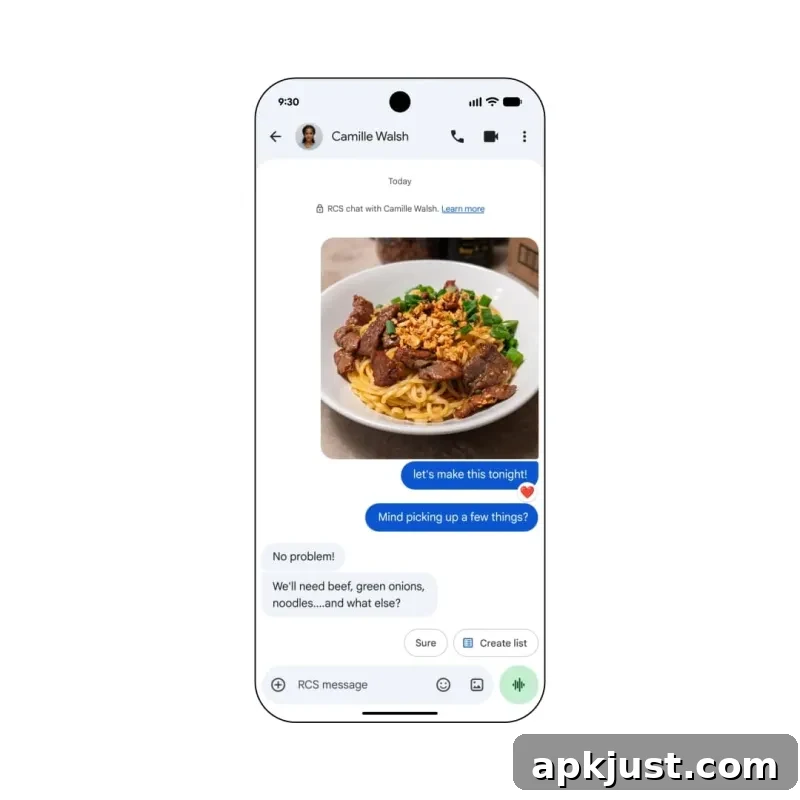
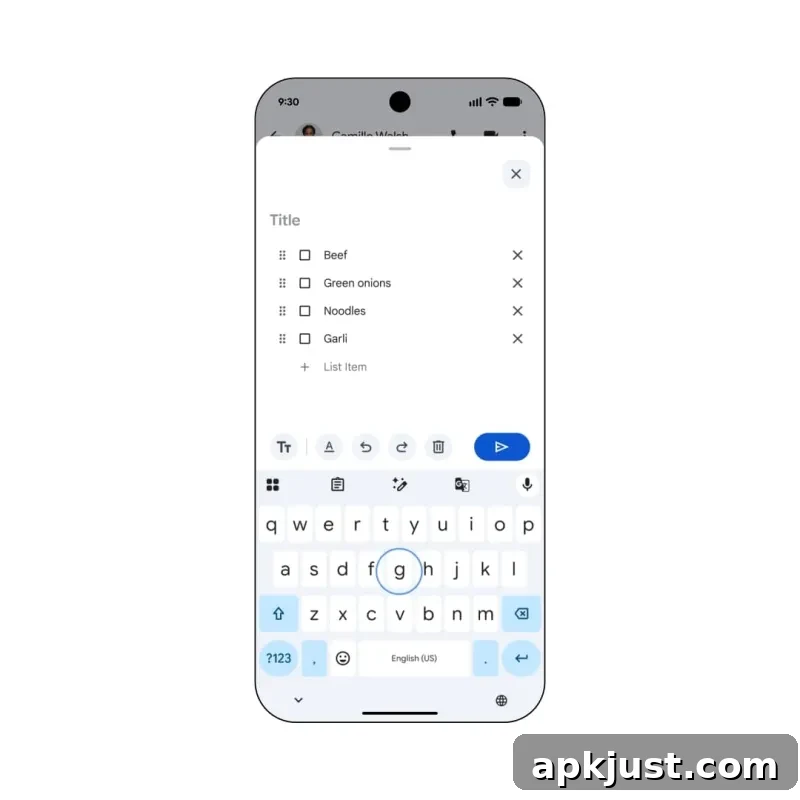
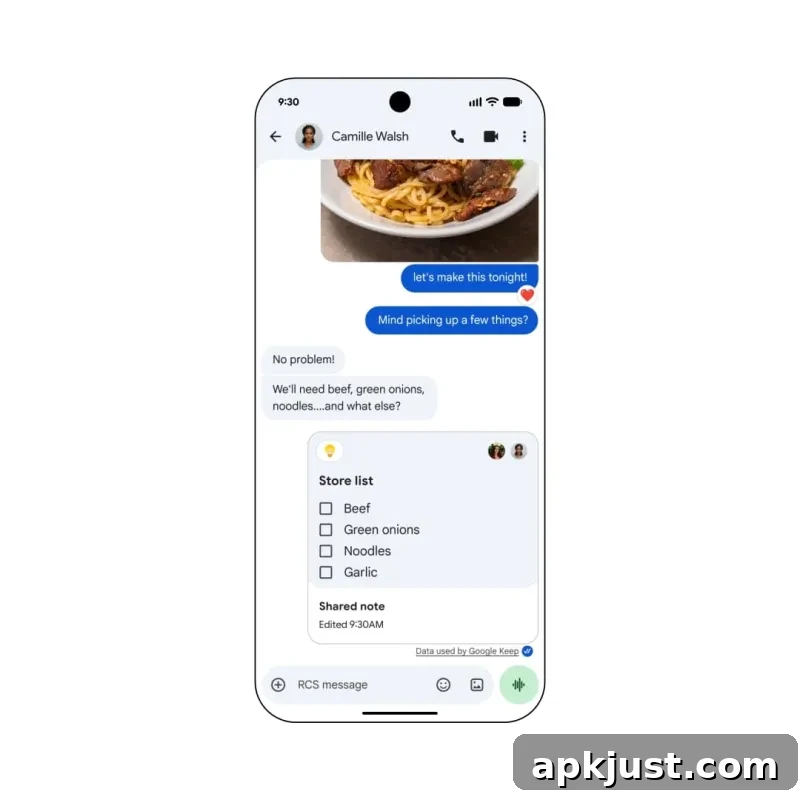
Google Messages is gaining integration with Google Keep to make it simpler to create and share notes and lists directly inside conversations. This update builds on Messages’ recent Chat themes and focuses on practical use cases like shared grocery lists, trip planning, and collaborative notes among friends or family.
When composing a message, you may see a “Create list” suggestion or use the plus-menu shortcut to open a sheet for creating a Keep list. Once the list is created, it appears inline in the conversation as a shared note that participants can view and update. This seamless integration aims to reduce friction between messaging and task coordination, removing the need to switch apps to create or edit shared lists.
The integration begins rolling out immediately and will reach more users over time. By combining Messages with Keep, Google is making it easier to manage collaborative tasks directly from the messaging experience, improving productivity for families, roommates, and small groups who coordinate through chat.
Overall, the September 2026 Android Drop focuses on accessibility, convenience, and tighter integration between Google’s services. Features like Find Hub Remembered, Motion Assist, Guided Vision in Gemini Live, and Google Keep support in Messages emphasize practical everyday improvements that aim to save time and reduce friction for users. As these features roll out across supported devices and regions, users should look for updates in their device settings and Google apps to enable the new capabilities.