
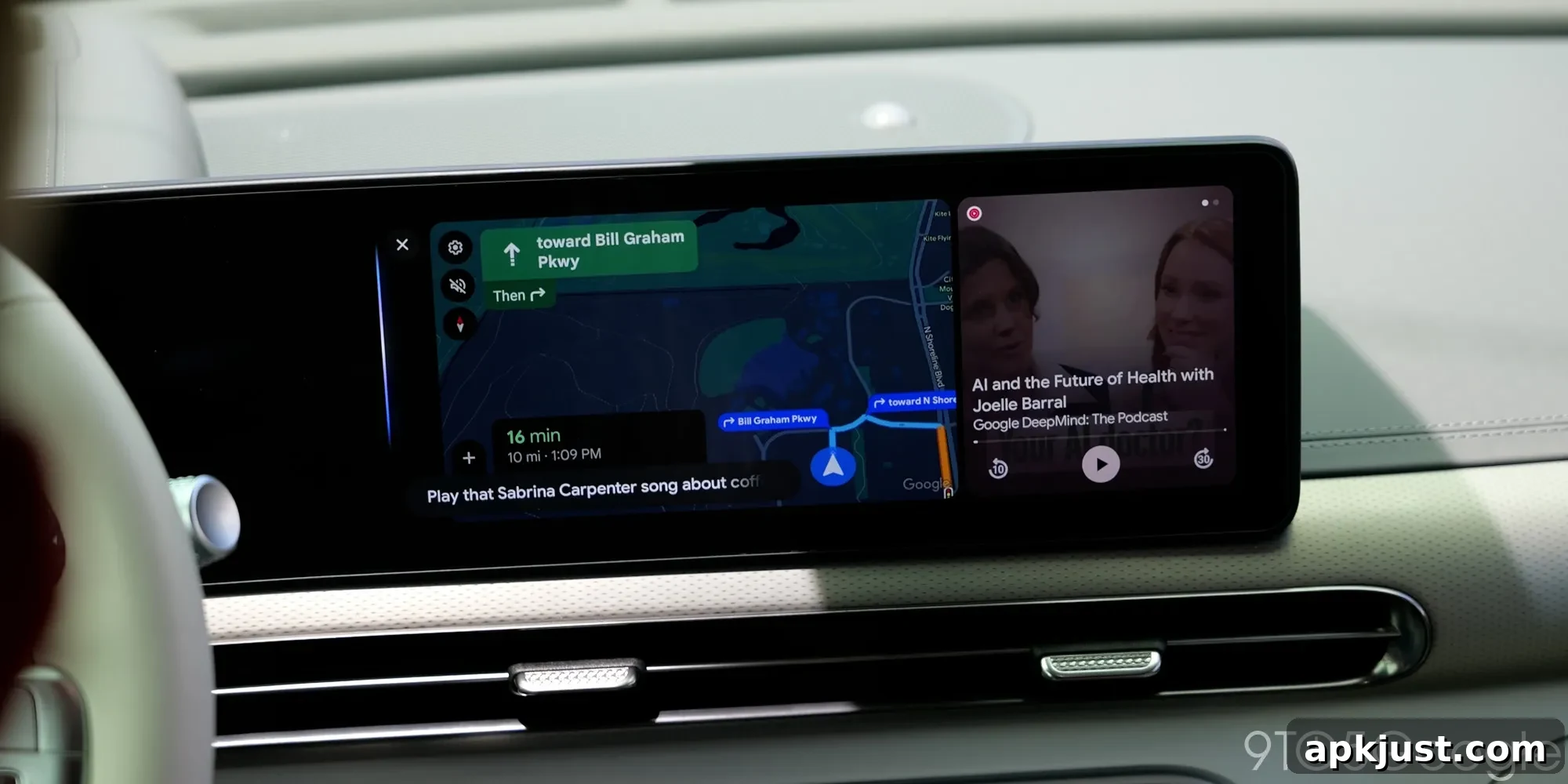
Google is testing several behind-the-scenes changes for Android Auto, and one of those tests appears likely to reach users: a compact quick settings panel for the car interface. This new quick settings concept is built to give drivers faster access to common controls without navigating through multiple menus.
About APK Insight: This piece is based on an APK teardown of the latest Android Auto package. By examining the app files, we can find code and strings that hint at features Google may be working on. These discoveries do not guarantee public release, and their final form may differ. Where possible, the teardown reveals features that seem close to completion and how they might appear in the real app.
The APK teardown of Android Auto 17.6 reveals groundwork for Quick Settings tiles inside the in-car UI. The code includes strings referencing a “Do Not Disturb” tile, with on and off toast messages for user feedback. That suggests a simple, focused tile that can toggle DND directly from the car’s status or notification area.
Do Not Disturb
Do Not Disturb turned off
Do Not Disturb turned on
This Quick Settings implementation is not yet visible to most users in Android Auto builds, but the teardown indicates it could appear in the notification tray and behave similarly to mobile quick settings. If released, drivers would gain a clearer, safer way to control interruptions while driving, addressing a long-standing usability need for an in-car experience.
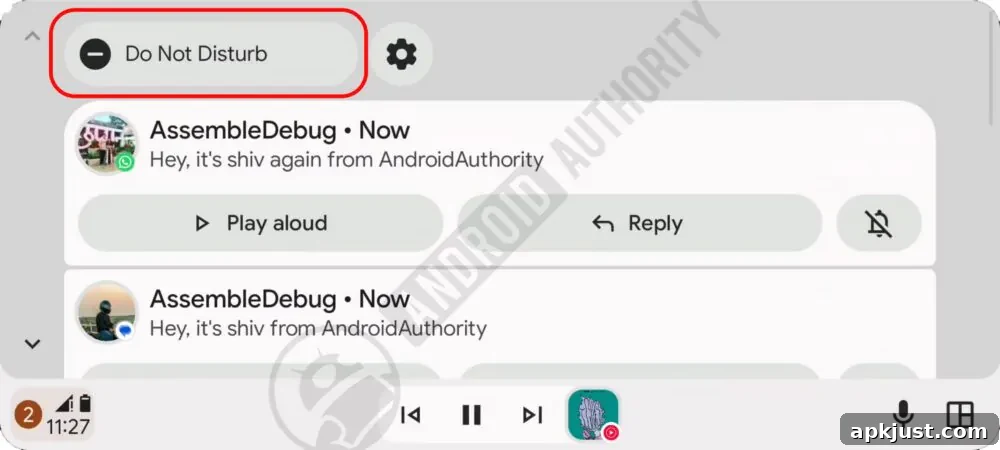
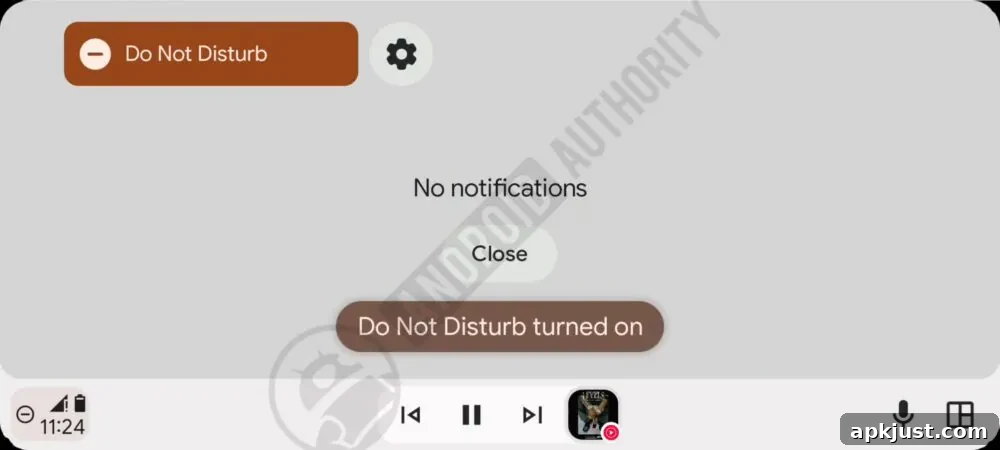
A quick settings panel makes sense for Android Auto’s streamlined interface: it simplifies access to essential toggles without requiring multiple screens. For drivers, this means less distraction and more immediate control over features like Do Not Disturb, brightness, or other quick-access options that Google may add later.
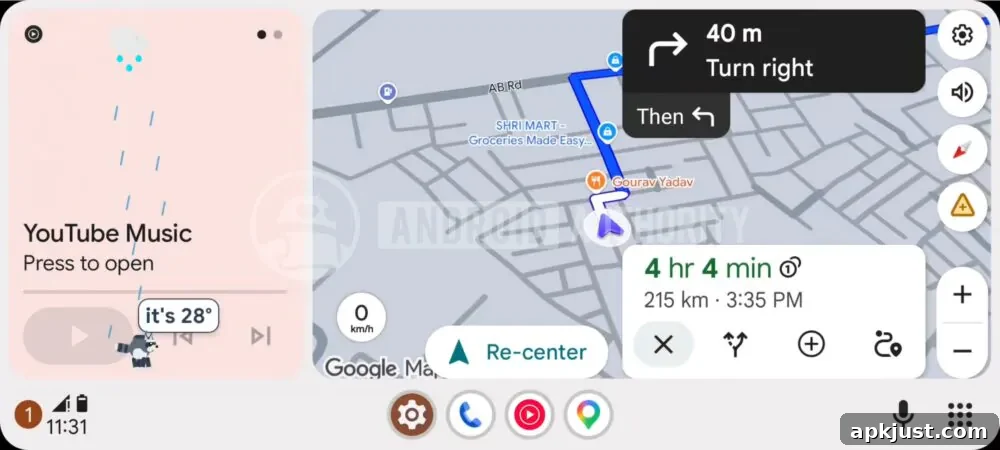
Alongside the practical quick settings work, the teardown surfaced a whimsical and unexpected entry: a “Jimothy mode” flag. The internal identifier referenced a playful raccoon-themed weather display, labeled in the code as a system UI mode tied to a character called Jimothy.
SystemUi__jimothy_mode_enabled
When enabled in a test environment, Jimothy appears as a small character overlay that accompanies weather information and animations, layered above the music widget. It adds personality to the in-car weather display and is clearly meant as a fun, novelty experience rather than a core productivity feature. While amusing and visually engaging, this kind of themed interface element may never reach a broad user base—memes and in-jokes can be short-lived, and Google typically reserves such Easter eggs for limited experiments or internal demos.
Despite that, the idea of a friendly, animated character presenting weather could be an attractive way to introduce consistent weather data into Android Auto. A thoughtfully integrated weather layer—whether presented by a mascot like Jimothy or a different visual approach—could provide drivers with quick, glanceable conditions without cluttering the main navigation or media screens.
More on Android Auto:
- Android Auto 17.6 introduced a refreshed logo and visual updates in some regions.
- Google Maps features such as immersive navigation and a speedometer are rolling out to more Android Auto users.
- Despite occasional rough edges, Android Auto remains a leading in-car entertainment and navigation platform.
Follow Ben: Twitter/X, Threads, Bluesky, and Instagram
In summary, Android Auto 17.6’s teardown points to two very different directions: practical, driver-focused improvements in the form of quick settings tiles, and lighthearted experiments like Jimothy mode that showcase playful possibilities for in-car displays. The quick settings feature feels most likely to be useful and widely adopted, while the themed weather character is an entertaining glimpse into how Google might experiment with personalities and animation in the vehicle environment.