
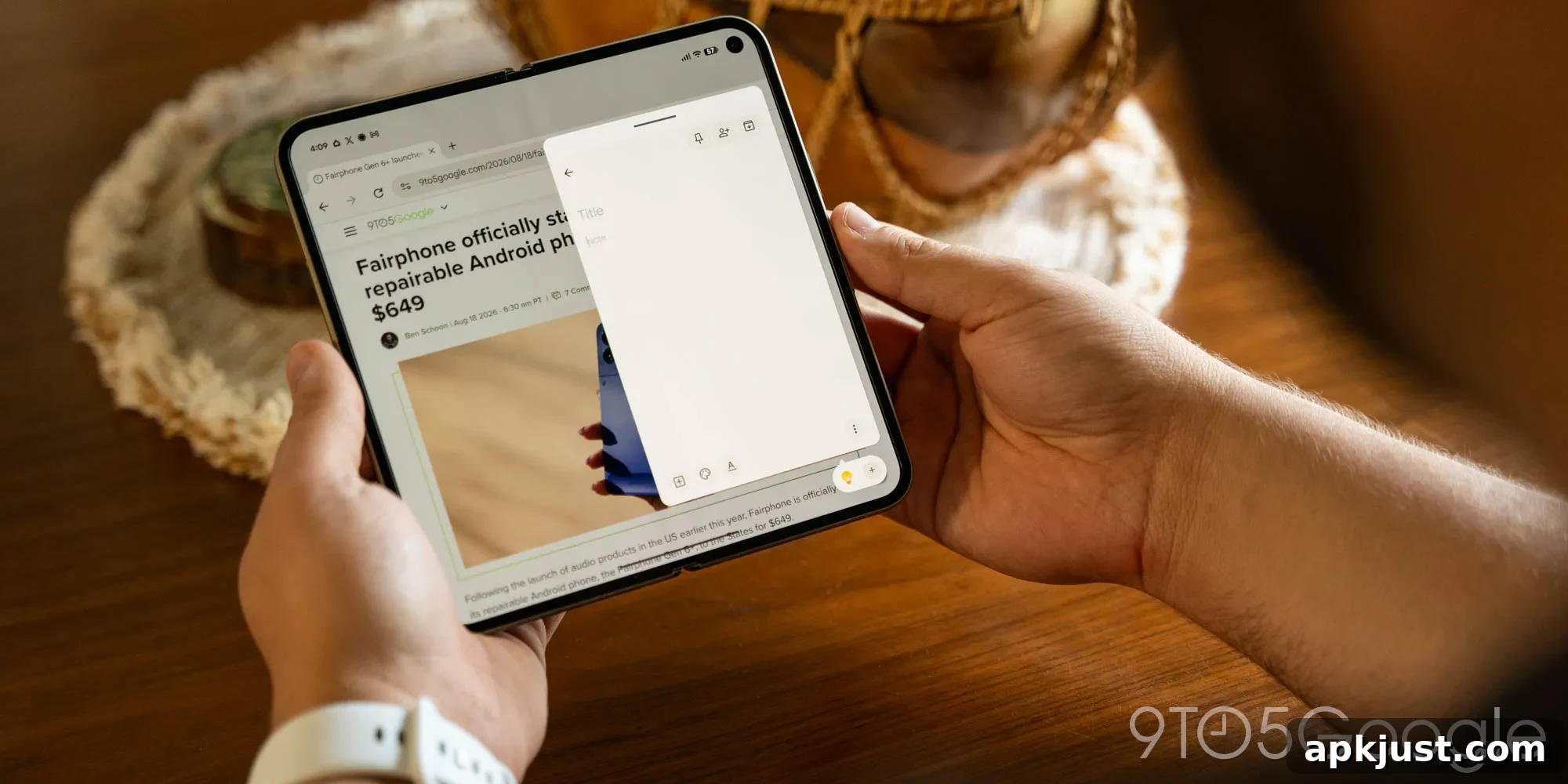
Previewed in a recent Canary build, Google’s Pixel 11 Pro Fold introduces a multitasking addition called “App Handles” that noticeably improves the foldable experience.
Built on top of the existing “Bubbles” system, App Handles acts like a dock for floating windows. You can pick any app and drag it to the bottom-right corner of the inner display. The app then converts into a fixed floating window anchored to that corner, remaining available above whatever else you are doing. Unlike free-floating windows that drift across the screen, these anchored windows stay put, creating a predictable and tidy place for quick access tools.
The defining gesture for the feature is a swipe up from that bottom corner, which awakens the app instantly — hence the name “App Handles.” That quick access makes switching into the anchored app feel natural and fast, reducing the friction of traditional floating windows.
You can store multiple apps in this same corner and cycle between them as needed. It effectively adds a second layer of multitasking: the main canvas remains available for full-screen or split-screen work, while a small set of apps lives in the corner for quick reference or lightweight tasks. You can still use two apps side-by-side on the inner display, and at the same time keep a small phone-like popup running another app on the larger canvas.
After spending a week with the Pixel 11 Pro Fold, App Handles quickly became my favorite new capability. I’ve used foldables with floating windows in the past, and they often felt clumsy or finicky. Google’s approach, with a simple activation gesture and anchored windows, makes these mini apps feel genuinely useful. Closing the main display conveniently converts those anchored handles back into Bubbles on the cover screen, preserving continuity between the two displays.
App Handles provides a middle ground between full split-screen multitasking and single-app focus. The inner display’s larger canvas is ideal for side-by-side apps, but you don’t always want to split that space. Whether the layout in an app breaks when forced into split mode, you need the entire canvas for a specific task, or you simply prefer a less crowded workspace, App Handles offers a less intrusive way to multitask.
Practical examples of how I’ve used App Handles include:
- Keeping Google Keep ready for quick note-taking while researching or reading.
- Maintaining a messaging app accessible without fully leaving the main app I’m using.
- Having Chrome available for quick lookups or follow-up research while reading content in another application.
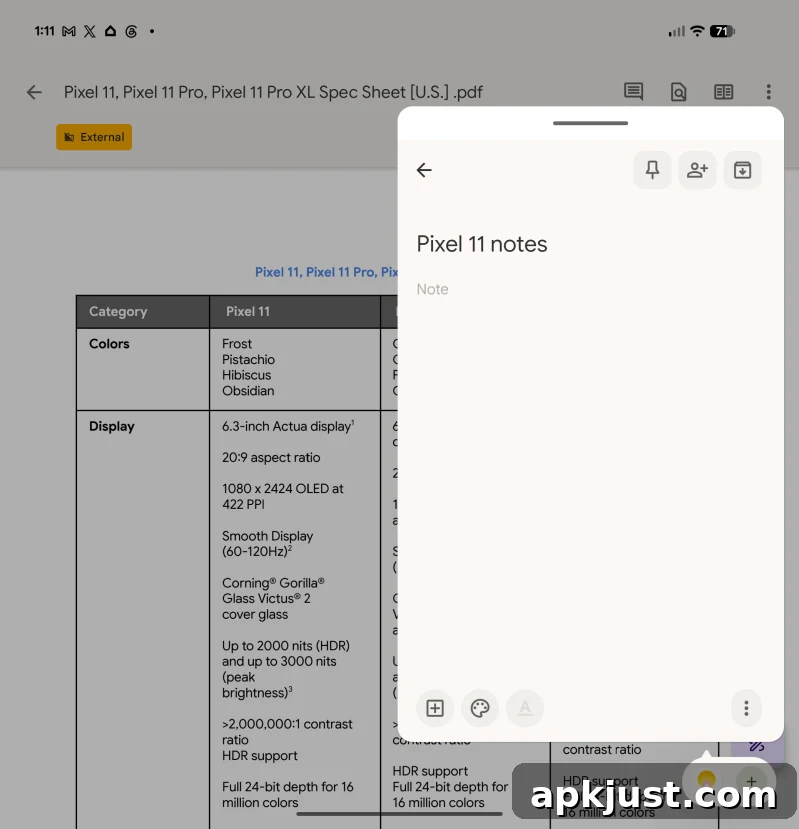
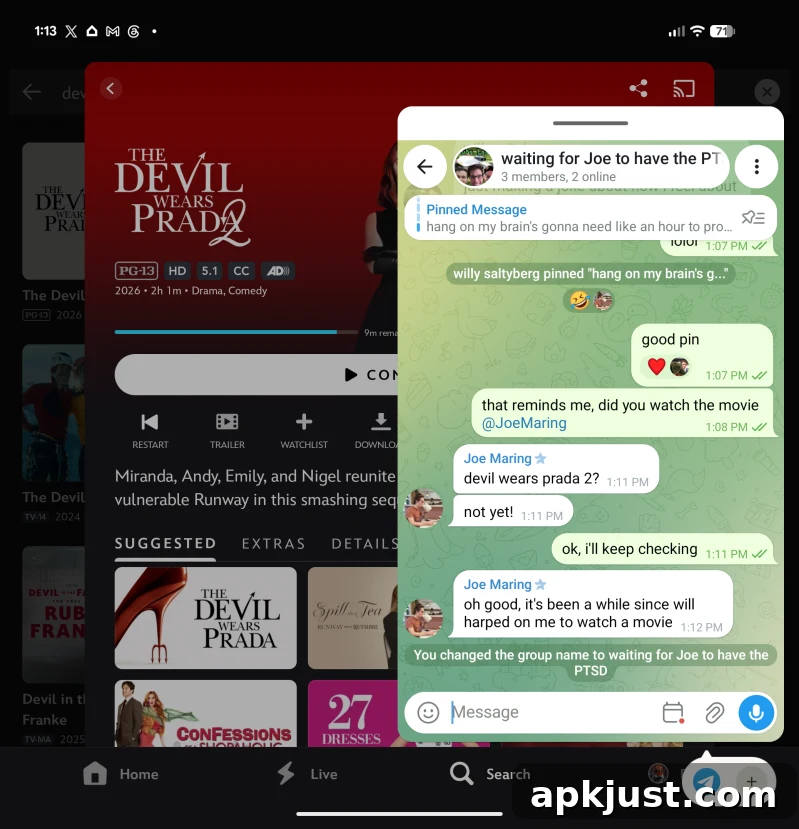
There are countless ways to integrate this into a personal workflow, and different users will discover unique uses that fit their habits. Whether you need a persistent calculator, a quick messaging window, or a note pad that’s always a swipe away, App Handles gives you that utility without disrupting your main workspace.
In my view, this is one of the most meaningful foldable features introduced in recent years, reminiscent of the practical value delivered by “Open Canvas” on the 2023 OnePlus Open. App Handles may even prove more useful in day-to-day tasks because of its unobtrusive, fast access design.
I hope other Android manufacturers, Samsung in particular, consider adopting a similar approach. A standardized, well-executed anchored-floating-window system could make multitasking on foldables far more productive and approachable for a broader audience.
The Pixel 11 Pro Fold is now available, and App Handles may roll out to earlier Pixel foldables through future Android updates.
More on Pixel 11:
- I really want to love the Pixel 11 Pro Fold, but it’s not off to the best start
- Pixel 11 Pro Initial Review: Gemini Intelligence is the highlight, not HiLight
- I can’t unsee the reason Pixel 11 Pro Fold is thinner, but it’s for the best [Gallery]
Follow Ben: Twitter/X, Threads, Bluesky, and Instagram (profiles mentioned for reference)