
Following recent Pixel app updates for Journal and Recorder, Pixel users now see a similar enhancement arrive for the Screenshots app: a new, more powerful set of filters that lets you narrow results by date range and by source. This change simplifies finding the screenshot you need without scrolling through long lists or toggling between separate collections.
Until now, the Screenshots app offered a basic “Filter screenshots” menu focused mainly on tags such as Places, Articles, Events, Notes, Receipts, Tracking info, and other categories. Those tag-based filters remain useful for quick category searches, but the new filtering options add precision and flexibility, so you can combine time-based, collection-based, and app-source filters to refine results.
The updated filter interface introduced with the Pixel 11 series includes three main improvements:
- Date range: Quickly limit results to common intervals — 24 hours, 7 days, 30 days, 6 months, 1 year — or choose a Custom range to target specific start and end dates.
- Collections: Search across collections from one place instead of opening each collection individually, which speeds up discovery when your screenshots are organized into multiple albums or folders.
- Sources: Filter by the application that captured or created the screenshot. The app source has long been recorded and shown in the screenshot UI; now you can use that metadata to show only images created by a particular app.
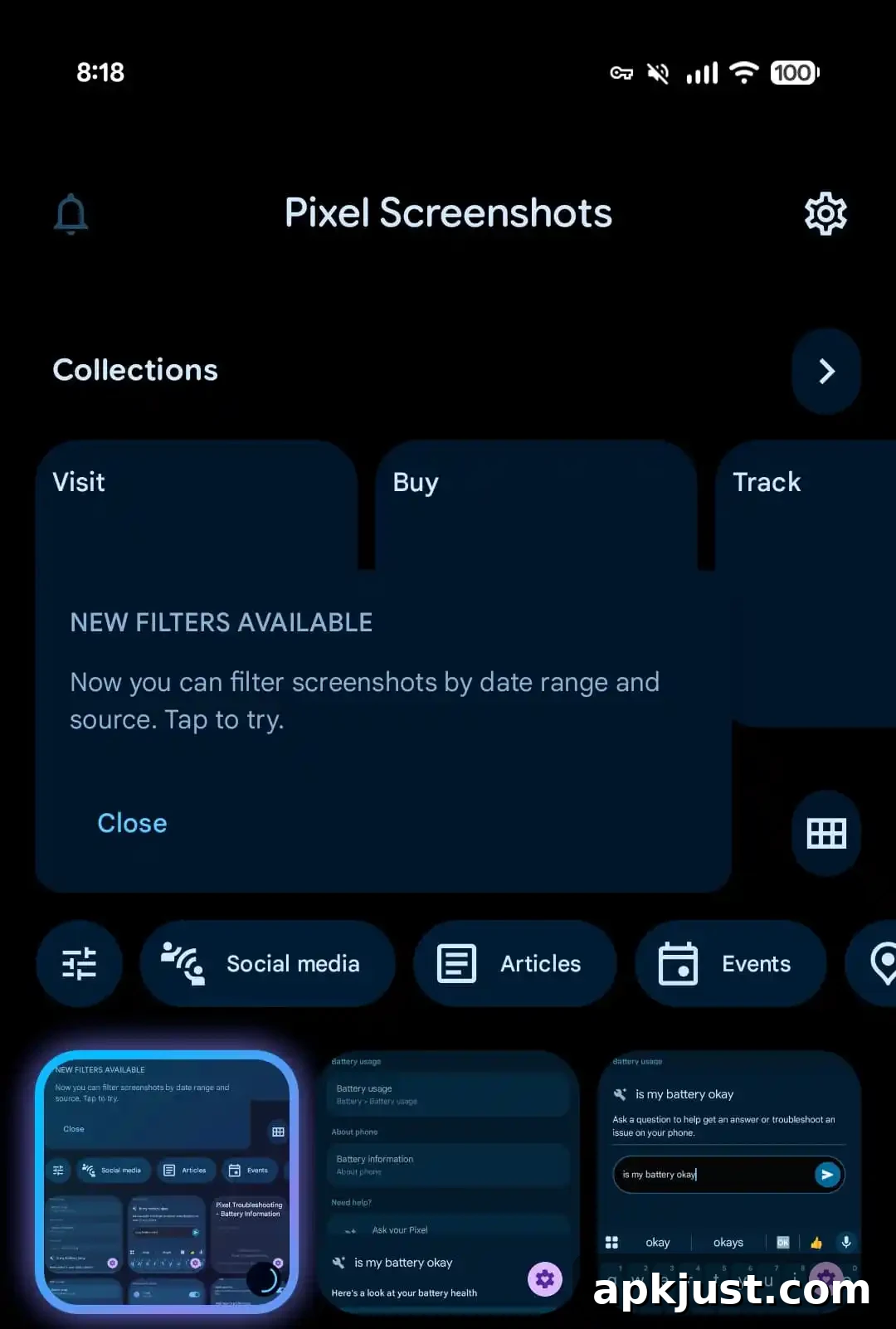
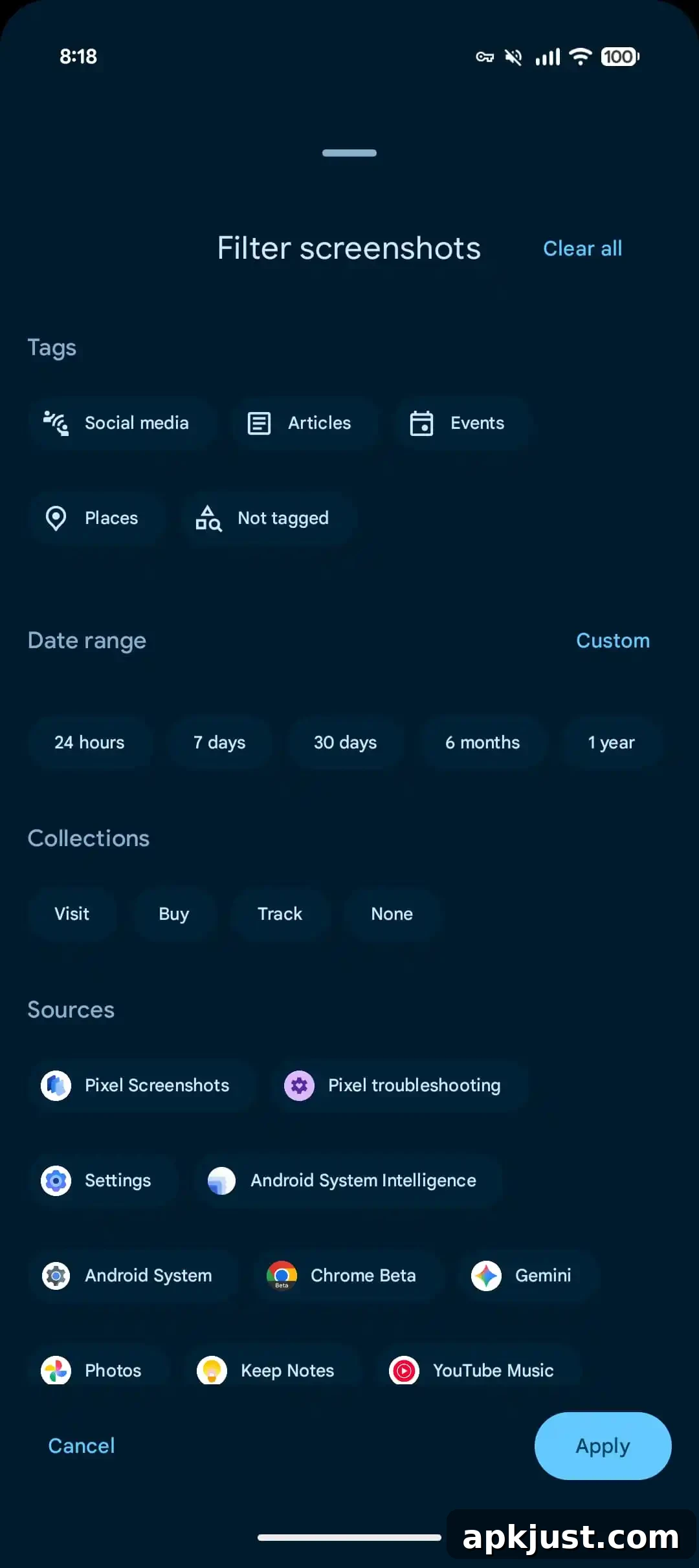
These enhancements are designed to work alongside the app’s existing text search and tag-based organization. For example, you can run a keyword search, then narrow the returned results by selecting a recent date range and limiting the source to a single app to quickly find a specific image. Collections also inherit the new filter controls, so the same set of options is available whether you’re viewing the main feed or a particular album.
Beyond the improved filtering options, there are no other visible changes in this release. Earlier in the year, a previous update moved some screenshot processing to cloud-based Private AI Compute and introduced a setting to allow processing over mobile data. Those prior changes focused on privacy-conscious processing and giving users control over when cloud resources are used.
The current update is packaged as version 1.26.281.05 of the Pixel Screenshots app and has begun rolling out through the Play Store to Pixel devices. On devices that have received the update, the new filters appear directly in the Screenshots app interface and can be accessed from the filter menu on the main feed or within Collections.
Practical benefits of the new filters include faster retrieval of recent receipts and tickets, simpler review of time-limited information such as offers or event confirmations, and improved workflow for users who frequently capture screenshots from multiple apps. By combining date, collection, and source filters with keyword search and tags, finding the right screenshot becomes a matter of a few taps instead of repeated manual browsing.
If you rely on screenshots for receipts, notes, or reference material, take a moment to explore the new options: try a short date range to surface only the most recent captures, or select a specific app source to exclude unrelated images. These small changes aim to make the Screenshots app more efficient and better suited to everyday use.