Android 17 QPR2 Beta 3 brings more than visual tweaks: it introduces a native App lock feature for Pixel devices, providing a built-in way to add per-app protection using the device’s secure authentication methods.
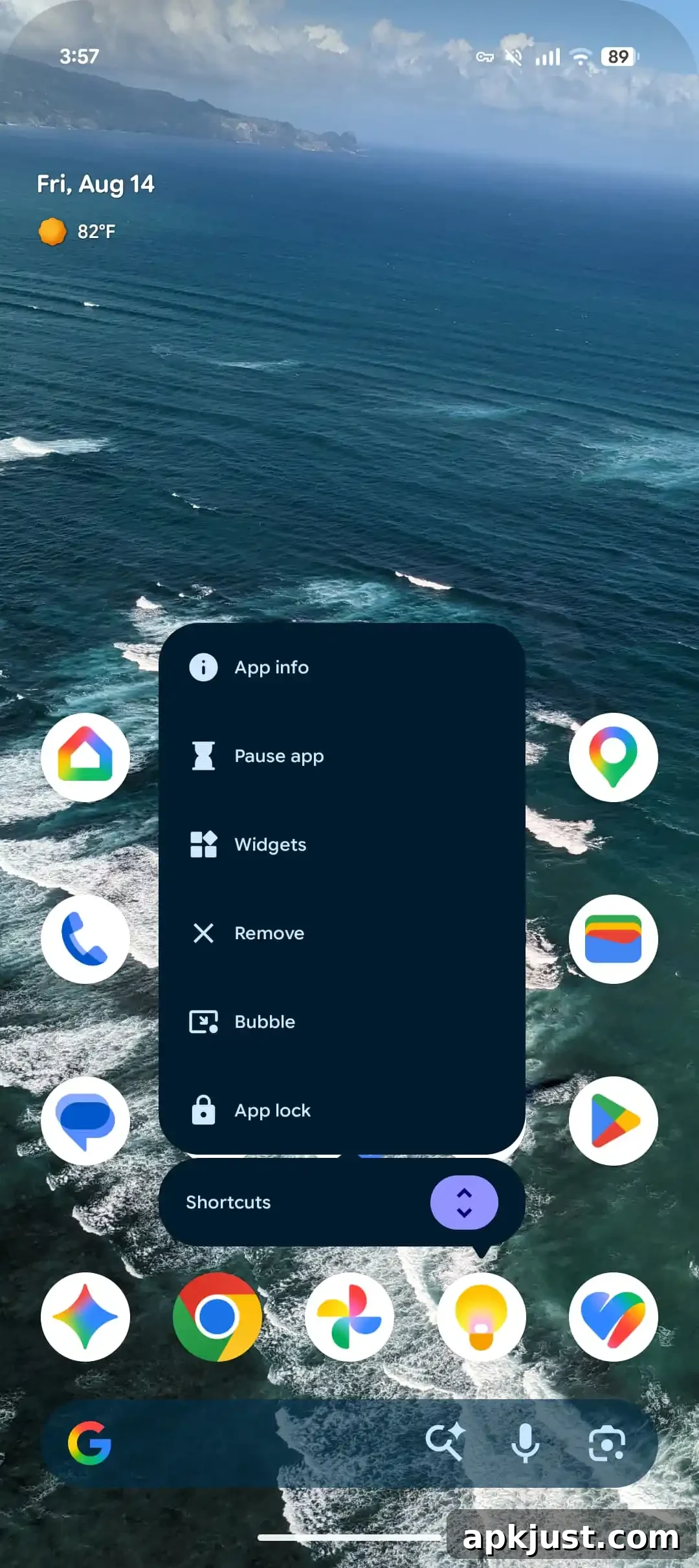
With App lock enabled, a long press on an app icon brings up the Actions menu and shows “App lock” alongside other options such as App info, Pause app, Widgets, Remove, and Bubble. Tapping App lock requires the user to authenticate with the device’s configured method — for example, fingerprint, PIN, or password — before the app can be opened. The system authentication sheet appears immediately on selection, ensuring the authentication process uses Android’s secure prompt.
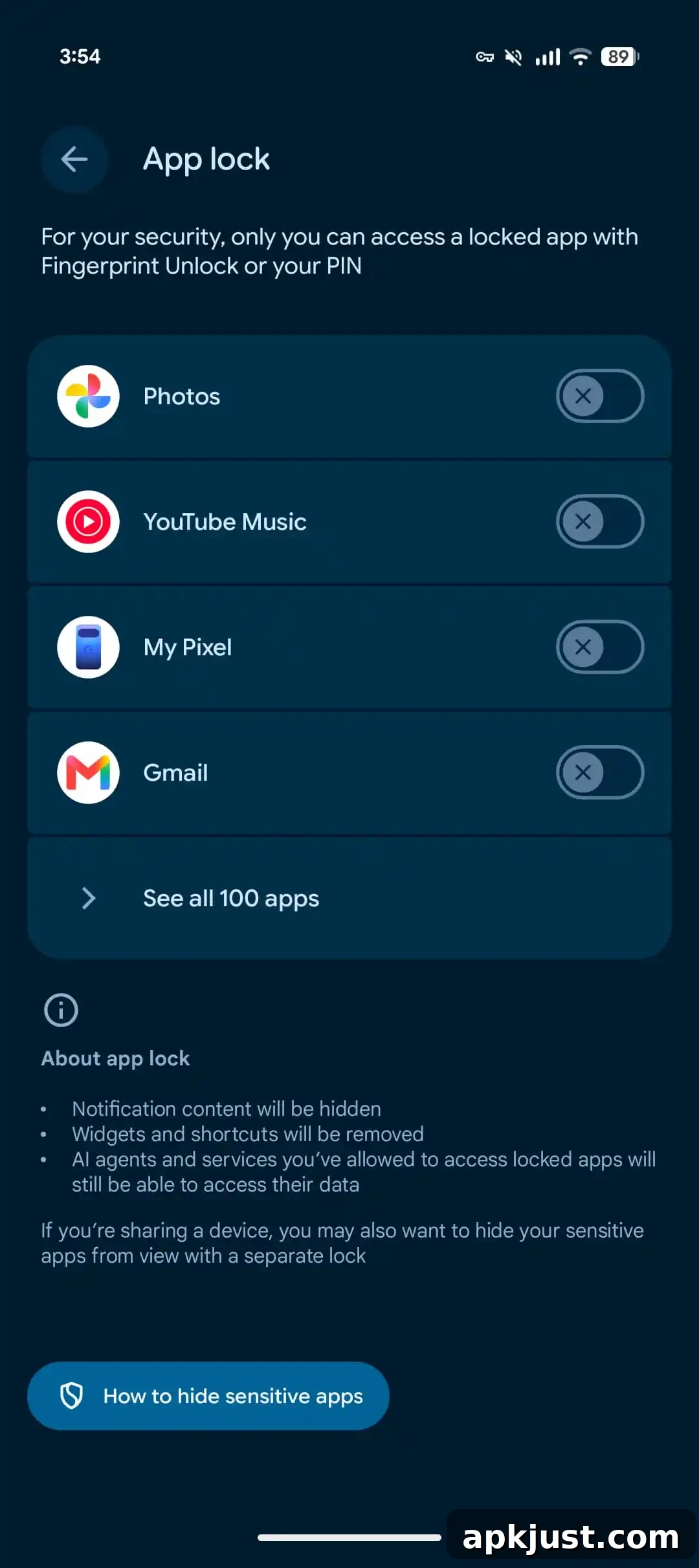
App lock is designed to protect sensitive apps and the data they display while still integrating with the rest of the operating system. Google clarifies several behaviors when an app is locked:
- Notification content from the locked app will be hidden on the lock screen and in notification shade summaries, preventing message previews or other sensitive content from appearing without authentication.
- Widgets and app shortcuts tied to the locked app will be removed from the home screen while the app remains locked, stopping quick access that bypasses the authentication gate.
- AI agents and services that you have explicitly allowed to access the app will continue to function and access app data as configured, so authorized integrations are not automatically blocked by App lock.
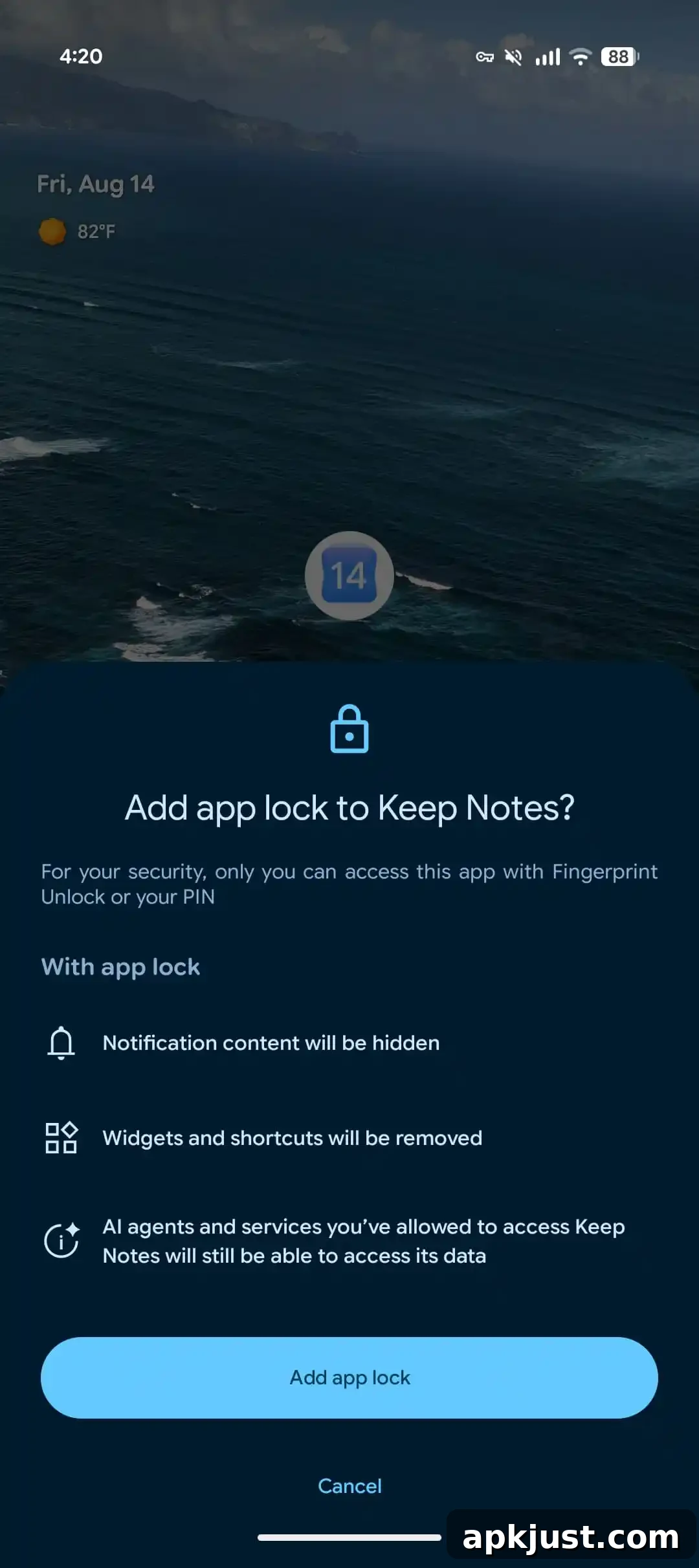
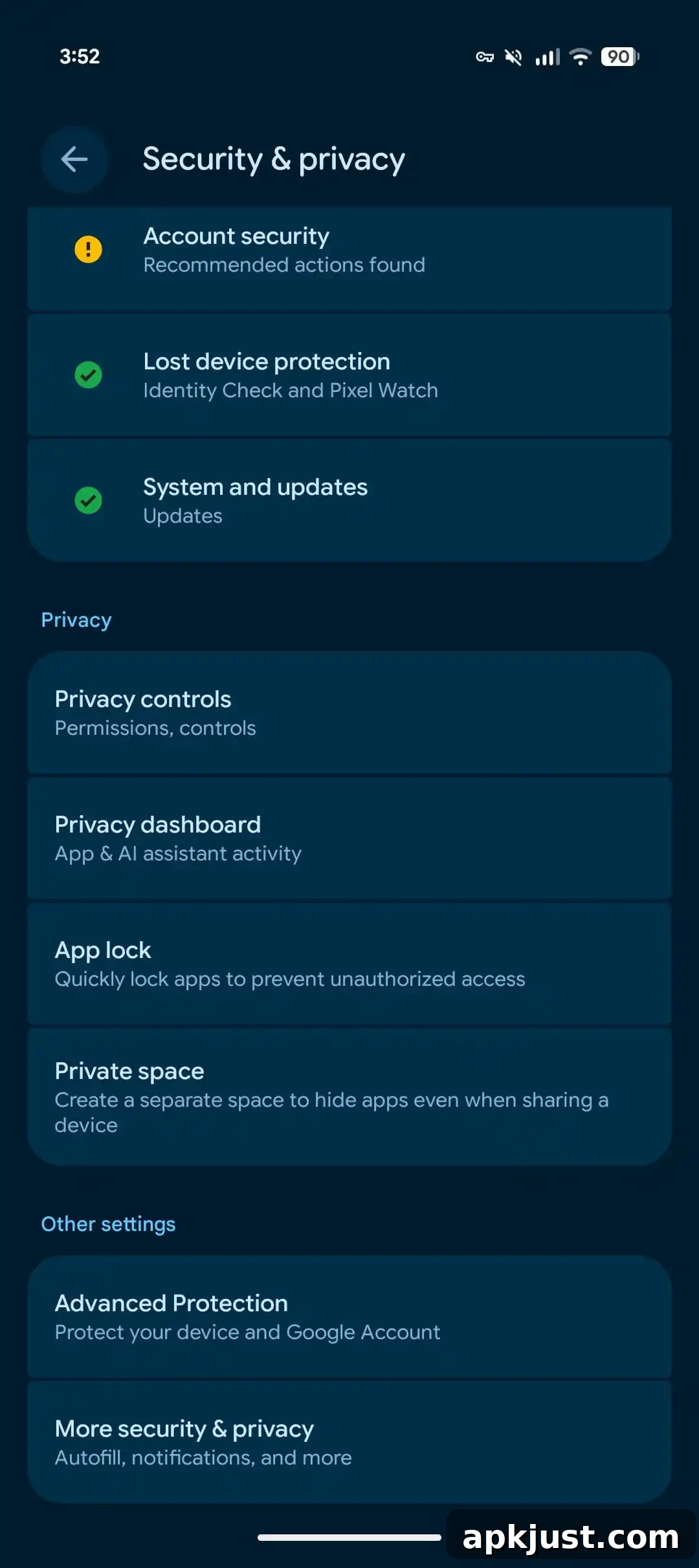
To manage App lock settings on a Pixel device running Android 17 QPR2 Beta 3, open Settings > Security & privacy > App lock. From this menu you can see which apps you have protected, quickly enable App lock for additional apps, or disable the feature as needed. The interface is straightforward and centralizes per-app protections in a single, discoverable location under the Security & privacy section.
The primary benefits of the built-in App lock are convenience and consistency. Previously, users relied on third-party apps or OEM-specific solutions to password-protect individual apps. A native implementation ensures the authentication flow uses Android’s secure system prompt, and it integrates with the platform’s privacy controls such as notification visibility and widget behavior. It also reduces the dependency on separate locking apps that may not follow the same privacy standards.
App lock is particularly useful for protecting messaging apps, banking applications, personal photo galleries, and any other app that contains sensitive information. By hiding notification content and disabling shortcuts and widgets for locked apps, the system reduces the risk of accidental exposure when the device is in use by others or left unattended. At the same time, Google’s decision to allow previously authorized AI agents and services to continue accessing locked apps reflects a balance between security and functionality: integrations that have explicit permission are preserved so they do not break workflows.
From a privacy and security perspective, pairing App lock with strong device authentication (such as fingerprint plus a secure PIN or password) strengthens access controls. Users should ensure their device lock screen protection is up to date and consider enabling biometric authentication for both convenience and enhanced security. Administrators and security-minded users can also audit which apps are protected and review permissions for AI agents or background services that access app data.
Android 17 QPR2 is scheduled for a broader release in December. When the update rolls out, Pixel users will be able to use the native App lock feature without needing third-party apps or additional configuration. For now, Beta 3 gives early adopters a chance to try the feature, provide feedback, and prepare for the wider release.