
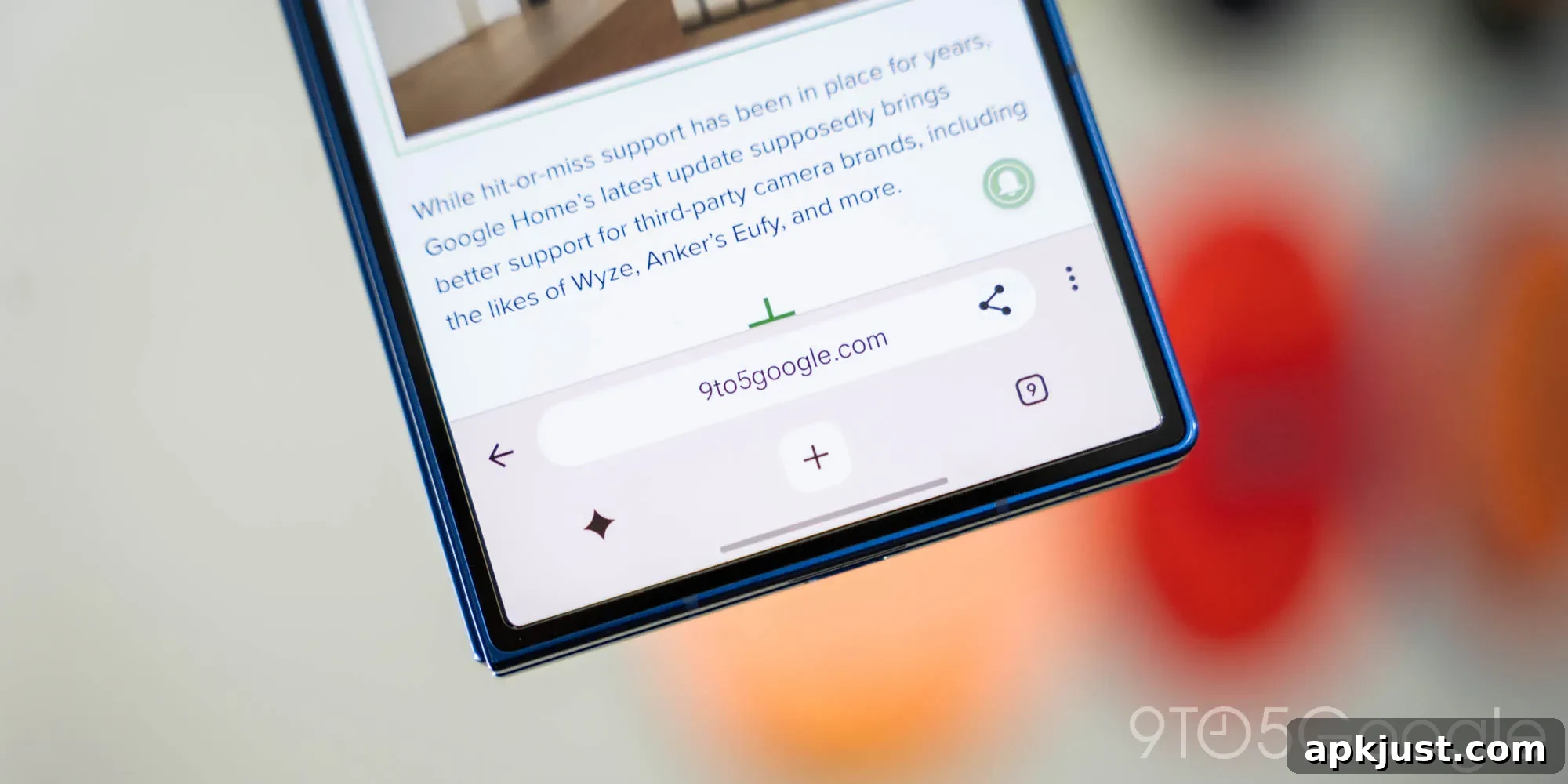
Google Chrome is testing a significant redesign for mobile devices, appearing on both Android and iPhone. The new layout introduces dual bars—one at the top and one at the bottom of the screen—and adds a dedicated shortcut for Gemini, Google’s AI assistant.
About a year ago, Chrome for Android introduced an option to place the address bar at the bottom of the screen, making controls easier to reach on taller displays. The current experiment builds on that idea but takes a bolder approach: the browser now shows two distinct bars. The top bar houses the URL, share and back controls, and the overflow menu, while the bottom bar focuses on actions like opening a new tab, managing tabs, and launching Gemini directly.

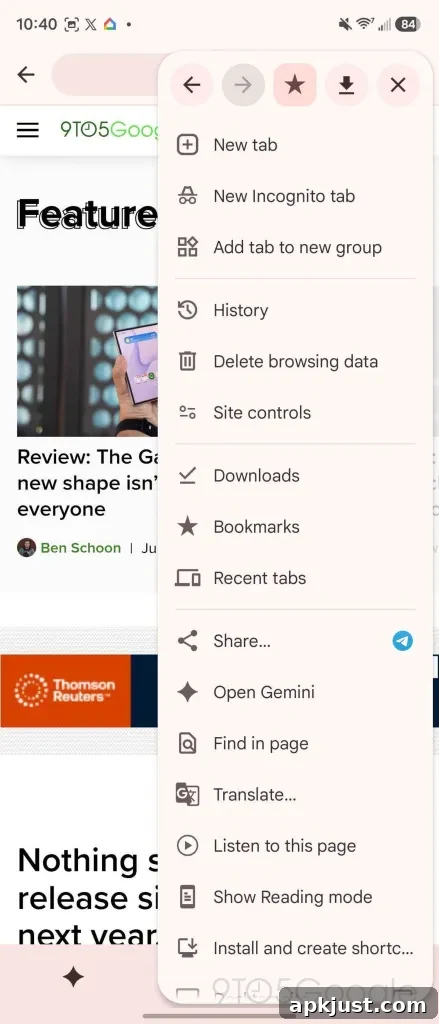
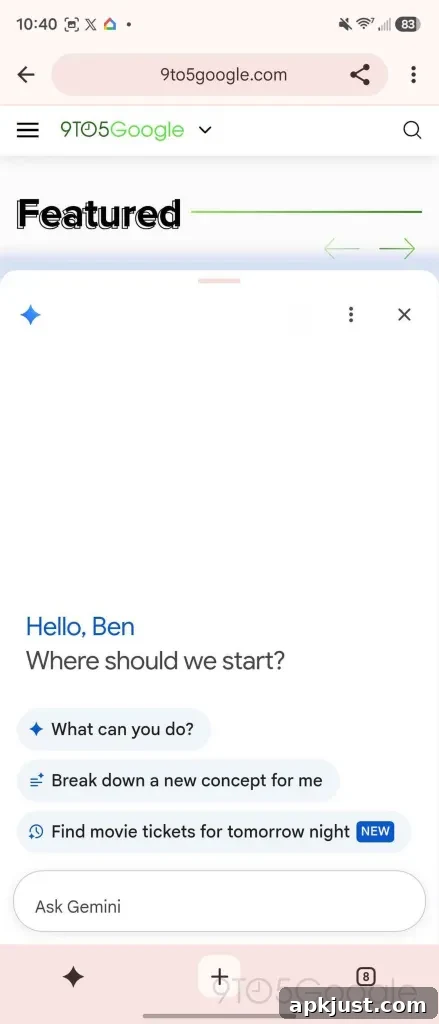
The bottom bar remains an option for users who prefer a single, full-width control at the screen edge, but the new layout makes that bottom strip slightly thicker to fit the Gemini shortcut comfortably. The addition of a dedicated AI button signals Google’s intent to make Gemini a more visible and readily accessible feature inside the browser.
Earlier this year, Google announced plans to integrate Gemini into Chrome. The initial integration placed a Gemini icon next to tab controls, but the current dual-bar experiment emphasizes the assistant more prominently by giving it room on a separate control strip. That change reflects a larger trend of browsers and apps surface AI features in more direct ways so users can invoke them quickly while browsing.

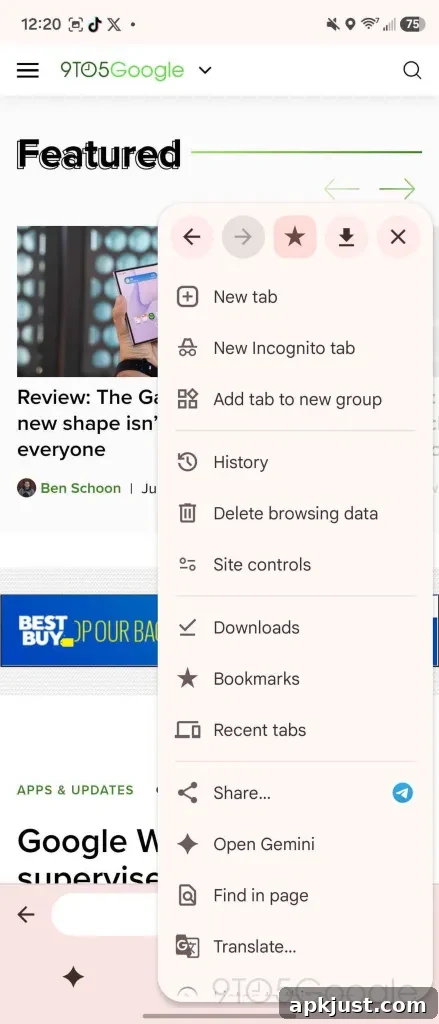
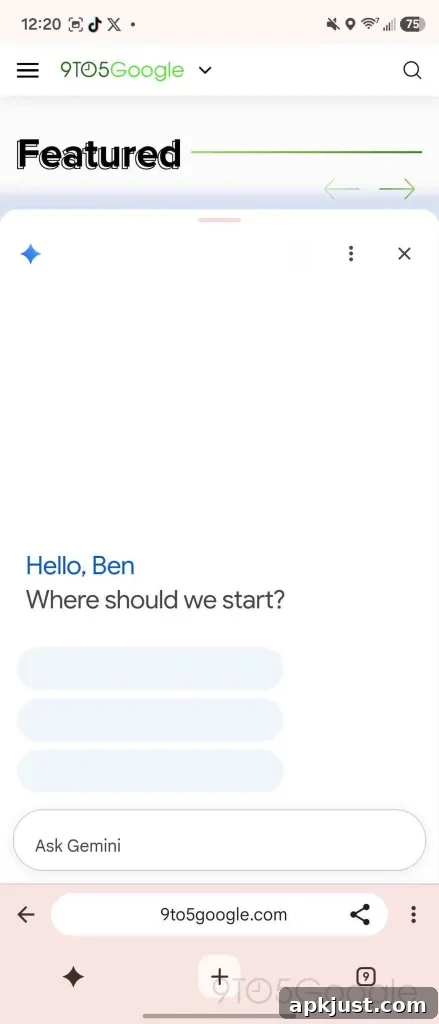
From our testing, this dual-bar design appears to be the beginning of a gradual rollout. Google previously indicated that Gemini in Chrome for Android would start rolling out late in June to select devices meeting specific requirements, but that timeline slipped. So far, we’ve seen the new interface on only a single device in our lab, even though multiple devices were updated and configured similarly. That suggests the rollout is controlled and slow, possibly gated by hardware, account type, or server-side settings.
Other users have reported similar sightings in stable Chrome releases, although details vary slightly between devices. In some cases, the homepage shortcut remains visible, causing small layout differences from the screenshots we captured. We also encountered a comparable design on iPhone earlier in the year, indicating the experiment is not exclusive to Android.
Not everyone is happy about the change. Adding a prominent Gemini button to the main browsing UI has prompted some users to ask for ways to disable the feature, citing concerns about clutter and unwanted prominence. How Google responds—whether by adding controls to hide the button or by offering customizable toolbars—will likely influence user acceptance as the update reaches more devices.
For now, the dual-bar layout and Gemini shortcut are worth watching. The redesign aims to make key browsing actions more accessible and to highlight AI tools as integral parts of the browsing experience. If you see this new Chrome layout on your phone, it helps reviewers and reporters to know which device you’re using and whether the feature arrived in a stable release or through an update.
More on Chrome:
- Google Chrome now supports Netflix in 4K on compatible systems, though not all machines qualify for playback at that resolution.
- Some users report being signed out of accounts unexpectedly; community feedback and polls have explored how widespread this issue is.
- Google is experimenting with updating Chrome without requiring a full browser restart to reduce disruption during updates.
Follow Ben: Twitter/X, Threads, Bluesky, and Instagram