
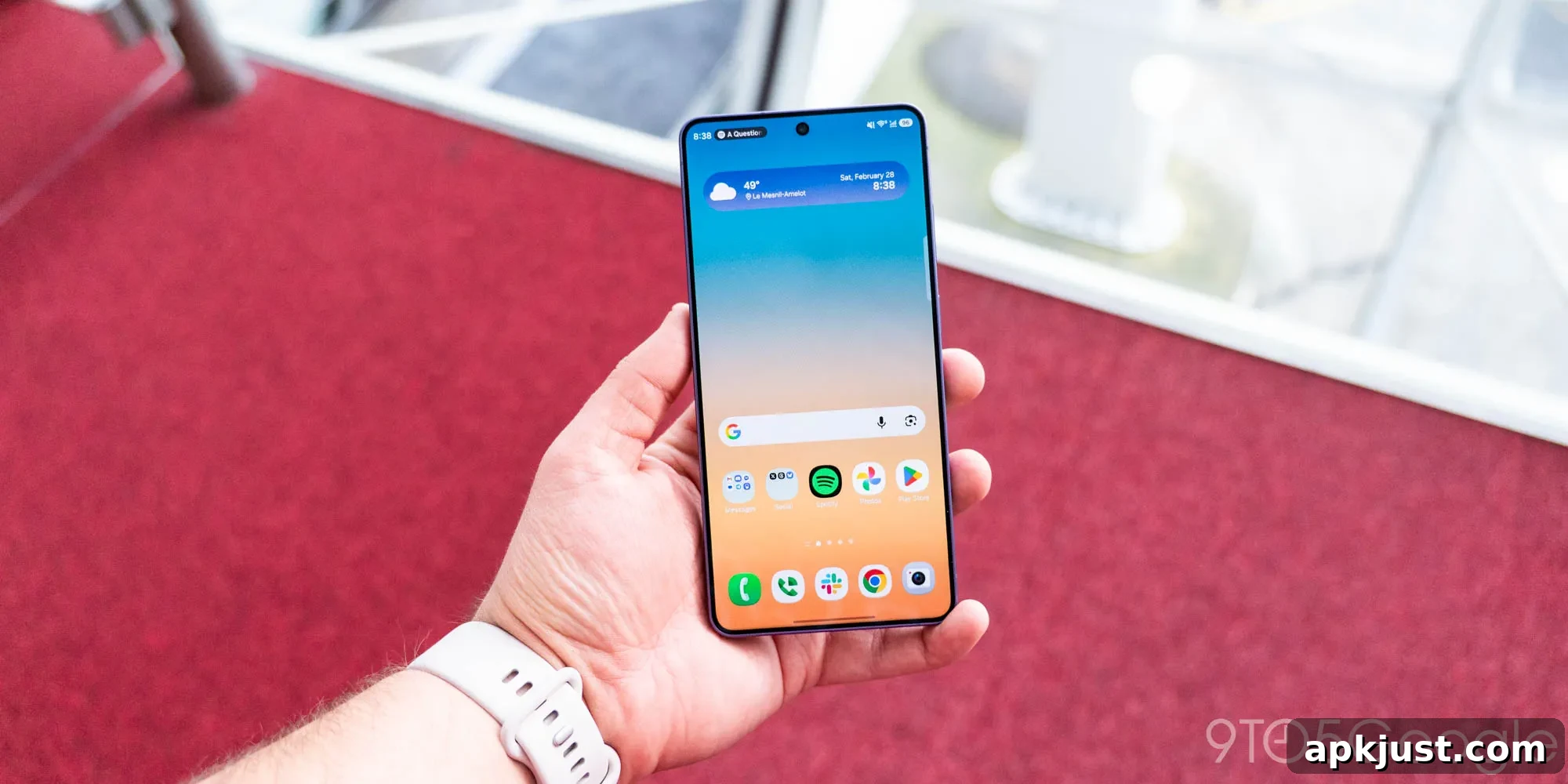
Samsung’s upcoming One UI 9 update, built on Android 17, brings several notable home screen customization improvements. Early screenshots of a new Good Lock module reveal more powerful options for personalizing the home experience, giving users finer control over layout, gestures, and visual styling.
Galaxy Techieon Twitter/X shared images of an early build of Samsung’s updated “Home Up” Good Lock module for One UI 9. Home Up has long offered deeper customization than the default launcher, and the iteration prepared for Android 17 expands those capabilities in meaningful ways.
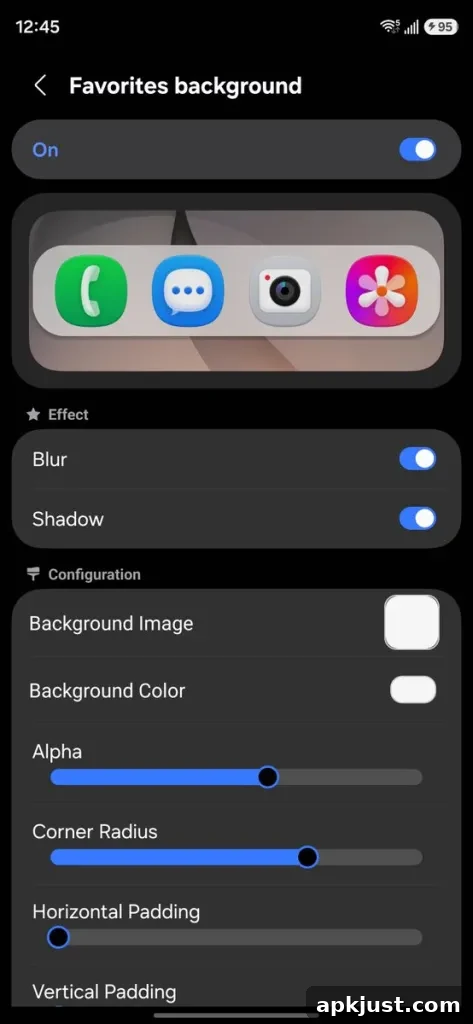
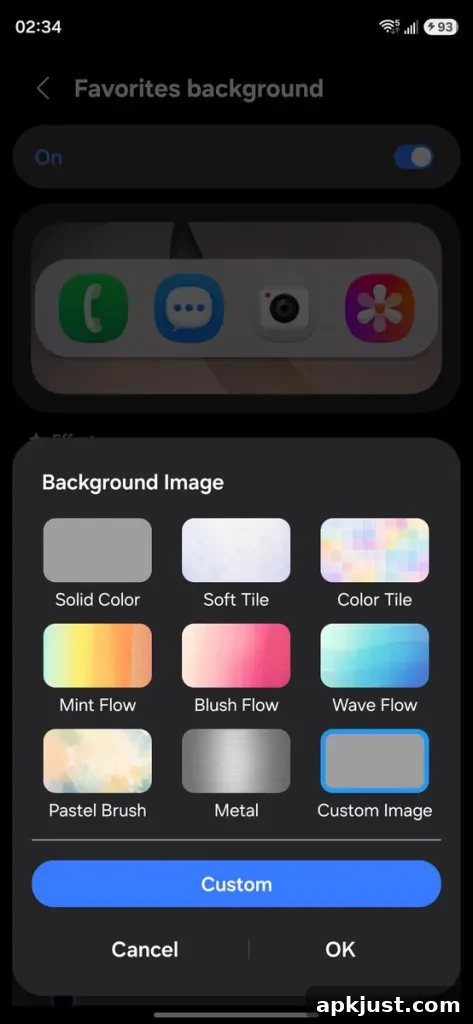
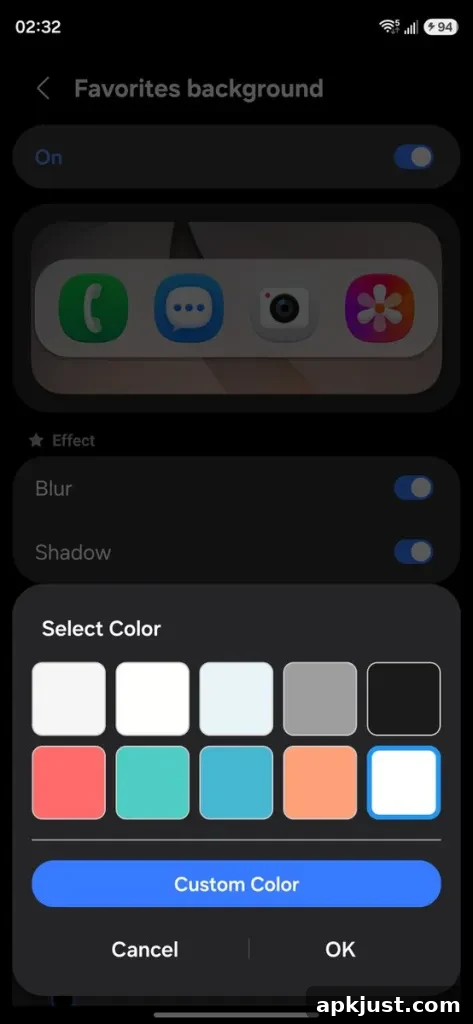
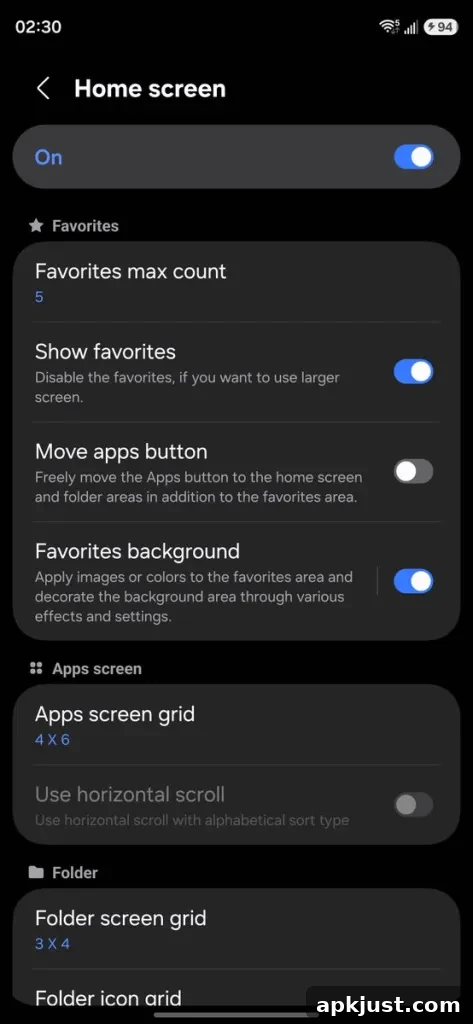
Two headline features stand out in the previewed build. The first focuses on the dock — sometimes labeled the “Favorites” tray — at the bottom of the home screen. Where previous versions only offered limited tweaks, One UI 9’s Home Up introduces background customization for the dock. Users can now add a colored background, apply a blur effect, or place an image behind the most-used apps, creating a more cohesive or contrasting look depending on the chosen wallpaper and icon style.
In addition to visual styling, the dock becomes more flexible functionally. You can independently set how many apps appear in the dock, separate from the overall home screen grid. That makes it easier to maintain a compact, minimal home layout while still keeping multiple frequently used apps easily accessible in the dock.
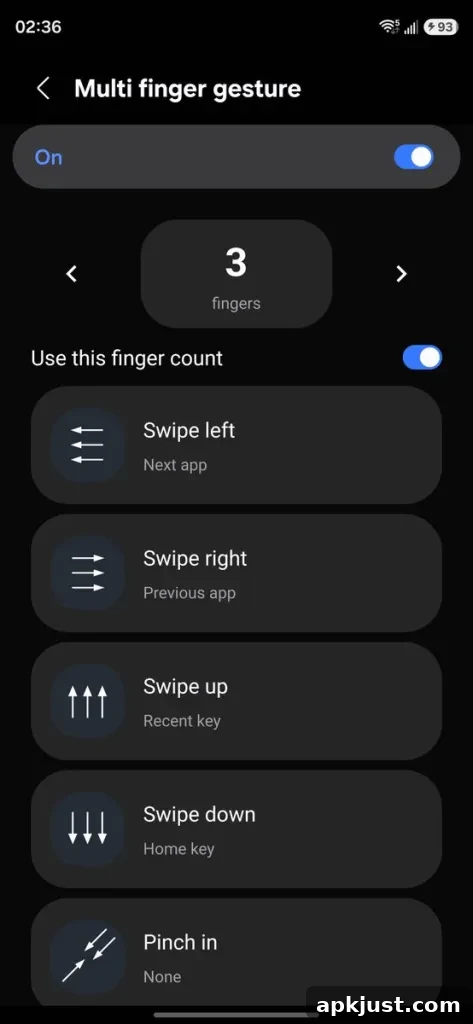
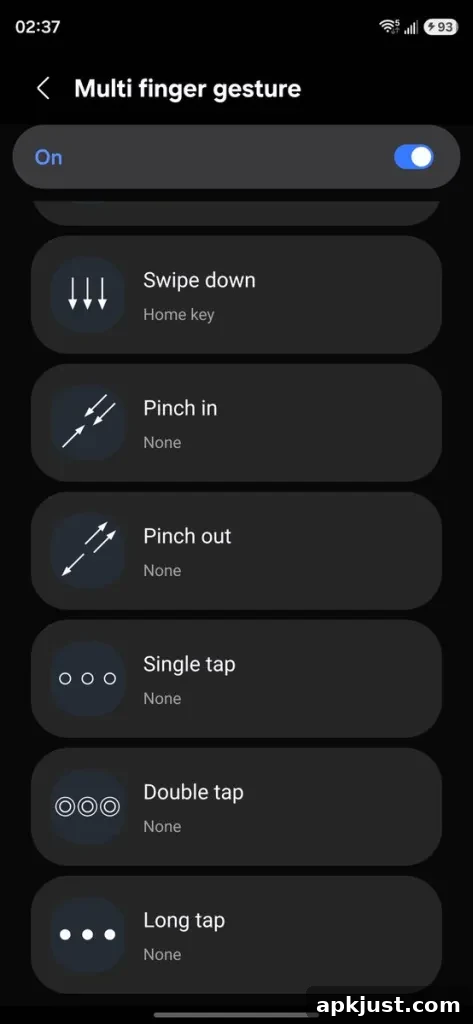
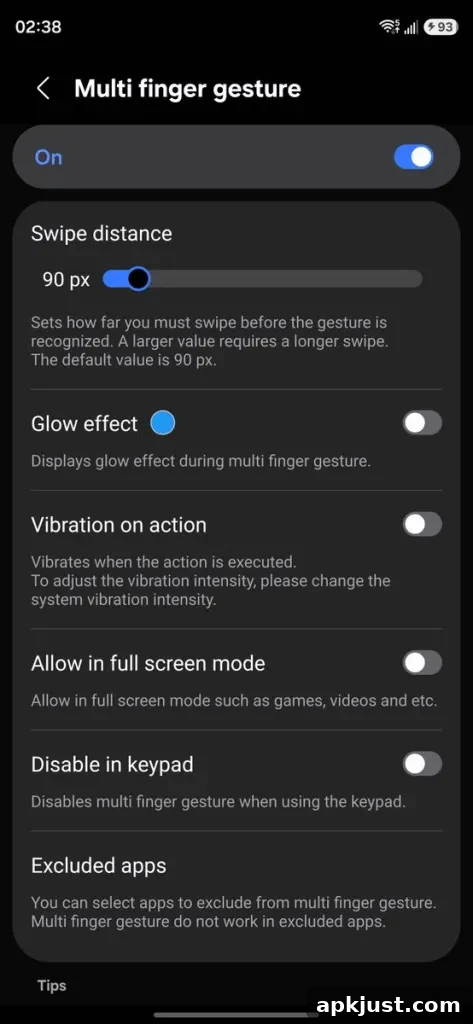
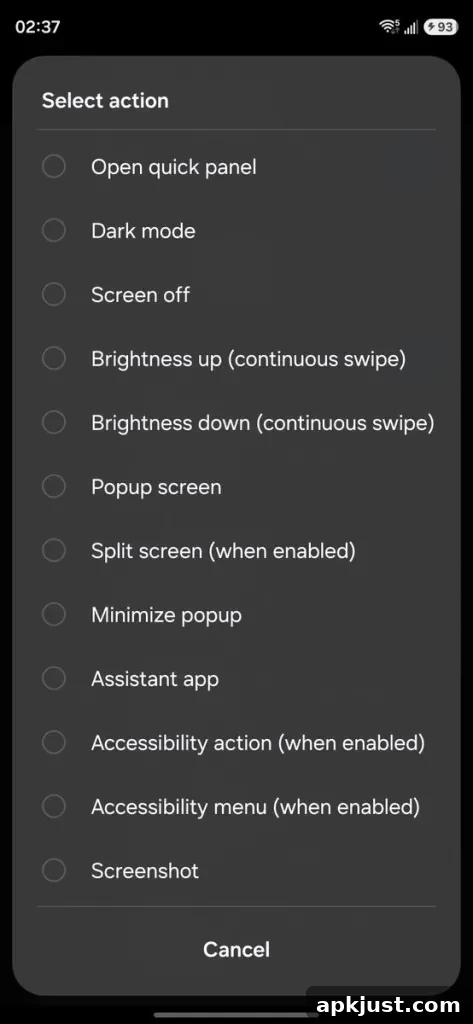
The second major addition is expanded support for multi-finger gestures on the home screen. Home Up for One UI 9 adds separate, configurable actions for a wider range of gestures — not only swipes in specific directions but also pinches and other multi-touch motions. These gestures can be assigned to common tasks such as switching or launching apps, adjusting media volume, opening a system or app search, changing screen brightness, taking screenshots, and more.
Because the gestures are customizable, users can build shortcuts that match their own workflows. For example, a two-finger swipe up could open a search box, while a pinch-in might minimize all apps or trigger a screenshot. The flexibility aims to reduce reliance on on-screen buttons and menus, letting users rely on tactile, on-device controls to speed up everyday actions.
These additions complement Home Up’s existing feature set. Current options already let users modify home screen grid sizes, tweak the task changer and share sheet behavior, and back up or restore Home Up settings. The One UI 9 update continues that trend by combining visual polish with functional improvements that help users tailor their device to personal needs.
Samsung is expected to roll out One UI 9 alongside devices such as the Galaxy Z Fold 8 and Z Flip 8, with the update later arriving on previous-generation Galaxy phones and tablets. Home Up’s One UI 9 features have started appearing in early builds and betas; according to reports, some aspects of One UI 9 are already being tested on recent Galaxy flagship devices.
More on Samsung:
- Galaxy Z Fold 8 leaks in official-looking renders, confirming some final details
- Galaxy Watch 9, Ultra 2, and Z Flip 8 sure do look like Samsung sequels in official-looking renders [Gallery]
- Leaked videos show Galaxy Glasses including Meta Ray-Ban-like design, controls, etc
Follow Ben: Twitter/X, Threads, Bluesky, and Instagram