
With the release of Android 17 QPR1 Beta 5 today, Google continues to deliver a fresh set of bug fixes for Pixel devices. This incremental beta refines stability across the system, addresses several app and UI issues, and improves reliability for daily tasks like camera use, downloads, and widgets.
Over the next few hours we will be examining the changes in detail. The most recent additions appear at the top of the list below, so check back frequently for updates. For those installing the beta, screenshots from Beta 4 and Beta 5 are provided to illustrate a few of the visible differences.
If you want to install Android 17 QPR1 Beta 5 quickly on a compatible Pixel device—such as the Pixel 6a, Pixel 7, Pixel 7 Pro, Pixel 7a, Pixel Tablet, Pixel Fold, Pixel 8, Pixel 8 Pro, Pixel 8a, Pixel 9 series, Pixel 10 series, and Pixel 10a—refer to the official step-by-step beta installation guide provided by Google. Follow the official instructions carefully and back up important data before updating.
Updating…
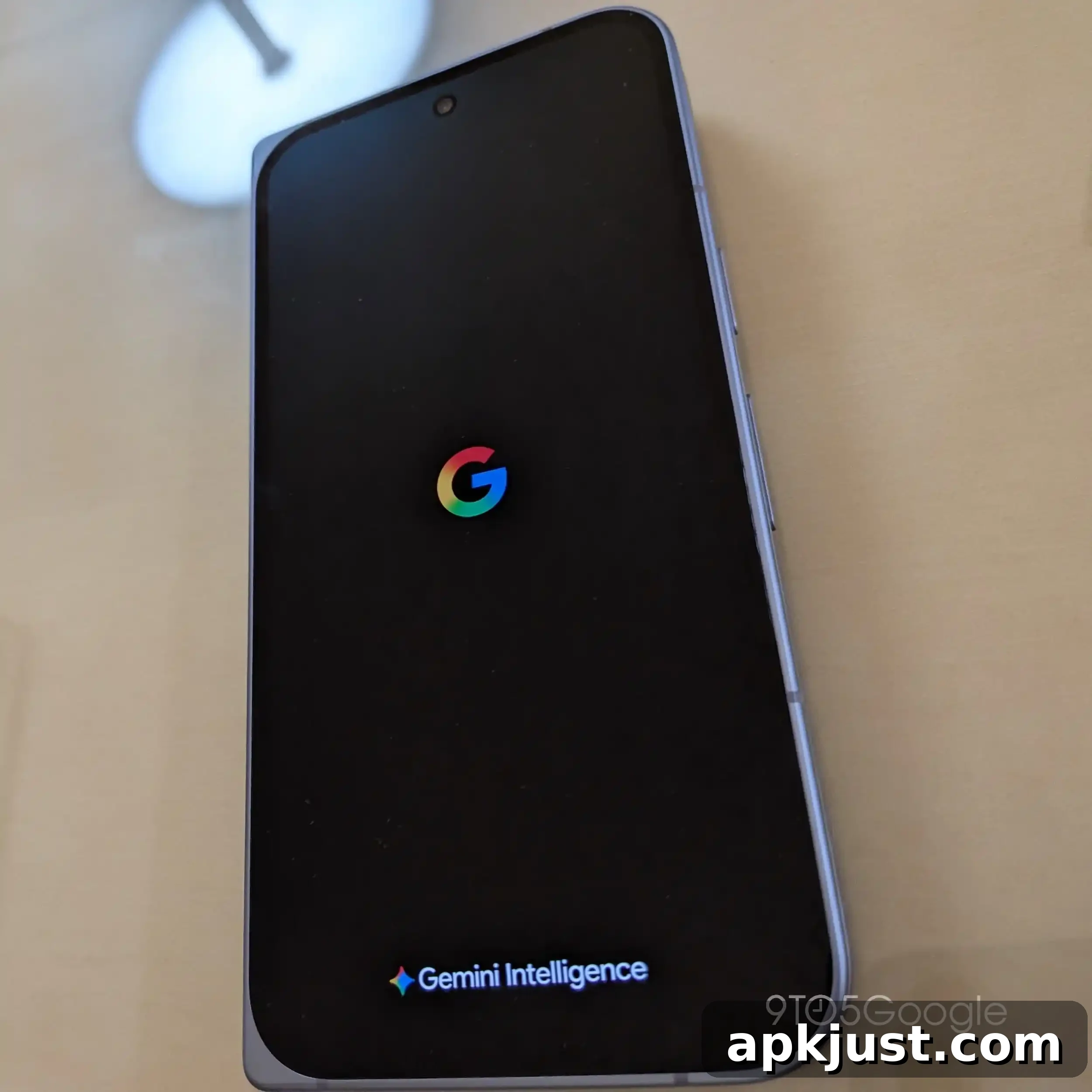
Brief Gemini Intelligence branding appearance
This beta briefly reveals a branding element related to Gemini Intelligence in the interface. The appearance is subtle and intended to test visual placement rather than represent a full feature rollout. Designers and testers may notice the branding in select screens while Google evaluates the presentation and integration.
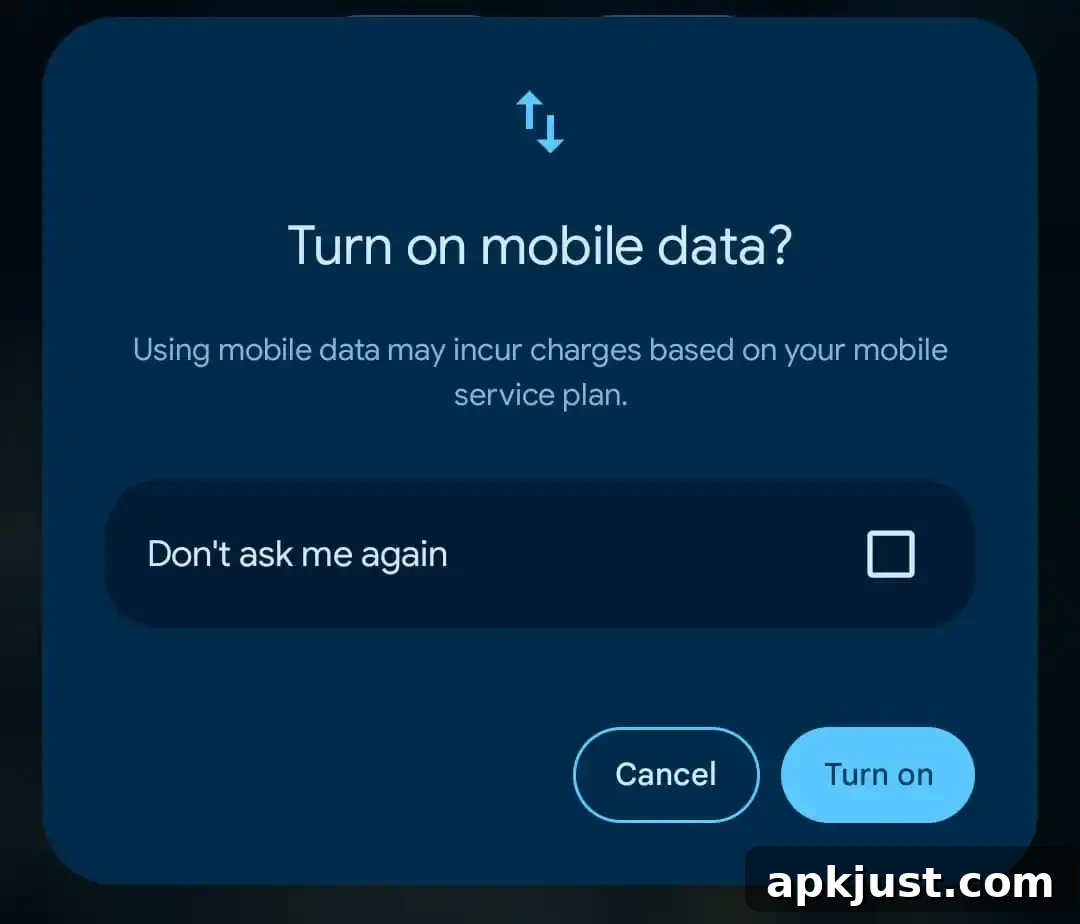
‘Don’t ask me again’ for Mobile Data Quick Settings Tile
A small but useful change in this beta adds a persistent option for the Mobile Data Quick Settings tile: “Don’t ask me again.” This prevents the system from repeatedly prompting for confirmation when toggling mobile data via the Quick Settings tile. The change simplifies the experience for users who frequently enable or disable mobile data from the notification shade and prefer to reduce repetitive confirmation dialogs.
Bug fixes
Android 17 QPR1 Beta 5 focuses heavily on stability and resolving long-standing issues reported by users and developers. The following list summarizes the fixes included in this beta build, presented in plain terms for clarity.
- Game Dashboard recordings: Fixed a problem that prevented users from stopping screen recordings or saving recorded video files while using the Game Dashboard. (Reference: Issue #296368569, Issue #328539170)
- Camera freezes: Resolved cases where the camera app would temporarily freeze or stutter shortly after launching from an idle or suspended state, improving reliability when opening the camera from the lock screen or from an idle device. (Reference: Issue #330488811)
- Always-On Display wake freeze: Addressed an issue where waking the device from Always-On Display could result in a frozen screen with a pixelated bottom bar. The visual glitch and freeze conditions have been corrected. (Reference: Issue #515393542, Issue #515497396)
- Download Manager timeouts: Fixed a timeout that caused Download Manager to fail to complete downloads when it was excluded from an active VPN connection. Downloads should now complete reliably in these scenarios. (Reference: Issue #475985649)
- Charging estimate mismatch: Corrected inconsistent charging completion estimates that previously showed different times on the lock screen compared with the charging screensaver. Estimates should now match and appear consistent across screens. (Reference: Issue #489503595)
- Private Space stability: Resolved crashes in the Private Space user interface and prevented locked private apps from appearing in launcher search results when they should remain hidden. This improves privacy and stability for users of private profiles. (Reference: Issue #515631415)
- System crash when downloading games: Fixed a system-level crash and device hang that could occur while downloading games. This should reduce unexpected reboots or freezes during large downloads. (Reference: Issue #515364954)
- Archived apps context menu: Removed a non-functional bubble option that was incorrectly presented in the context menu for archived apps, streamlining the available actions and avoiding confusion. (Reference: Issue #514585702)
- WebView rendering regression: Addressed a WebView rendering regression that caused certain apps, such as Monopoly Go, to freeze or crash when opening mini-games. The WebView fixes should restore normal behavior for affected web content within apps. (Reference: Issue #516576731)
- Home screen widgets after reboot: Fixed a variety of cases where home screen widgets would disappear or become unavailable in the widget picker after a device reboot. Widgets should now remain visible and selectable following restarts. (Reference: Issue #488125748 and related reports)
This beta emphasizes practical reliability improvements across core subsystems and user-facing apps. If you install Beta 5, test the areas most relevant to your daily use—camera, widgets, downloads, Game Dashboard—and report any remaining issues through the appropriate channels. Keep backups of important data before updating, and monitor additional beta releases for further refinements.