
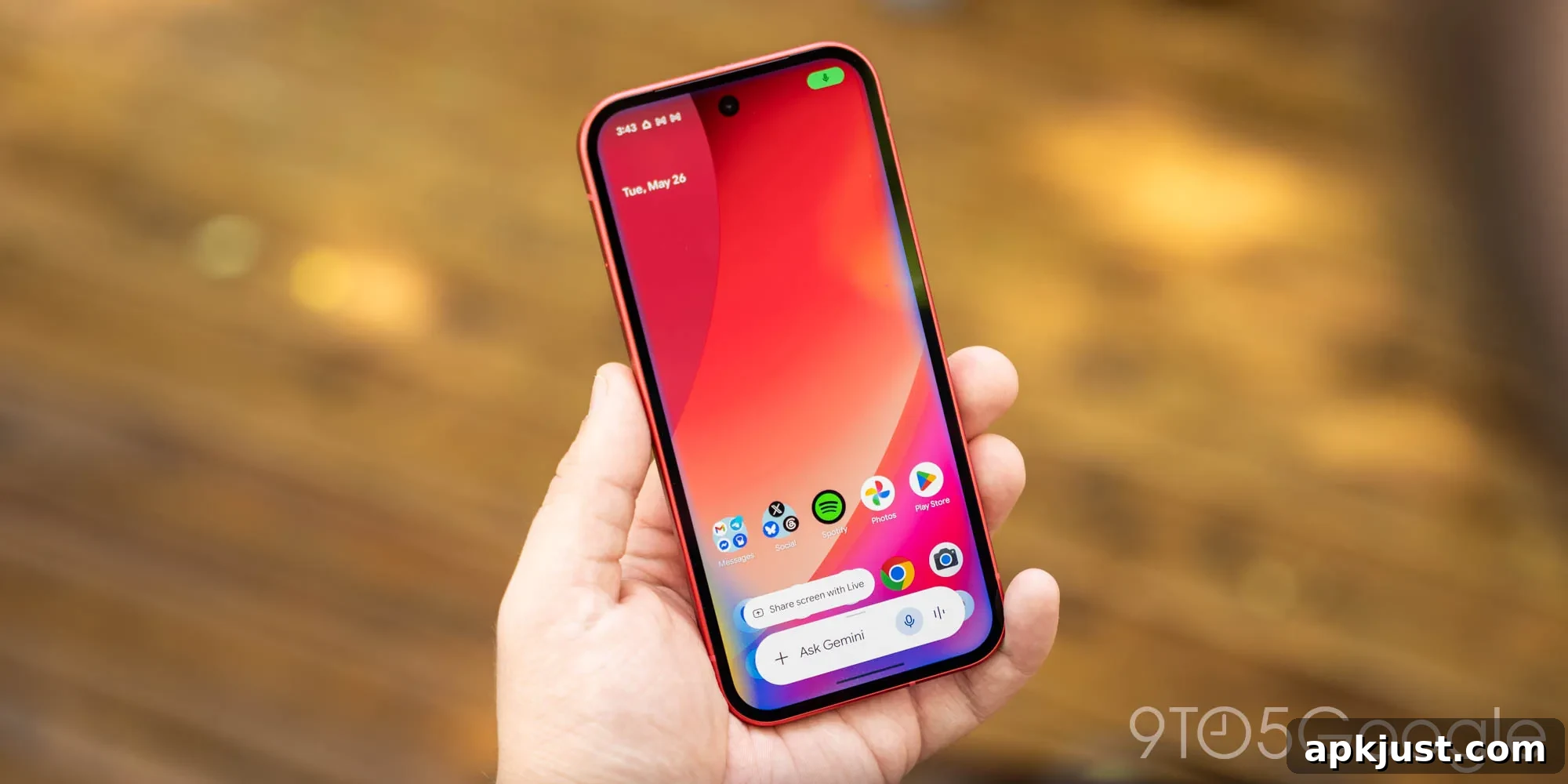
Following last month’s major redesign, Google has continued refining the Gemini overlay on Android and has expanded the plus menu available in the Neural Expressive interface.
Originally, the Neural Expressive overlay displayed only two Tools: Images and Personal Intelligence. The recent update adds several new Tools—Videos, Music, Canvas, and Guided learning—giving users faster, more direct access to a wider range of Gemini features without opening the full app.
One notable omission from the overlay remains Deep research. That Tool still requires the full application because it needs a larger prompt field to show Sources and Files, so it is not available from the compact overlay at this time.
The row of quick-access items at the top—Screen, Photos, Camera, Files, Drive, and Notebooks—remains unchanged. However, with the carousel positioned slightly higher on the screen, one-handed usability is impacted for some users, especially on larger devices. This is a minor trade-off for the added functionality and accessibility provided by the expanded plus menu.
Old vs. new
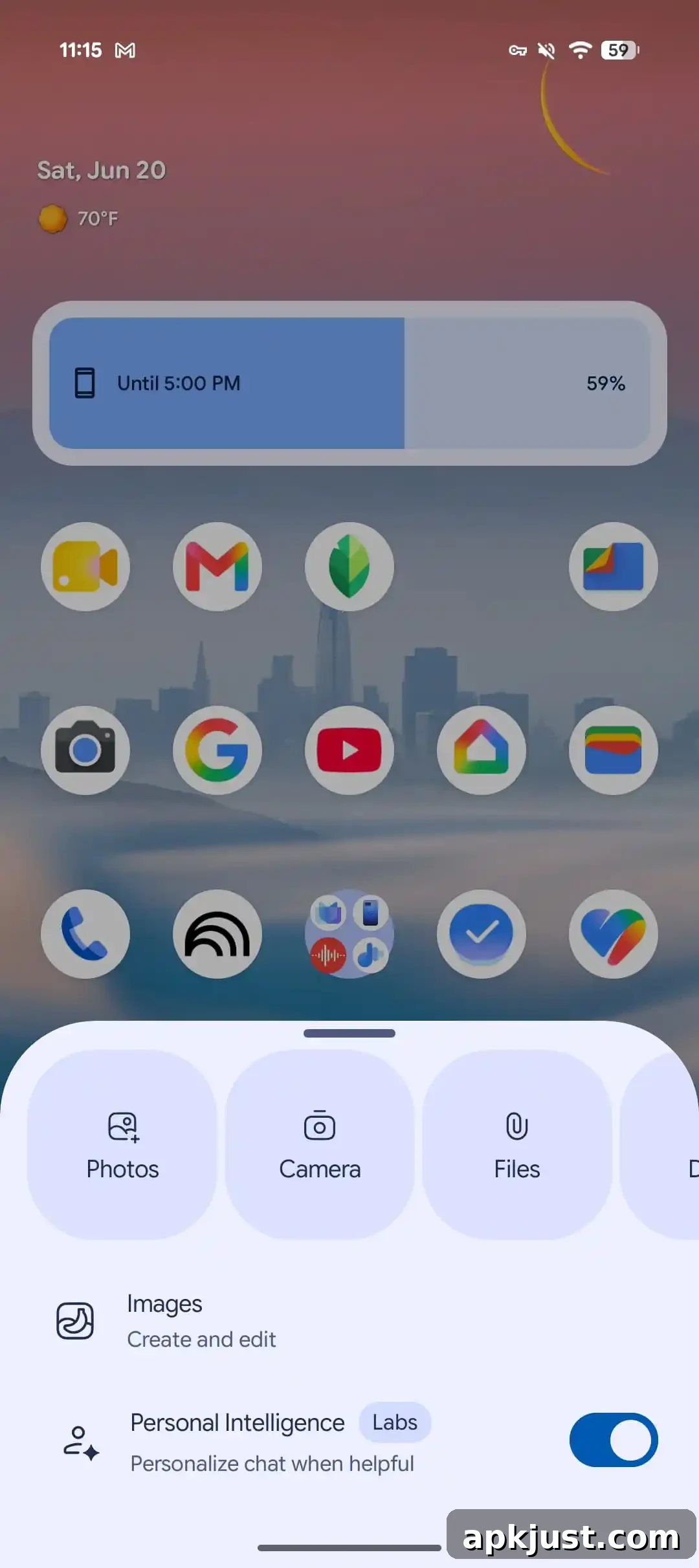
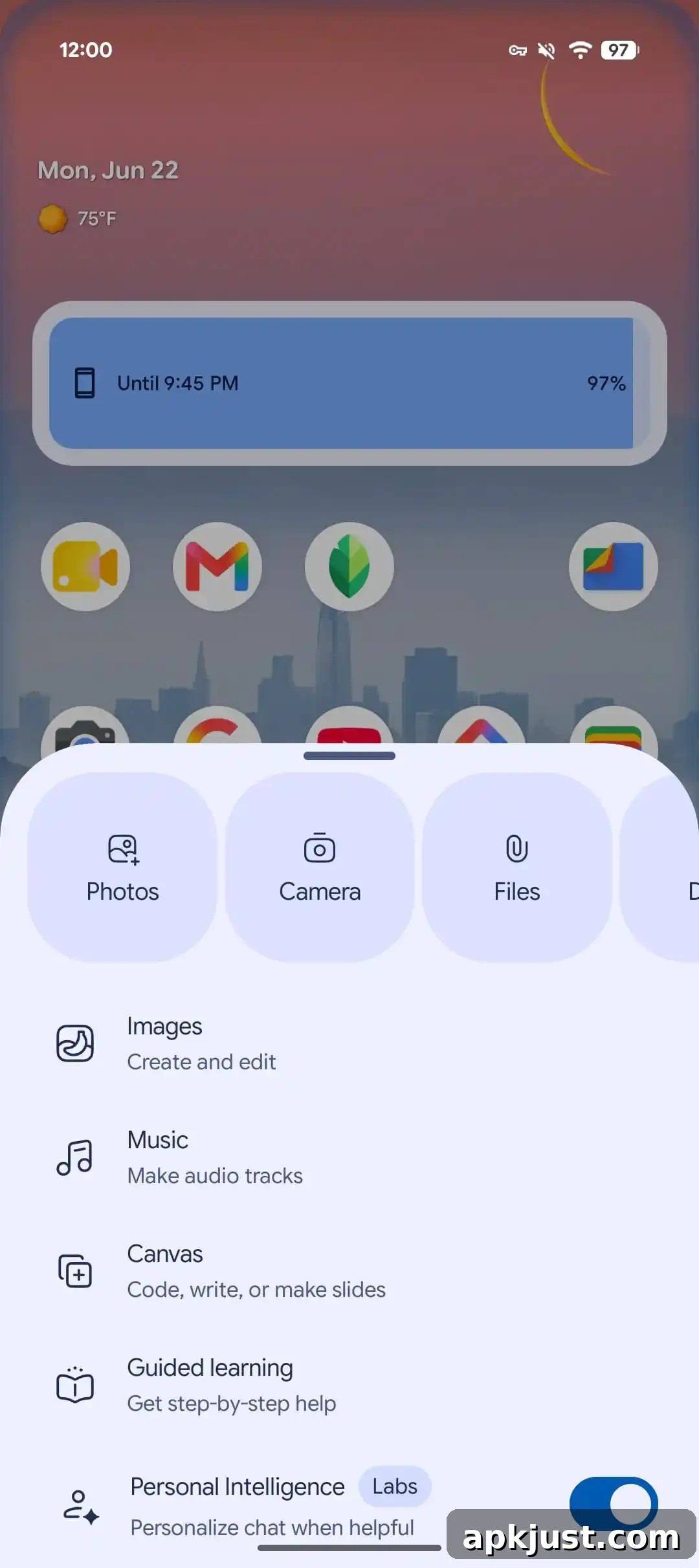
Overall, this tweak allows users to reach much of the Gemini experience from anywhere on Android, without needing to launch the full Gemini app. The same goal was present in the previous overlay redesign released earlier in the year, but the initial Neural Expressive revamp did not include these extra Tools. With the latest change, more services are accessible directly from the overlay, making lightweight tasks quicker and more convenient.
From a practical perspective, the update is beneficial for workflows that rely on brief, focused interactions—searching for an image, playing a short music clip, sketching in Canvas, or stepping through a guided learning module. Users who regularly switch between apps or who want to keep a minimal interruption to their current task will find the expanded plus menu especially useful.
There are also some UX considerations. The higher carousel position may require an adjustment period for users who prefer one-handed operation. Developers and designers often balance the density of controls and visual weight in overlays against reachability and ergonomic comfort; this update leans toward providing more features within reach at the cost of slightly reduced one-handed reach for some devices.
This change is appearing for users running stable version 17.32 of the Google app. As with other staged rollouts, availability can vary by region and device. If you have not yet seen the expanded plus menu, it may show up in a future update or as part of a phased server-side release.
More on Gemini app:
- Gemini Live can now access your past chats Memory and Connected Apps information
- Gemini for Android is using Bubbles to let you multitask and continue chats
- Gemini app for macOS received a new icon and a hotkey screenshot shortcut