
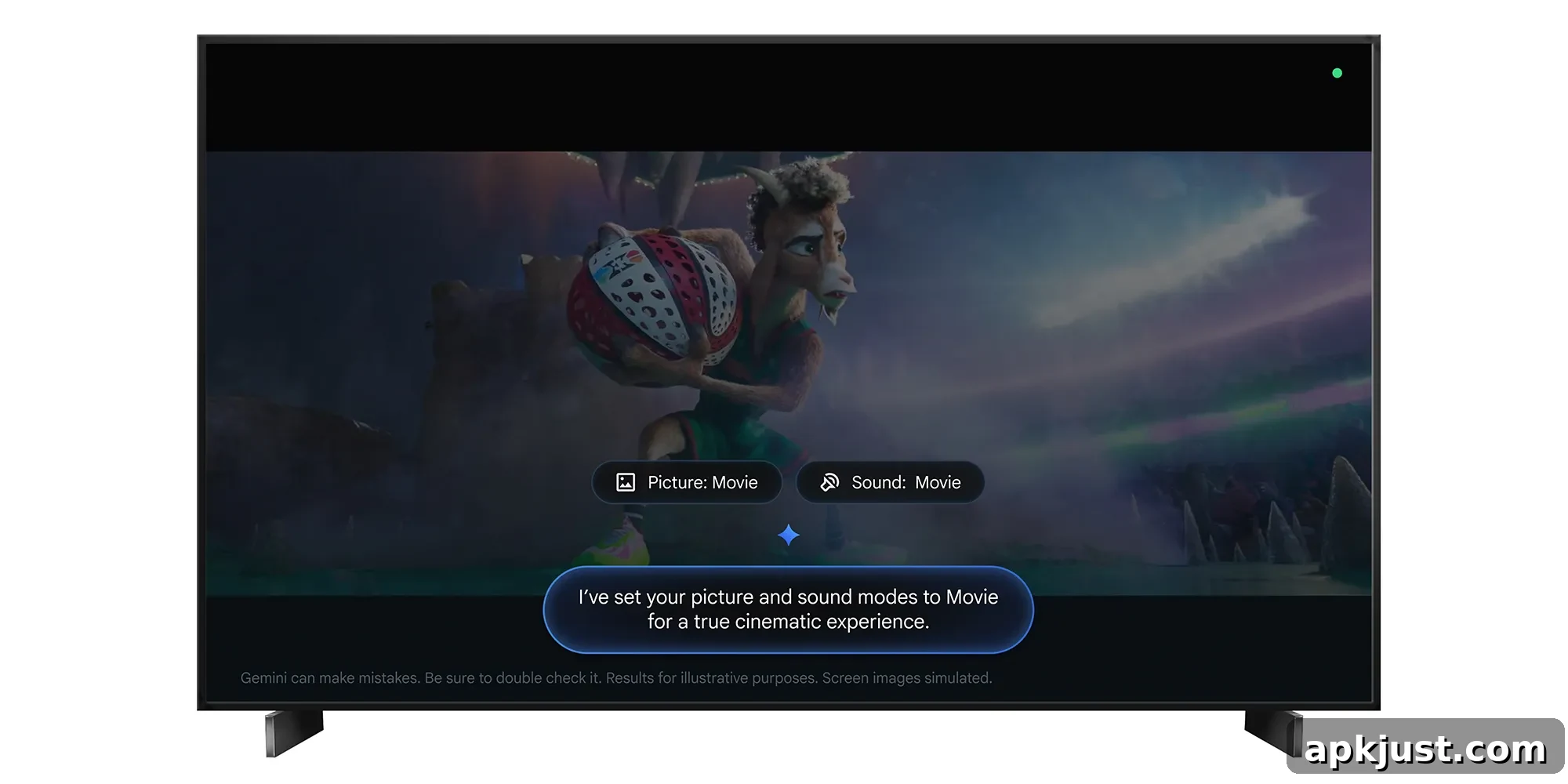
Google TV has begun rolling out a new Gemini-powered update that allows users to control TV settings using voice commands. Announced earlier this year, the feature aims to simplify common adjustments like brightness, volume, sound, and picture modes, and initially it is available only on select TCL models.
Making changes in your TV’s settings menu can often be cumbersome, requiring multiple remote clicks and navigation through nested menus. Gemini’s update brings a more natural, conversational way to manage these options. With a simple voice prompt, you can ask Gemini to change picture modes, alter audio characteristics, troubleshoot issues, or tune the display and sound to suit specific viewing scenarios.
Google highlights several key capabilities of the Gemini TV control feature:
- Adjust audio and video settings: Use voice commands to change common settings such as brightness, contrast, picture mode, volume, and sound modes. For example, say “Set picture mode to Sport” or “Increase the bass” to make quick adjustments without opening menus.
- Troubleshoot picture and sound issues: Describe what you’re experiencing and let Gemini propose or apply fixes. Say things like “The screen is too dark” or “I can’t hear the dialogue clearly,” and it will modify settings to address the problem.
- Optimize settings for your content: Tailor the TV’s configuration to the kind of content you’re watching. Commands such as “It’s movie night—help make this feel like a cinematic experience” let Gemini set picture and audio parameters for immersive viewing.
- Find settings menus: Jump directly to the configuration screens you need without manual navigation. Asking “Open display settings” will take you straight to the desired menu.
The rollout is underway now, but compatibility is limited. At launch, the feature is restricted to TCL TVs in the United States and requires Android 14 or higher. TCL indicates this exclusivity will last for at least the first 60 days, after which support may expand to additional manufacturers and regions.
Even among TCL models, not every set will receive the update. The initial wave targets specific 2025 and 2026 TCL models. Some of the model names confirmed to be supported in this early phase include the QM9K, QM7L, RM7L, X11L, QM9L, QM8L, and RM9L. If you own one of these TVs and have Android 14 or newer, the Gemini voice settings feature should appear as part of the Google TV update when it reaches your device.
For viewers who frequently tweak picture and sound settings to suit ambient light, seating position, or content type, this voice-driven approach can save time and make home entertainment feel more seamless. Instead of memorizing where adjustments live in a menu tree, you can simply describe what you want or state the effect you’re aiming for, and the assistant will handle the rest.
From an accessibility standpoint, voice control of TV settings can also be beneficial. Users who have difficulty using remotes or navigating on-screen menus will find it easier to manage audio levels and picture quality through natural language. This can improve the overall usability of smart TVs, helping more people enjoy shows, movies, and other content without friction.
While the feature’s initial rollout is narrow, the core idea—letting an on-device assistant intelligently adjust hardware settings via voice—could become a standard convenience across smart TVs in the future. As manufacturers and platform developers expand support, more viewers should be able to rely on Gemini and similar assistants to streamline their home entertainment experience.
More on Google TV:
- Google TV Streamer’s new update turns it into a better smart home device
- The Hisense L9Q short-throw projector aims to nail the low-profile theater room feel
- Walmart now sells Google TV sets starting at $250, including ‘The Fresco’ art TV
Follow Ben: Twitter/X, Threads, Bluesky, Instagram