Google has released Fitbit version 4.69 for Android, marking the final update to the Fitbit app before it is rebranded as Google Health. The update introduces a number of interface changes and usability improvements that preview the forthcoming rebrand and refine how health and activity data are displayed and logged.
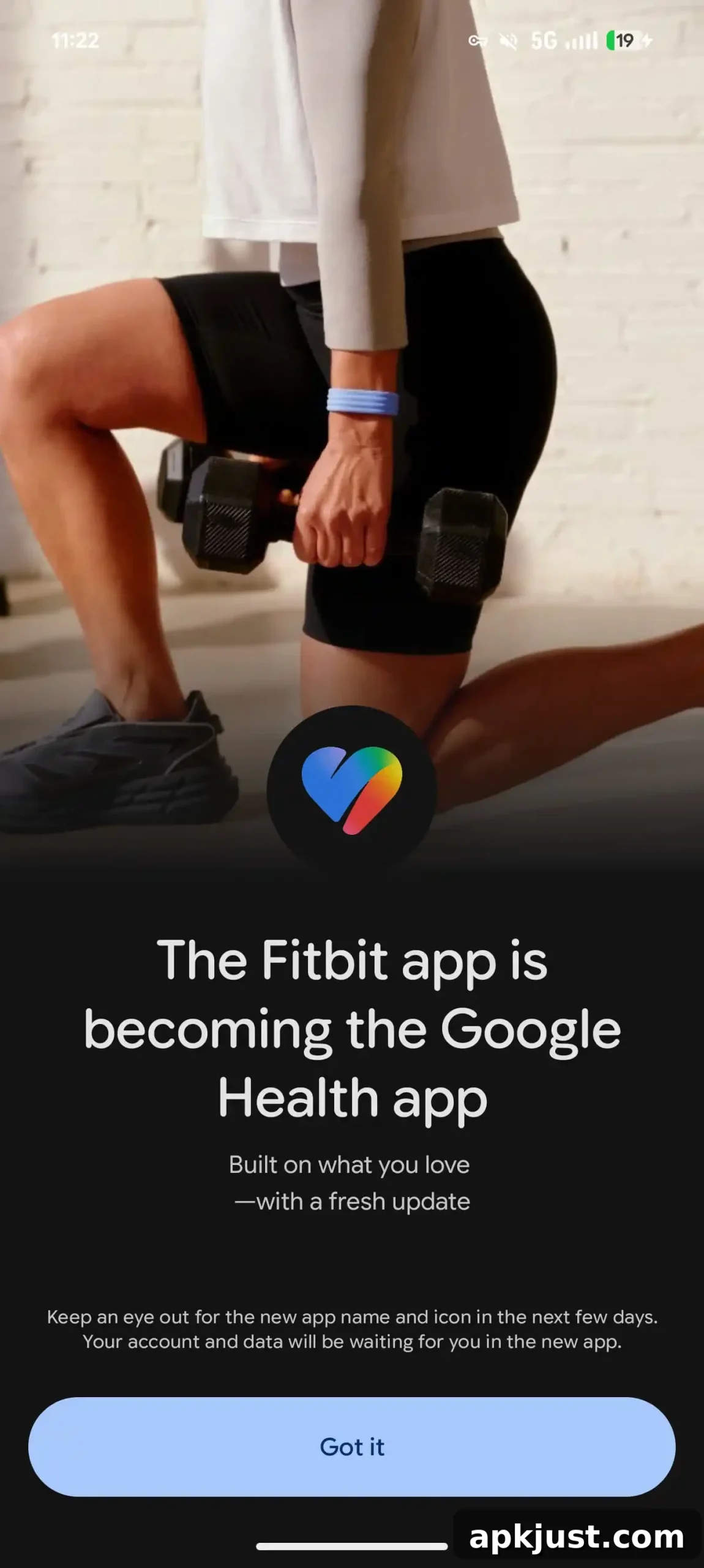
After installing the update, users are welcomed by a message that reads: “The Fitbit app is becoming the Google Health app.” The message includes a preview of the new Google Health icon and highlights the Fitbit Air device in the promotional artwork. This introductory notice sets expectations for the transition while maintaining the core Fitbit functionality for now.
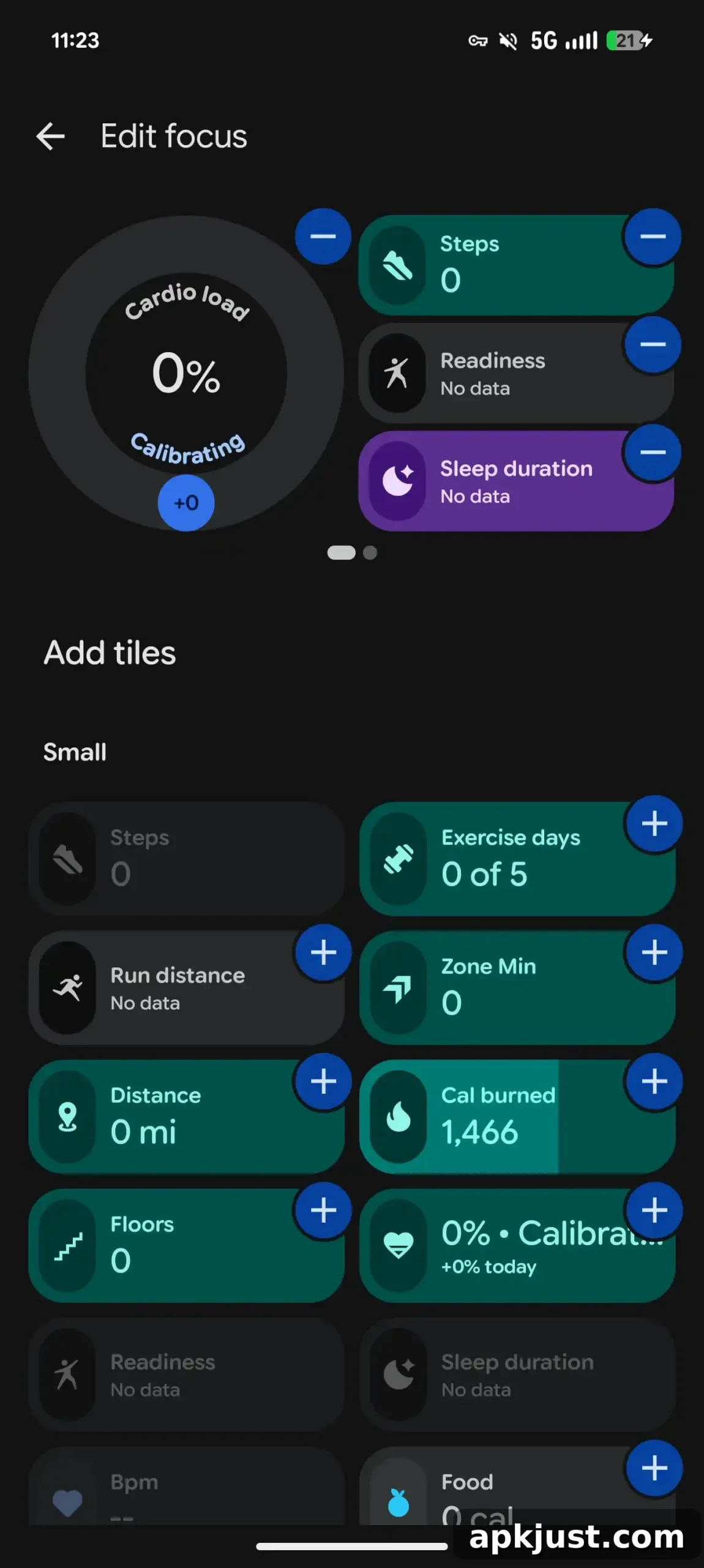
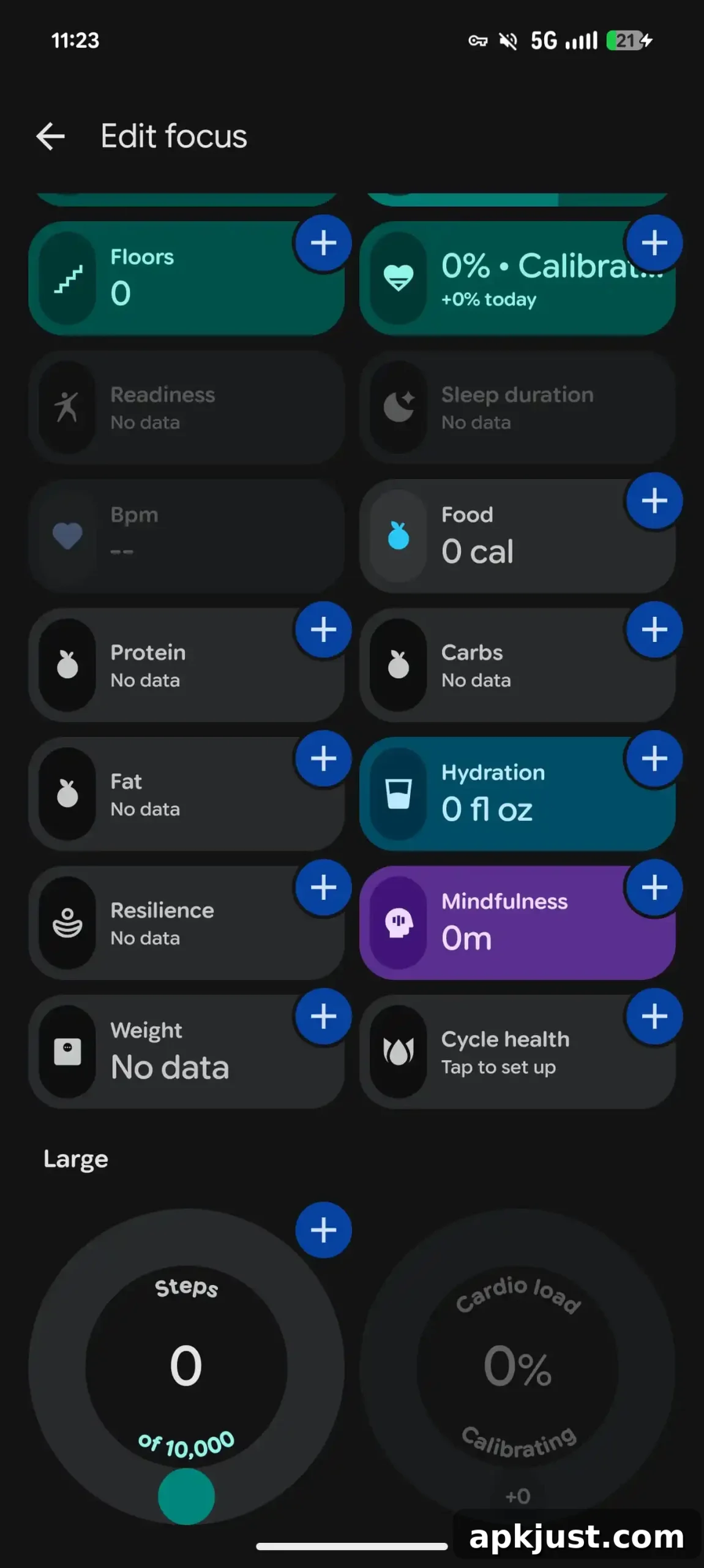
One of the more visible changes is a redesign to the Focus stats section. The new layout offers a larger set of selectable metrics and gives users more control over which items appear. Notably, you can now remove the large circular Steps or Cardio load widgets to create a denser 2×3 grid of stats, which makes more information visible at a glance. The Focus area can also span multiple pages, enabling users to organize metrics across screens rather than stuffing everything into a single view.
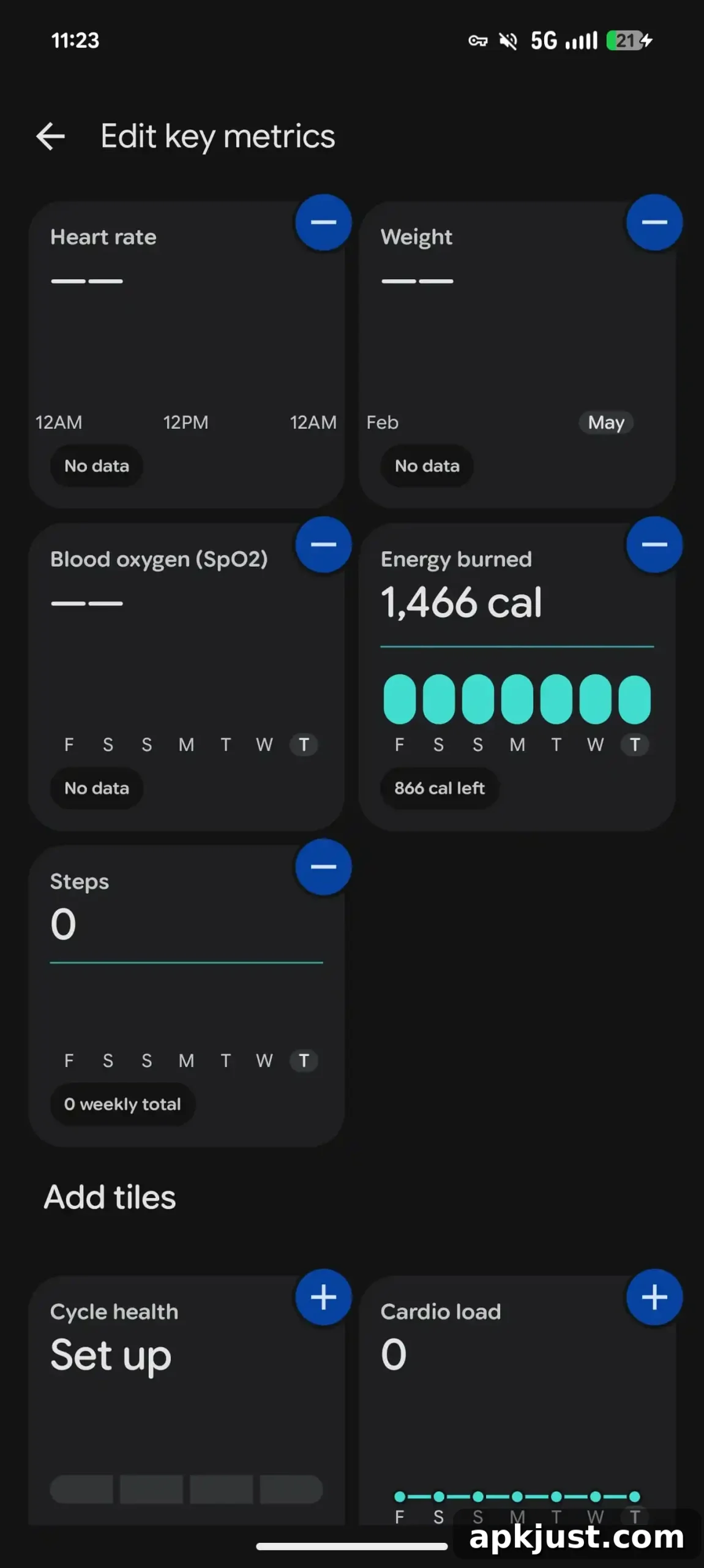
The Health tab also receives customization improvements. You can now personalize “Key metrics” using a two-column grid that utilizes large square cards. This approach prioritizes readability and makes important health indicators easier to scan during quick checks. The larger card design is especially useful for metrics you want to monitor frequently, such as sleep, heart rate, and activity trends.
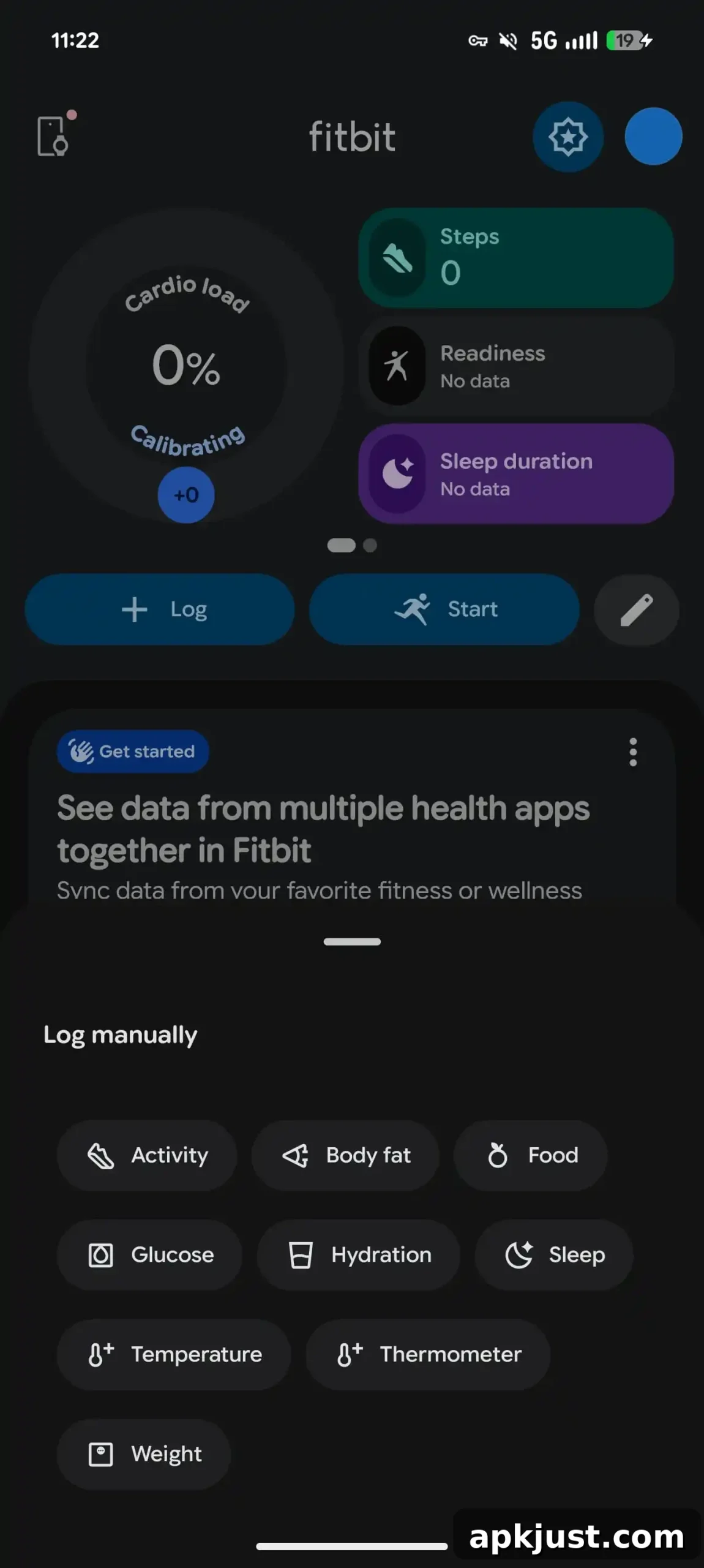
Another notable change is the removal of the floating action button (FAB) for users without Premium subscriptions. In its place, a persistent “Log” button appears beneath the focus stats. Tapping this button slides up a redesigned “Log manually” sheet. That sheet adopts a more grid-like layout, streamlining the process of logging items such as water intake, weight, and other manually tracked metrics. Temperature logging has also returned to the app, restoring a previously available option for users who track body temperature.
For subscribers, the update brings an additional convenience: the ability to log entries using the Health Coach by submitting an image. This image-based logging option can speed up recording certain measurements or entries and offers a more visual way to keep records within the app.
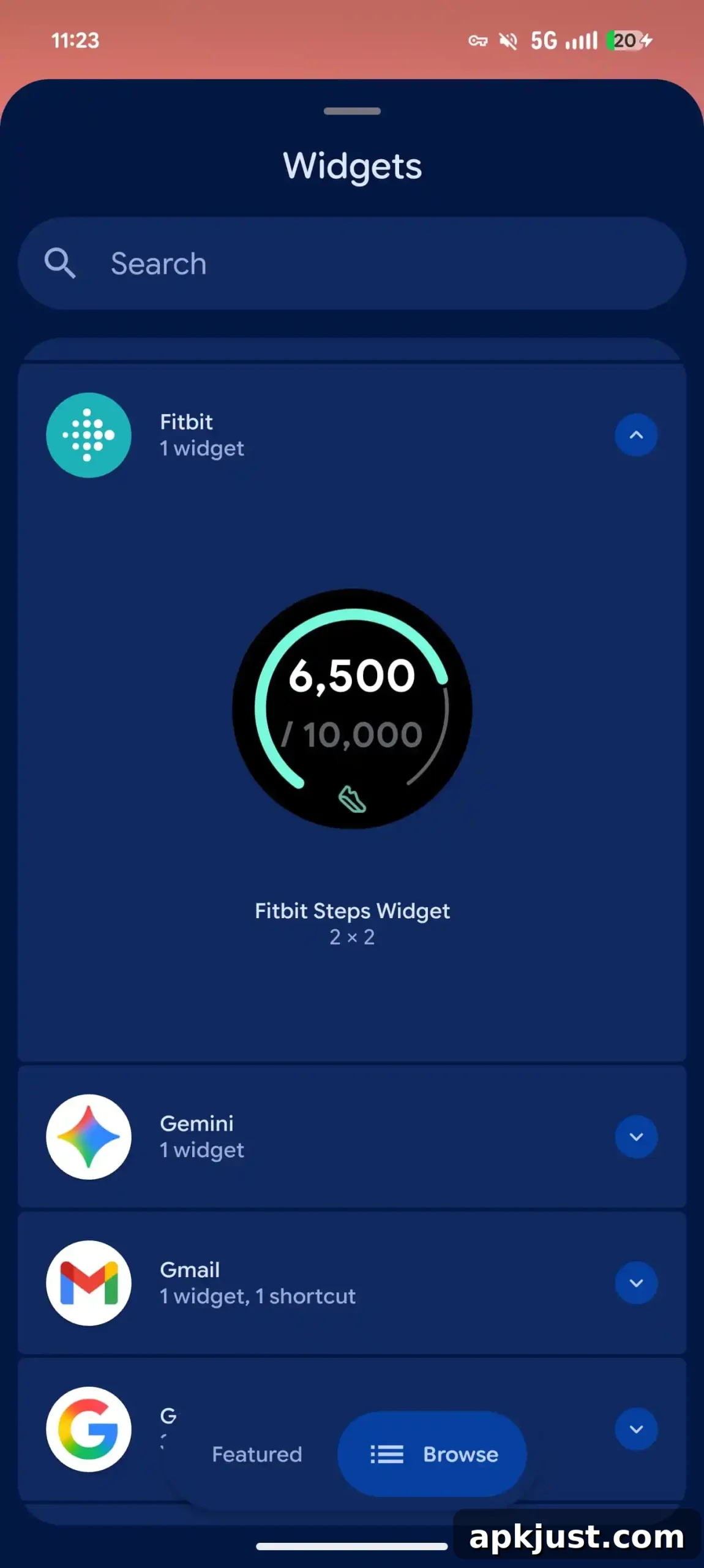
On the widgets front, the update simplifies the available options. The “Steps Widget” is now the primary widget offered, reducing choice but improving consistency across devices. In line with simplifying interaction patterns, Fitbit 4.69 also removes long-press app shortcuts, which changes how quick actions are accessed from the home screen.
Overall, Fitbit 4.69 focuses on cleaner presentation, greater customization of key displays, and more streamlined manual logging. These changes appear to prepare the app for the upcoming Google Health branding while keeping existing Fitbit features functional and accessible.
This update is rolling out widely via the Play Store and should become available to most Android users in the coming days. If you use the Fitbit app on Android, expect the in-app notice about the transition to Google Health and the redesigned interfaces described above.