Following last week’s launch, Snapseed 4.0.1 for Android is rolling out with a handy shortcut to quickly launch the app’s new Camera experience. This minor update adds direct access to Snapseed’s Camera and introduces a couple of quality-of-life improvements, along with a set of bug fixes intended to improve stability across tools and camera features.
Update 5/14: A patch update — version 4.0.1.915151253 (a small revision above the initial 4.0.1.914366677 release) — is now rolling out. The official changelog for Snapseed 4.0.1 on Android highlights new capabilities and a variety of fixes:
New features and capabilities
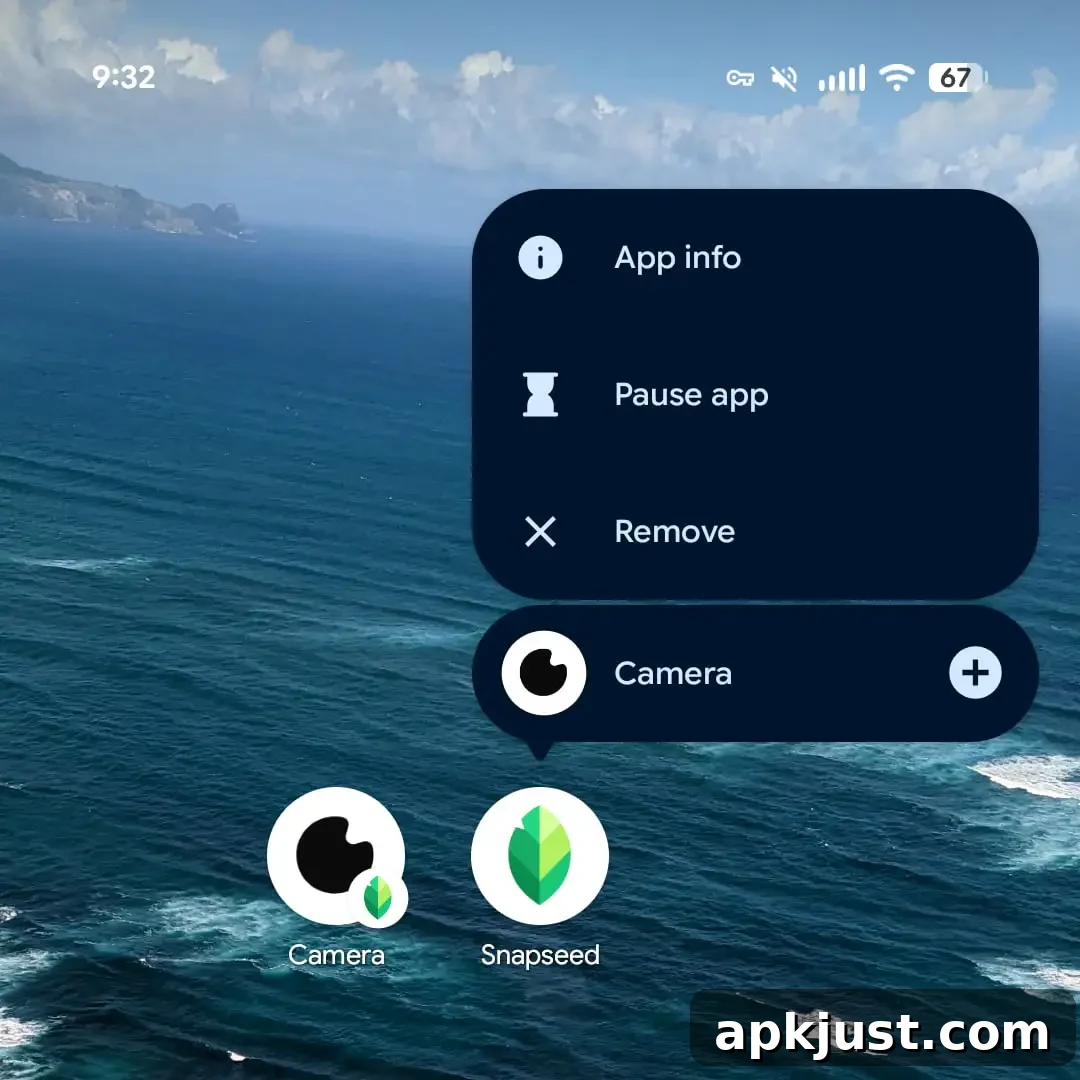
- Added Camera shortcut: long-press the app icon to trigger the Camera directly from your home screen.
- Added Camera capture via volume buttons: use the physical volume keys to take photos when the Snapseed Camera is active.
Fixes
- Resolved multiple crashes and issues across several tools, including Color, Portrait, Frames, Grunge, and Retrolux.
- Addressed conditions where the Camera could cause the app to freeze.
- Improved access in Camera Pro mode so Flash and Lens selection are consistently available.
The team also clarified why some devices do not show certain lenses in the Snapseed Camera. In short, hardware and manufacturer restrictions can prevent third-party apps from accessing all physical camera lenses. On affected devices, support for additional lenses would require device-specific work that the developers cannot universally implement right now. As a result, some ultra-wide and telephoto lenses may not appear as options within Snapseed’s Camera on those models.
Upon further investigation, it appears certain manufacturers limit which cameras third-party apps can access. On those devices, Snapseed cannot reliably access the alternate lenses without a significant, device-specific engineering effort. For the time being, support for those additional lenses is not available on all devices.
Original 5/13: The most visible change in this update is the new Camera app shortcut. Long-pressing the Snapseed icon on your home screen now reveals a “Camera” shortcut that launches the Camera directly, bypassing the gallery and the app’s main interface. The shortcut uses the same small googly-eye camera icon that appears in the in-app floating action button, keeping the visual language consistent across the app experience.
Placing the Camera shortcut on your home screen makes it faster to capture photos with Snapseed’s tools without first opening the gallery or navigating inside the app. On iOS, Snapseed offers comparable quick-access options through the lock screen or Control Center, a homescreen widget, and Camera Control integration, but this update is specifically for the Android release.
The release also aims to address issues some Samsung users reported with the Snapseed Camera. The Snapseed development team has been actively reviewing user feedback from community discussion forums and adjusting the app to improve compatibility and stability for a variety of devices.
Snapseed 4.0.1 is now broadly available on the Google Play Store. Users who rely on specific camera lenses should check whether their device exposes those lenses to third-party apps; if not, the app may not list them until broader support becomes possible or the device manufacturer changes access policies.