
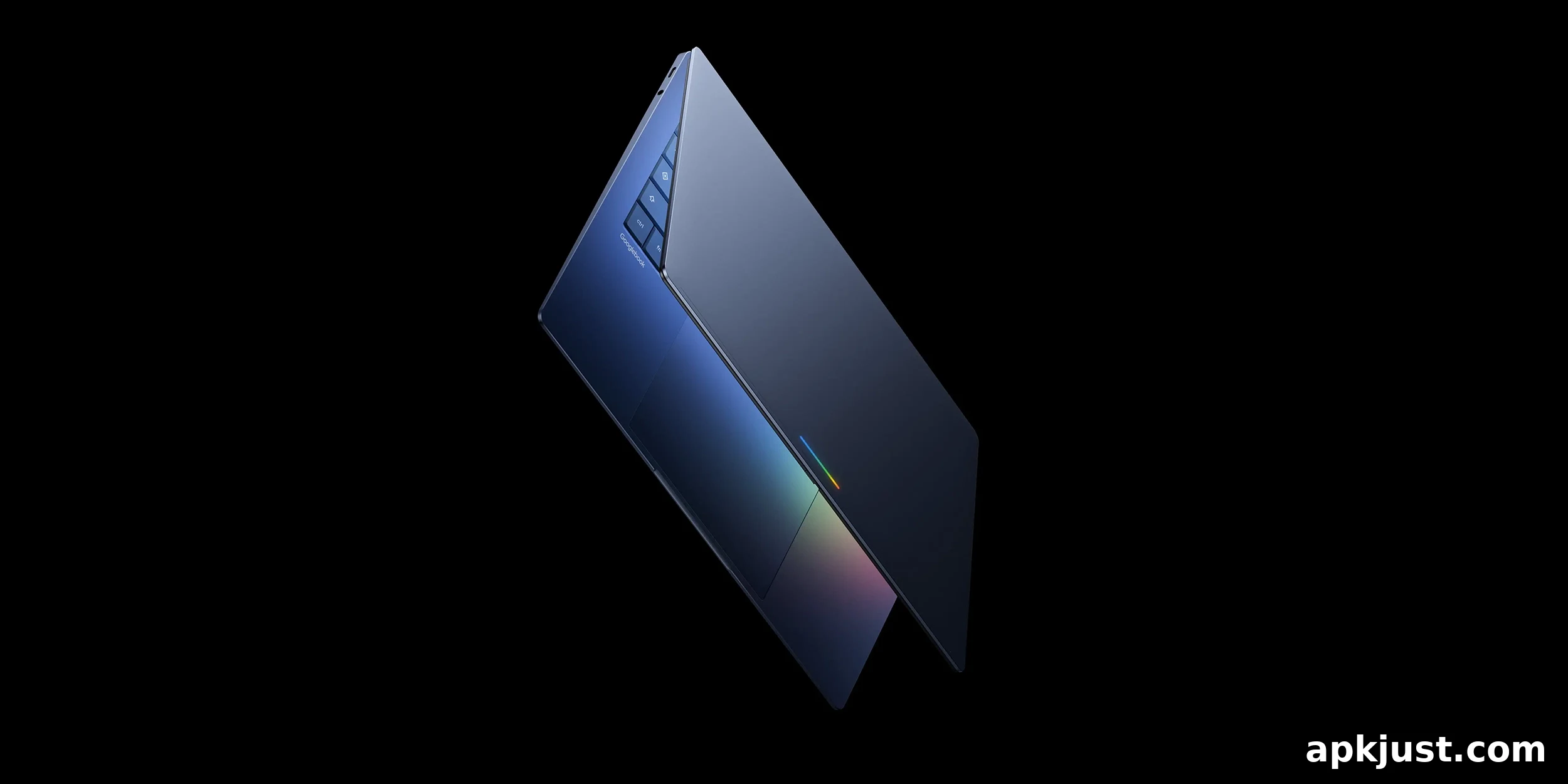
Android’s upcoming desktop-class OS is shaping up to power a new line of laptops, reportedly dubbed “Googlebook.” A recently leaked 16-minute video and several screenshots reveal an early build of this platform, showing clear Android roots alongside familiar ChromeOS elements and traditional desktop features such as desktop folders and a terminal app.
Mystic Leaks published a gallery and video that showcase an early version of what some reports call “AluminiumOS,” the Android-based interface expected to run on Googlebook devices. The footage runs on a MacBook Pro inside a virtual machine, offering a useful look at how the platform behaves in its current state. Google has warned that this software is not final and that no products are shipping imminently, so the experience could change substantially before launch.
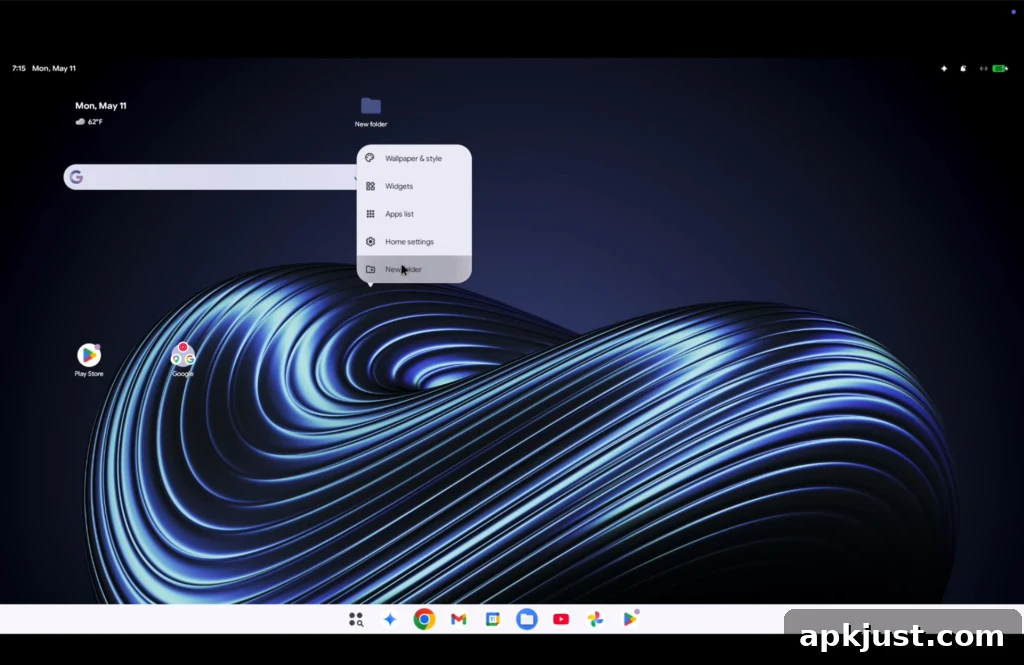
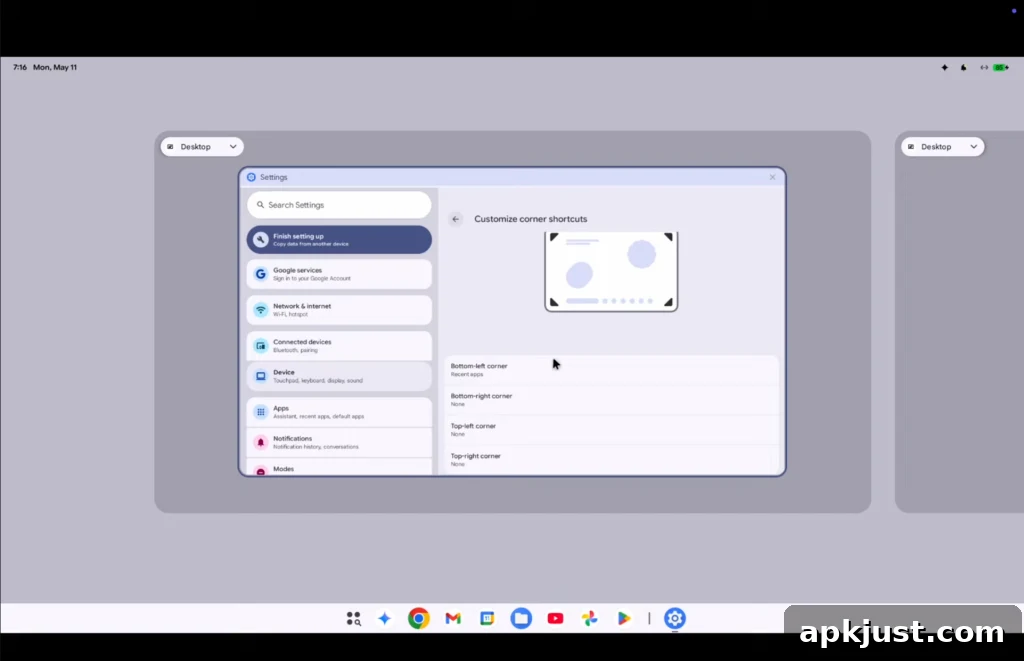
One of the most notable differences from ChromeOS is how the desktop is treated. Applications can be placed directly on the desktop, and the right-click menu allows you to create new folders—behaviors more commonly associated with macOS or Windows. The system also supports virtual desktops, giving users multiple workspaces for windowed applications and a more traditional multitasking workflow.
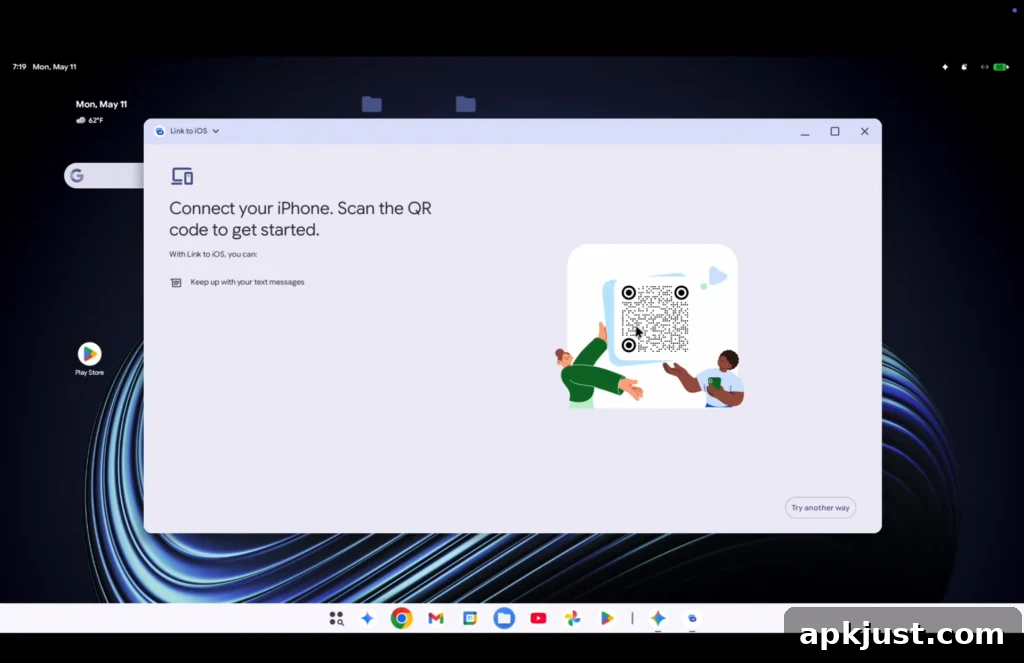
Among the visible apps is a “Link to iOS” option, suggesting some level of cross-platform integration is planned. The build demonstrates familiar Android features adapted for a larger-screen, keyboard-and-trackpad environment, while borrowing organizational and windowing concepts that desktop users expect.
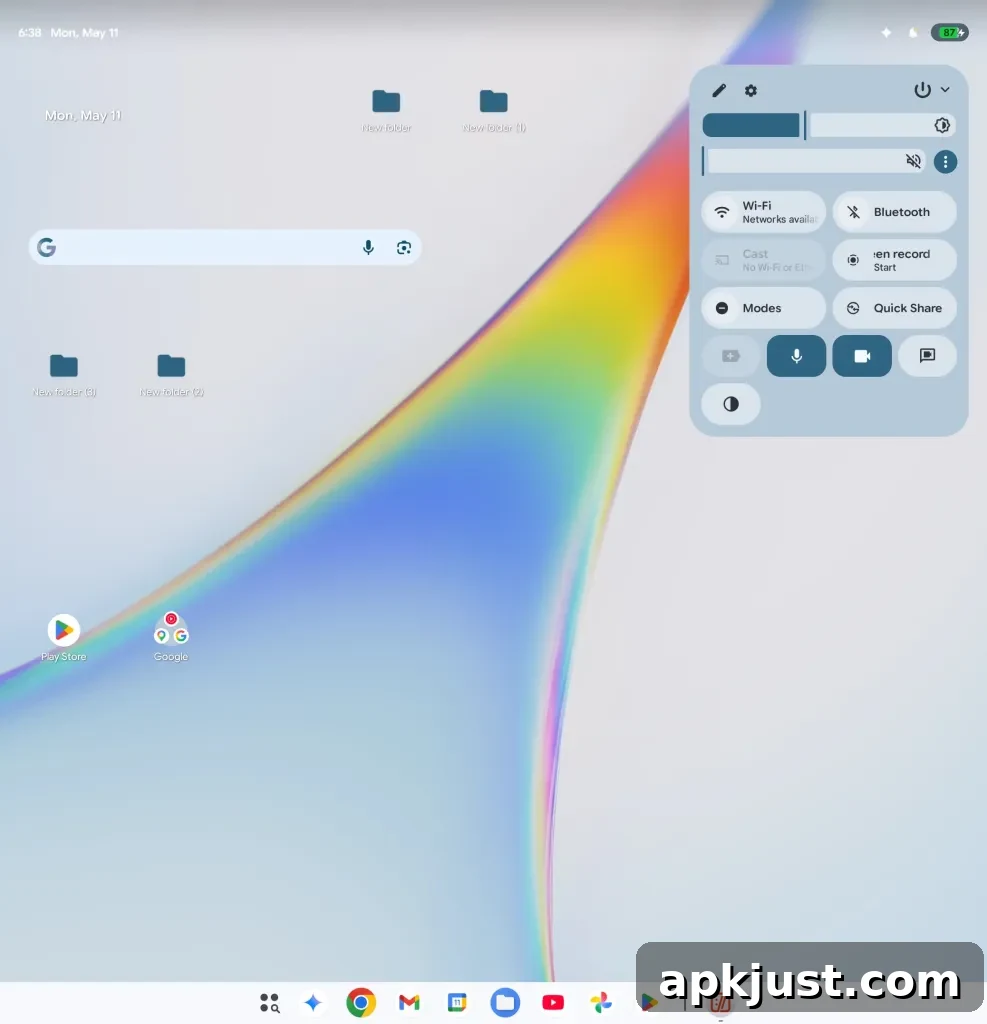
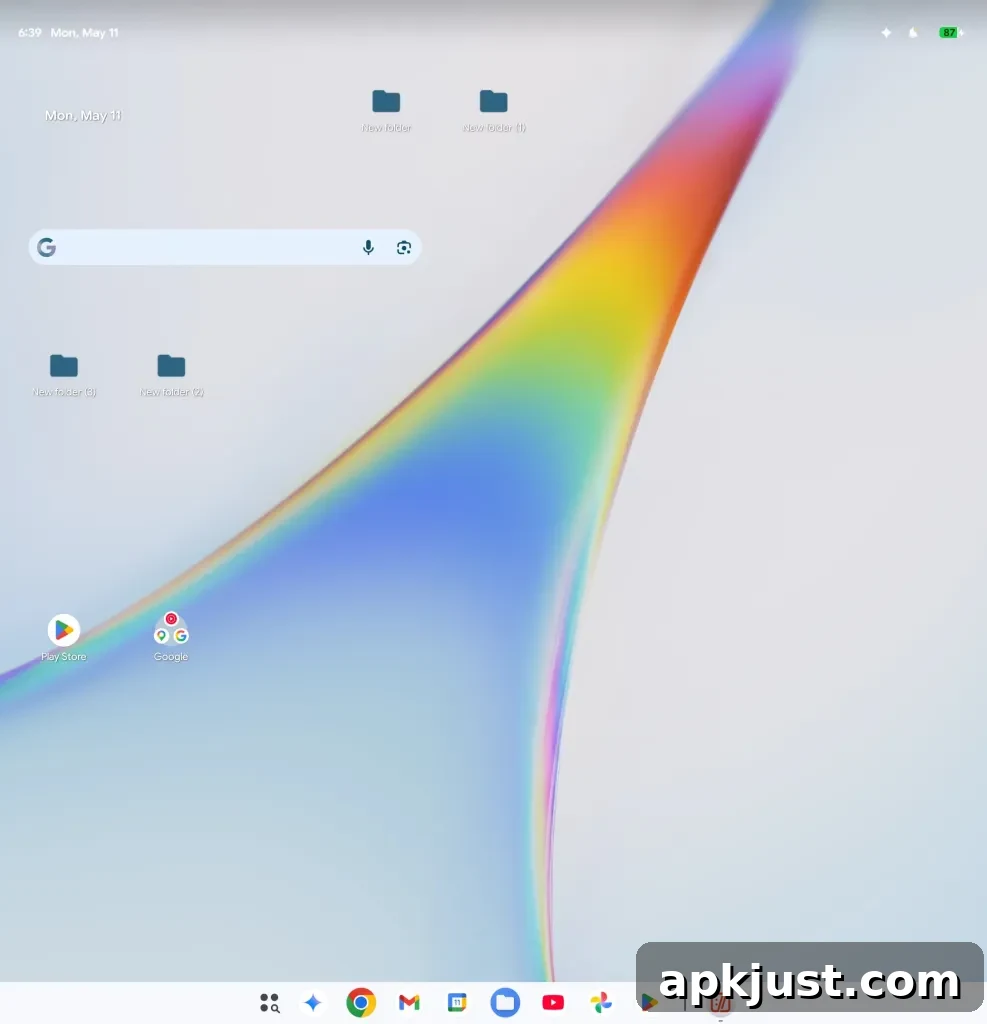
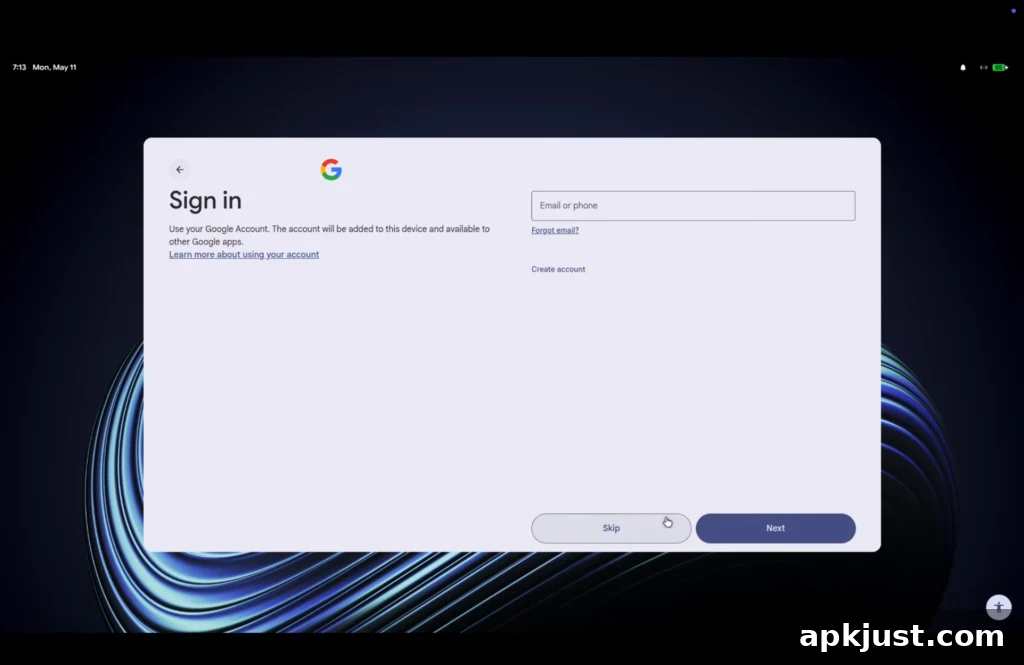
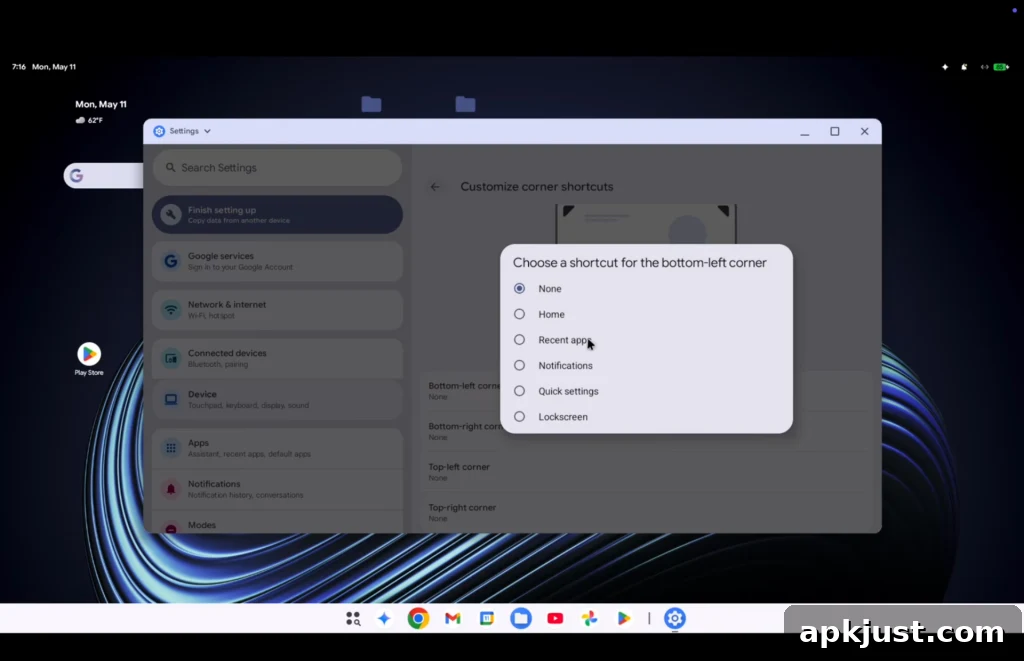
The leaked footage also shows Quick Settings and a notification panel that resemble Android’s approach, adapted for desktop usage. There’s a task manager included, although the build shown crashed when the task manager was opened, which indicates the software is still unstable. Gestures and touchpad shortcuts are present, and the system setup flow appears to be a hybrid of Android and ChromeOS onboarding experiences.
Overall, the current build looks intentionally minimal: it provides a straightforward desktop metaphor layered on top of Android foundations, plus a few convenience features common to modern laptop operating systems. The presence of a terminal app hints at appeal to more technical users, while the desktop folders and virtual desktops aim to satisfy general productivity needs.
Because this is an early leak based on a development build, many elements are incomplete or buggy. The leaked version appears to be built on Android 17, which explains some of the modern UI components and the overall architecture. Google has indicated that the platform will not ship immediately and that the first Googlebook devices are planned for a later release window, so features and polish will likely evolve substantially before then.
This leak raises questions about how Google will position an Android-based laptop OS in the market. Will AluminiumOS be a lightweight, app-focused environment that bridges mobile and desktop use cases, or will it grow into a more robust platform that directly competes with traditional laptop operating systems? The mix of Android-style quick settings and desktop conventions suggests Google is exploring a balance between familiarity for mobile users and the expectations of desktop productivity.
For now, the experience remains limited and clearly a work in progress. Features such as desktop shortcuts, multiple workspaces, and a terminal app present a promising foundation, but stability and feature completeness will be crucial for any meaningful adoption on consumer laptops. As Google continues development, look for refinements to window management, file handling, and deeper integration with mobile ecosystems.
What do you think about this early look at Android on the desktop? Does the hybrid approach feel promising, or do you expect Google will need to make bigger changes before this platform can challenge established laptop operating systems?
More on Android:
- ‘Pause Point’ is the Digital Wellbeing upgrade Google’s needed to deliver for years
- Android 17 is getting redesigned emoji, and Google is clearly never bringing back the blobs [Gallery]
- Gemini Intelligence brings gen UI widgets, Gboard ‘Rambler’ to Android, debuting on Pixel & Samsung
Follow Ben: Twitter/X, Threads, Bluesky, and Instagram