
Like the first preview release, Android 17 QPR1 Beta 2 does not introduce many visible changes for most users. The quick two-week cadence between builds suggests this update focuses on stability improvements, minor interface tweaks, and a handful of refinements rather than sweeping new features.
Over the next several hours and days, developers and testers will examine Android 17 QPR1 Beta 2 for subtle behavior changes, performance improvements, and any regressions. This article summarizes the notable differences that have already been identified. Screenshots comparing Beta 1 and Beta 2 are included where helpful; check back frequently for updates as new findings are added.
If you plan to install Android 17 QPR1 Beta 2 on a supported Pixel device—such as Pixel 6, Pixel 6 Pro, Pixel 6a, Pixel 7, Pixel 7 Pro, Pixel 7a, Pixel Tablet, Pixel Fold, Pixel 8, Pixel 8 Pro, Pixel 8a, Pixel 9, Pixel 9 Pro, Pixel 9 Pro XL, Pixel 9 Pro Fold, Pixel 9a, Pixel 10, Pixel 10 Pro, Pixel 10 Pro XL, or Pixel 10 Pro Fold—follow the official step-by-step instructions provided by beta program resources to ensure a clean installation and to back up any important data first.
Updating…
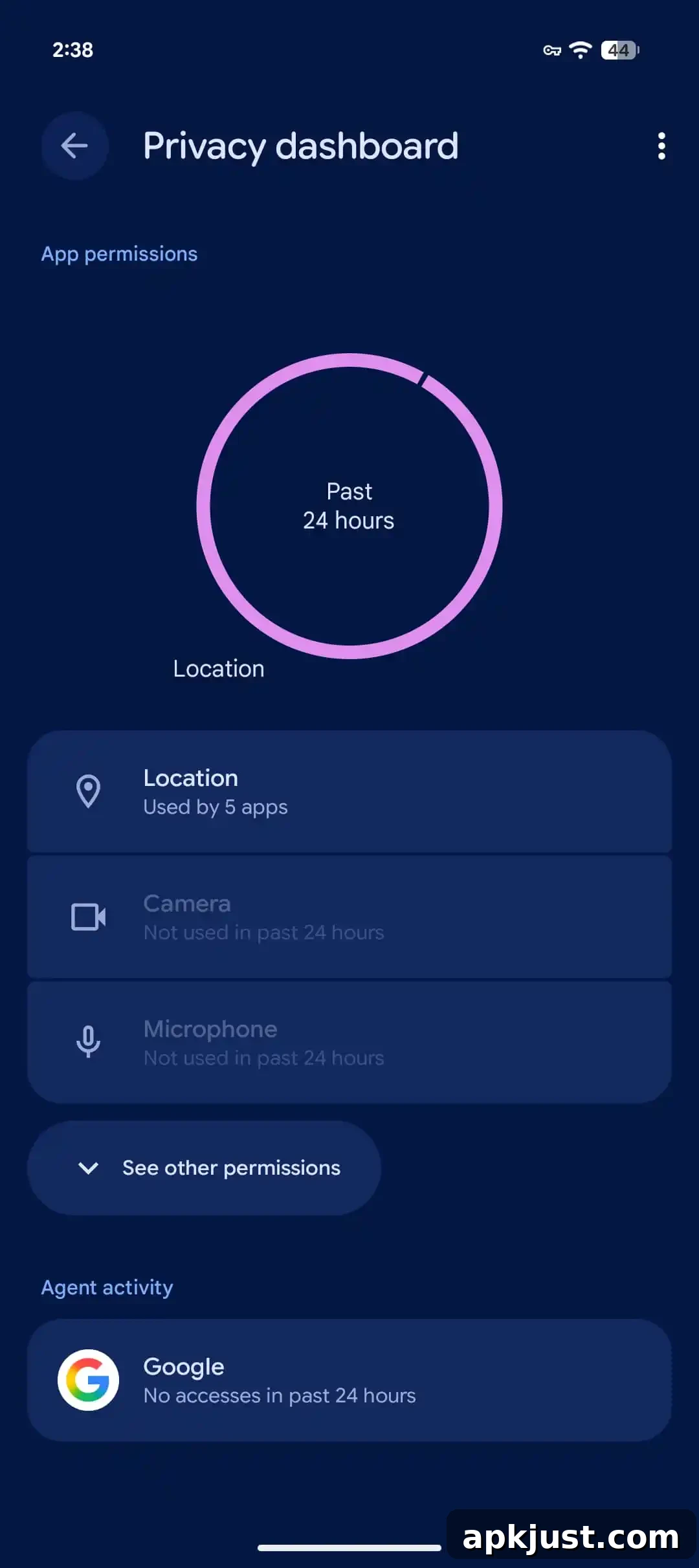
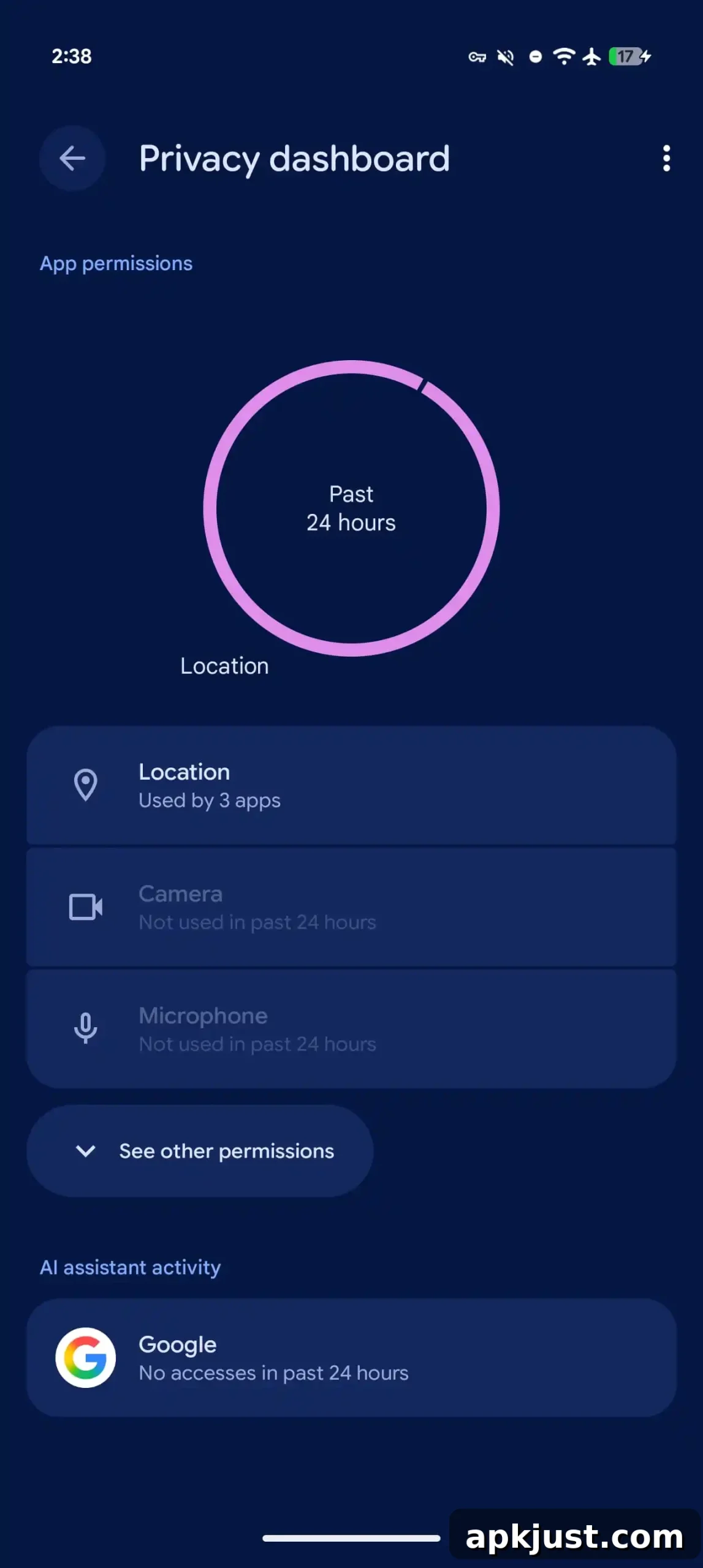
“Agent activity” → “AI assistant activity”
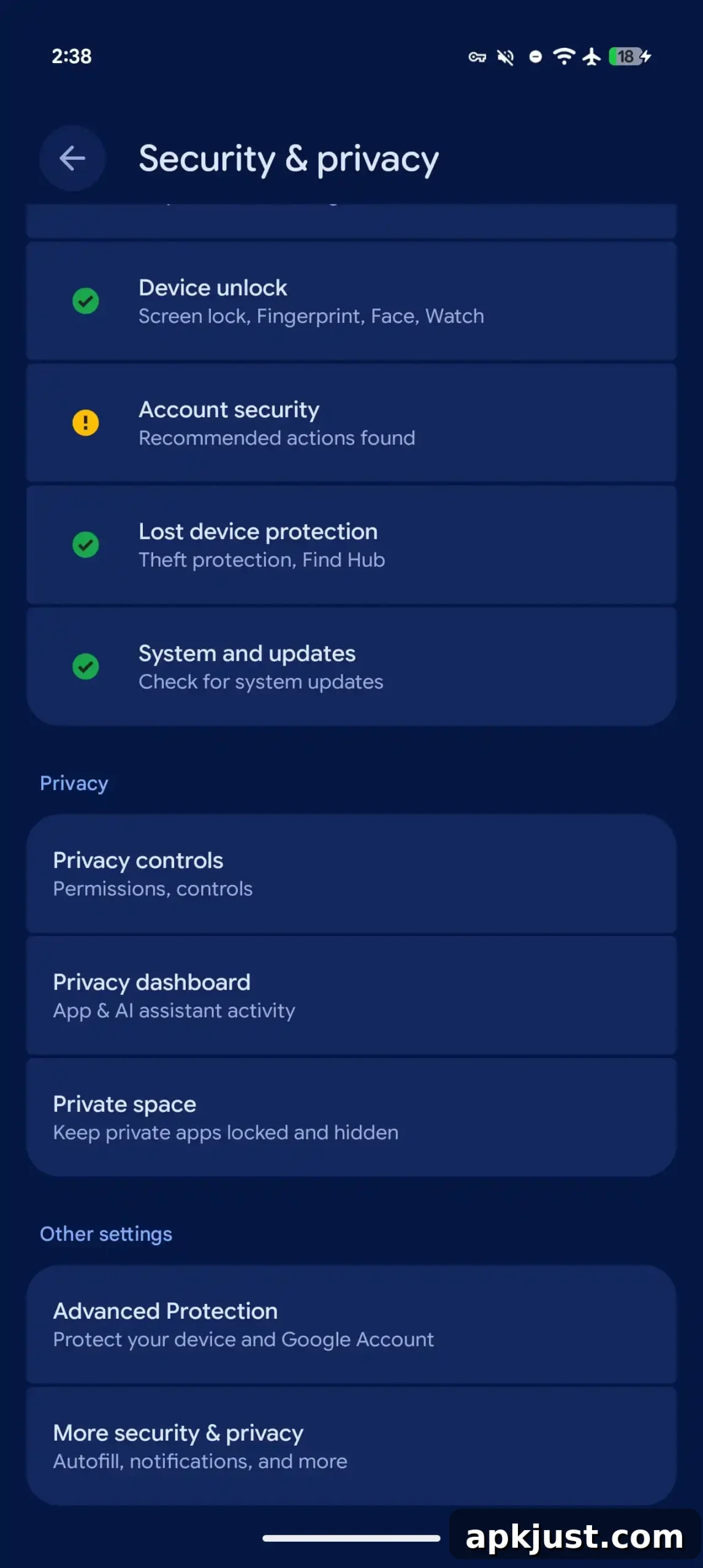
One modest but meaningful change in this build is an updated label and description for the activity monitor in the Privacy dashboard. Formerly labeled “Agent activity,” the setting and related descriptions now read “AI assistant activity.” This clarifies that the monitor tracks interactions and activity associated with on-device or cloud-based AI assistants, and aligns wording across the privacy interface to be more intuitive for users. The updated copy aims to make it easier to understand what kinds of assistant behaviors are being logged and reviewed in the Privacy dashboard.
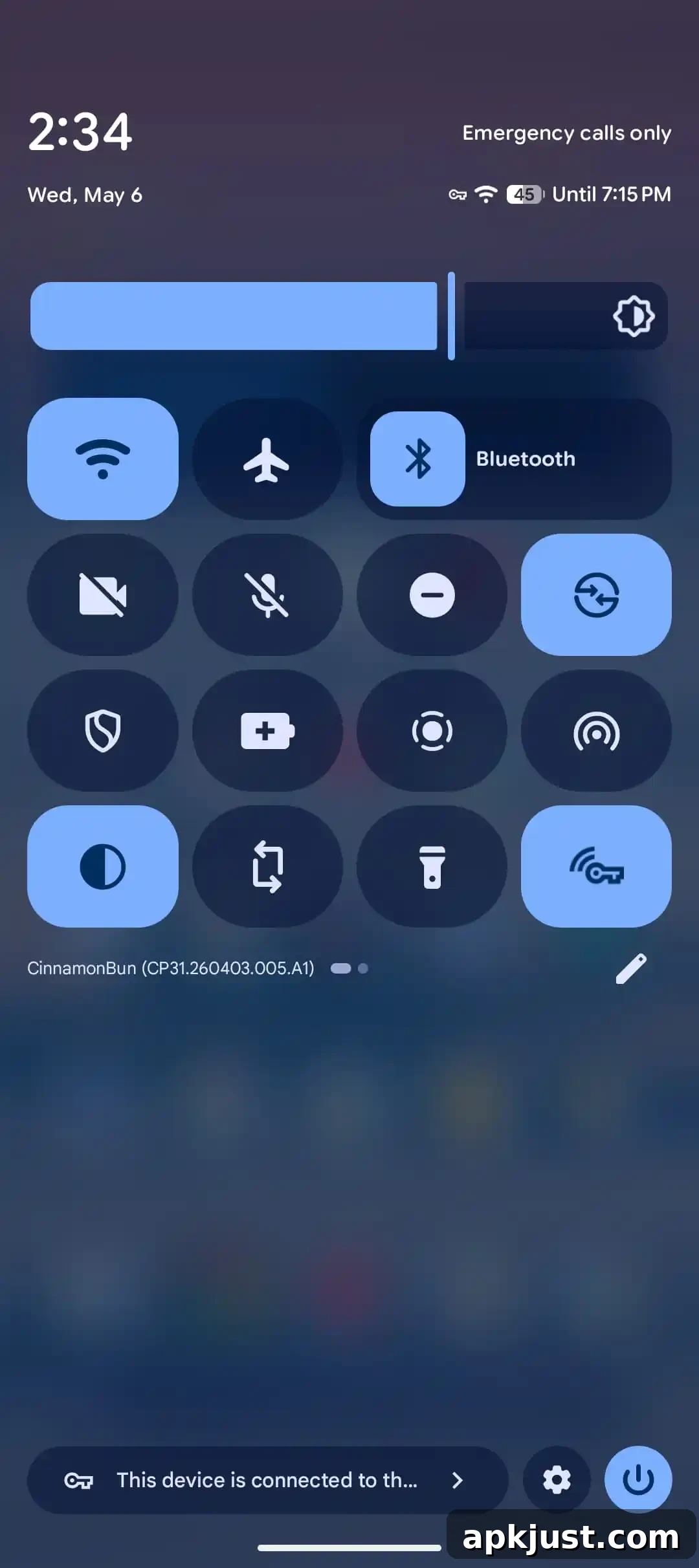
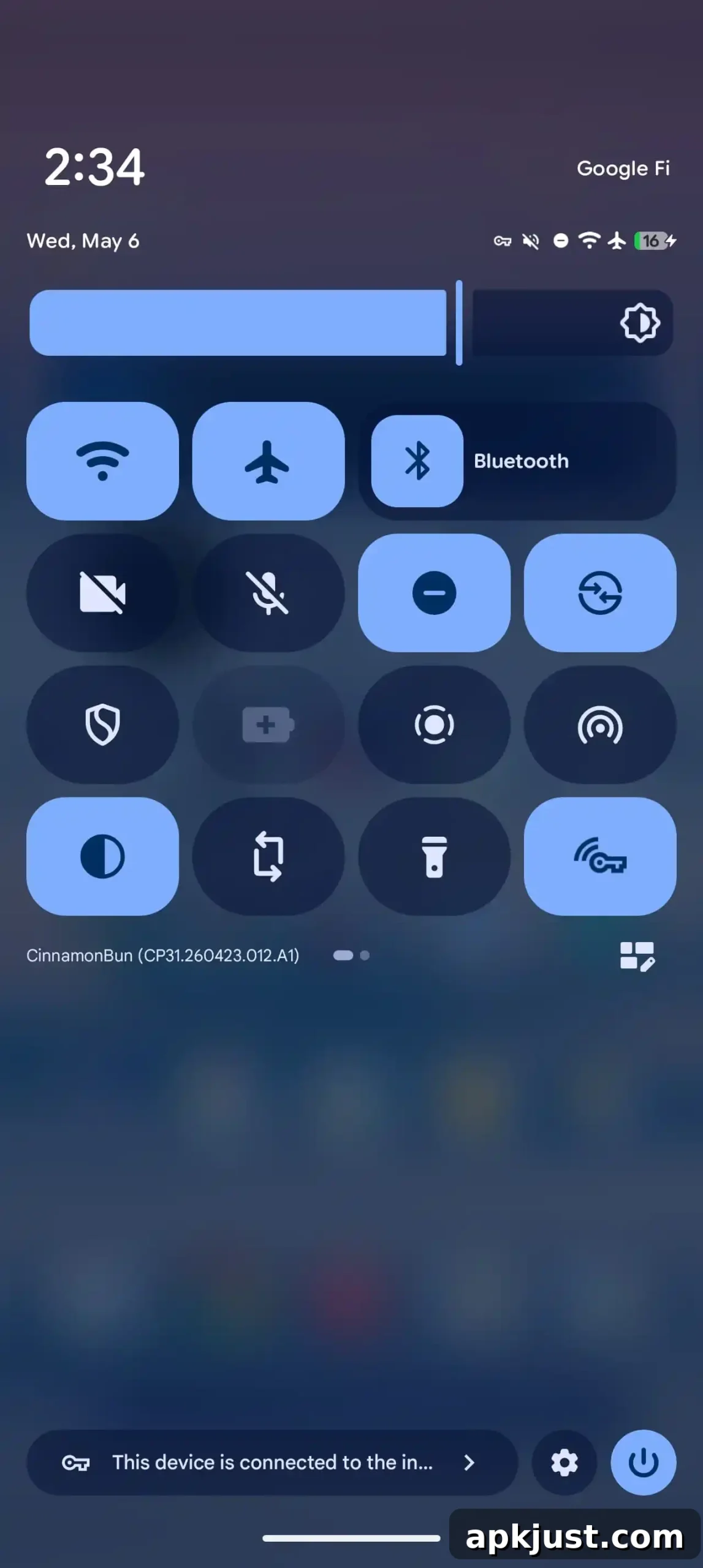
New icon for editing Quick Settings
Beta 2 updates the icon used to enter Quick Settings edit mode. The redesigned icon is subtle but intended to provide clearer affordance for customizing tiles and rearranging controls. Small visual touches like this improve discoverability for users who frequently customize their Quick Settings panel and help maintain a consistent visual language across system UI elements.
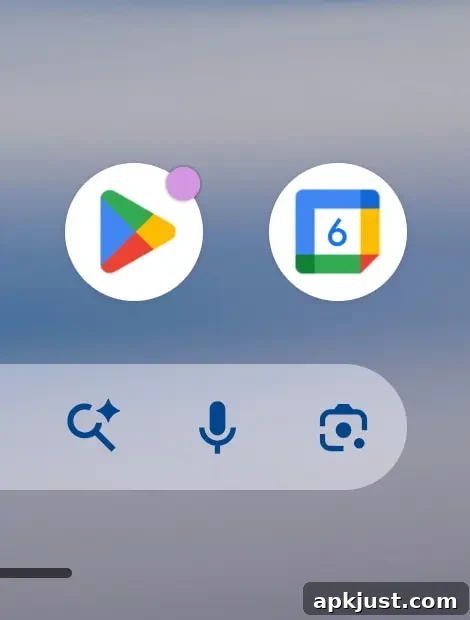
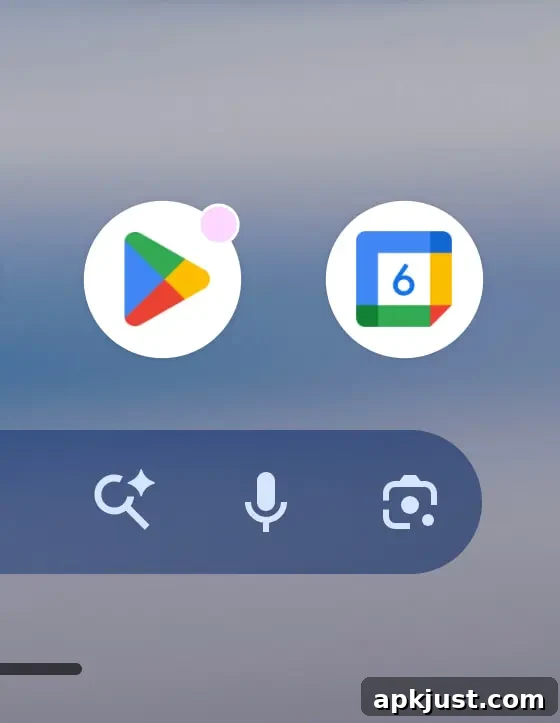
Beta 1: App notification dots tweaked
An earlier change introduced in Beta 1 mildly adjusts the appearance of notification dots on app icons. The tweak adds a thin white ring around the dot, which helps the badge stand out against a wider range of wallpaper and icon themes. This small visual enhancement improves legibility for users who rely on notification dots to quickly see which apps have unread activity.
Bug fixes
As with most incremental beta updates, a significant portion of QPR1 Beta 2 is devoted to addressing reported bugs. The list below summarizes resolved issues that improve system stability, reliability, and day-to-day usability. If you encountered any of these problems previously, you should see improved behavior after updating.
- Fixed an issue where the Terminal app would fail to launch, producing an unresolvable error and causing an infinite loading state. This update ensures the app opens reliably and avoids the error pop-up described by testers.
- Corrected a display overlap on the lock screen where date and weather information could appear over the fingerprint sensor area, ensuring the lock screen layout no longer interferes with biometric indicators.
- Addressed a problem with in-car calling behavior where terminating a third active call from a head unit incorrectly disconnected a conference participant rather than the intended call. Call routing logic now behaves as expected.
- Resolved an issue in which mobile signal bars were rendered empty or greyed out despite having active connectivity, making it difficult to judge actual network strength. Signal icons now reflect real connectivity more accurately.
- Corrected a visual bug where custom themed app icons could appear enlarged on the home screen after returning from an app. Icon scaling now remains consistent with the chosen theme and layout.
- Patched a bug in the F2FS file system that in some cases could lead to data corruption or unexpected system instability. This fix reduces the risk of file system-related problems for affected devices.
- Fixed several UI glitches that could cause visual instability when moving apps in the recent apps screen. Drag-and-drop and overview animations are more stable and predictable.
- Addressed an issue where navigation bar swipe gestures failed to switch between recent apps, restoring expected gesture behavior for users who rely on navigation gestures.
- Resolved a problem where the Bluetooth tethering toggle would reset to off after device restarts or Bluetooth cycles, which previously required users to re-enable internet sharing manually. The toggle now preserves its state across restarts and cycles.
If you’re testing QPR1 Beta 2, consider reporting any new issues you encounter through the appropriate feedback channels so they can be prioritized for future updates. As always with beta software, keep backups of important data and be prepared for occasional instability while testing pre-release builds.