
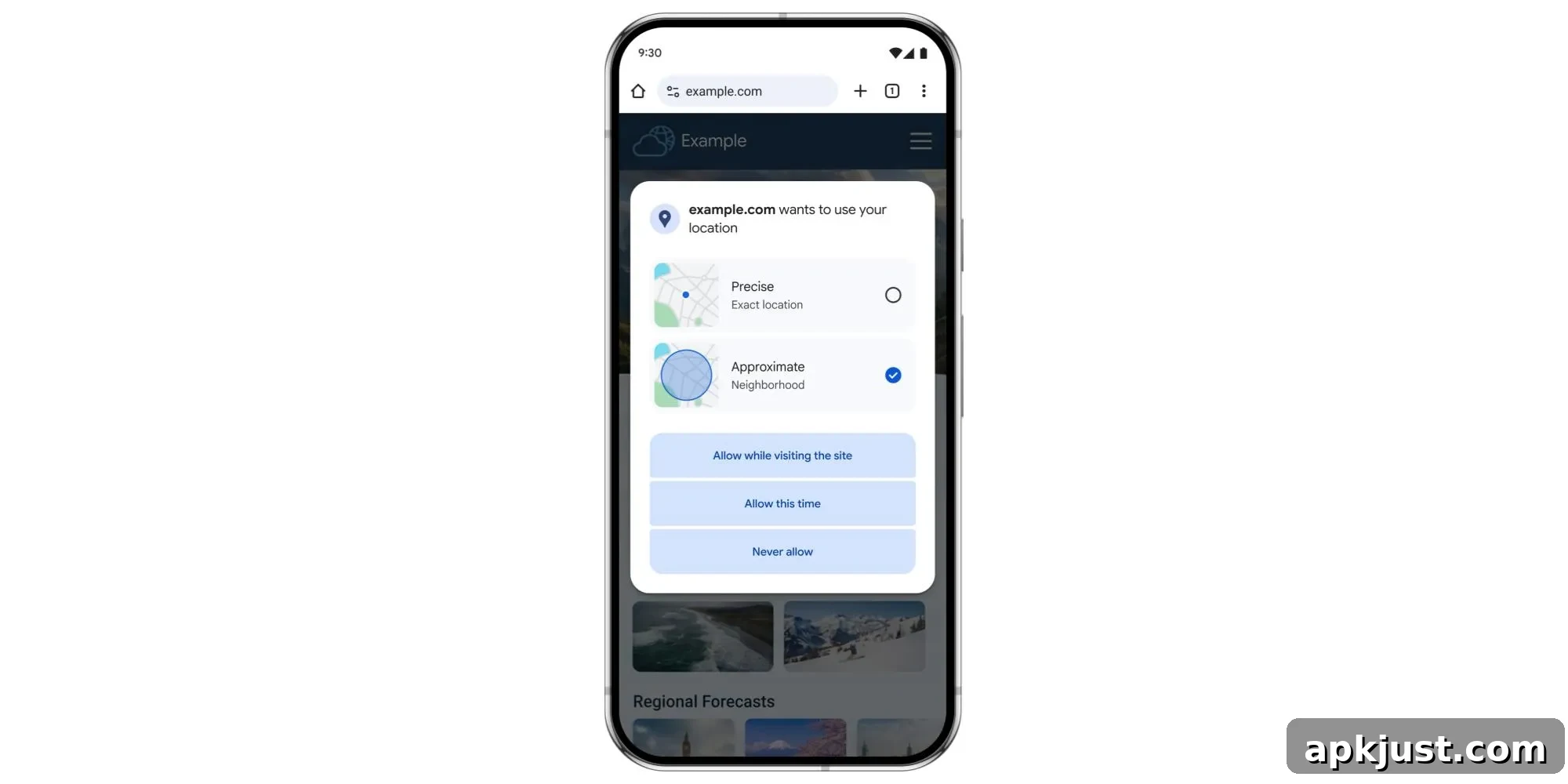
Chrome for Android now offers a way to share an approximate location with websites instead of your precise coordinates, matching a privacy-focused trend across modern mobile apps. This change gives users more control over how much location data they expose to web pages, while still allowing sites to provide useful location-based services.
When a site requests location access, Chrome’s permission prompt will display both Precise (Exact location) and Approximate (Neighborhood) options alongside the usual allow and block choices. Selecting Approximate supplies only a general area rather than an exact point, which is well suited for services that only need a rough idea of where you are — for example, showing local weather, regional news, or broadly nearby content.
Precise location remains available for situations where exact coordinates are genuinely necessary. Google points to clear examples such as placing a delivery order that must reach an exact address or using a map to find the nearest ATM to your workplace. In those cases, users can explicitly grant precise access so the site can function as intended.
This update launches first on Chrome for Android and will reach the desktop Chrome browser over the coming months. Staggered rollouts like this allow Google to monitor how the feature performs on mobile devices before broadening availability on larger platforms.
Alongside the user-facing controls, Google plans to provide new APIs for web developers. Those APIs will let sites request either approximate location or indicate when precise location is required. Developers are encouraged to assess their exact location needs carefully and to request precise data only when it is essential to the site’s functionality. Minimizing requests for precise location reduces privacy risks for users and aligns with best practices for responsible data handling.
This Chrome change is part of a wider series of improvements around location privacy. Recent updates to the Android platform introduced additional tools to protect user location, such as one-time location access options and clearer system indicators when location services are active. The permission prompts and Quick Settings indicators have seen design and clarity improvements, helping people better understand when and why apps use location data. There are also enhancements to how approximate location is calculated, particularly in less densely populated areas, which helps preserve user privacy while maintaining the usefulness of location-based features.
For users, the primary benefit is straightforward: better privacy without sacrificing convenience. Choosing approximate location reduces the amount of personal data exposed to websites while still allowing many everyday web experiences to work smoothly. For developers, the new APIs offer a way to be more privacy-conscious by requesting the least intrusive level of location data required.
As this functionality becomes available more broadly, users should review site permission prompts and pick the option that best balances privacy and utility for each service. Developers should audit location usage in their sites and apps, update implementations to use the new APIs when available, and only ask for precise location when it directly supports the core feature. Together, these steps help create a web ecosystem where useful location features remain available without needlessly exposing exact user whereabouts.