
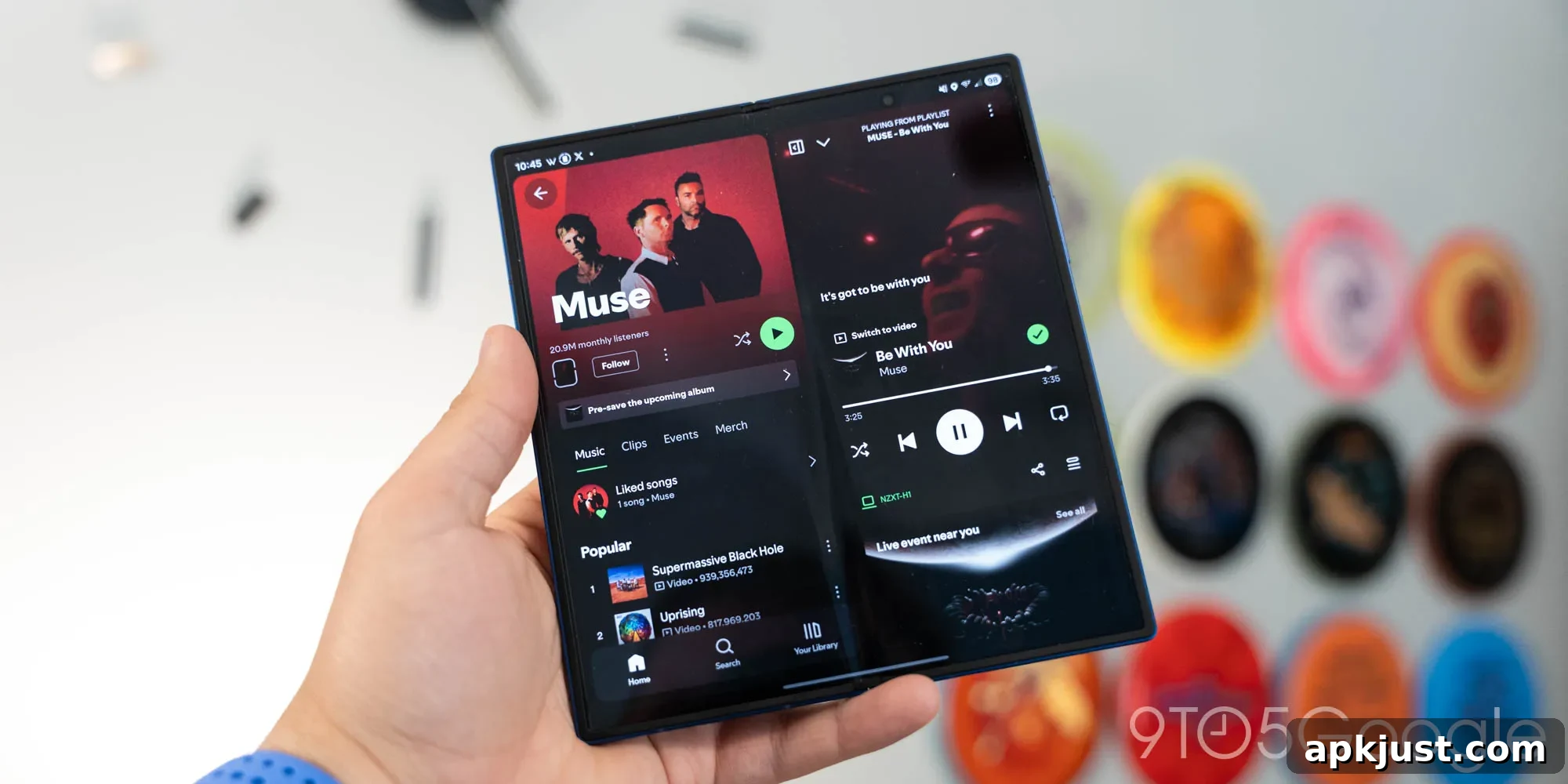
Spotify today introduced a redesigned app specifically for tablets, and the update also reaches many Android foldables. The new experience is rolling out broadly and reflects a fresh approach to using larger screens rather than merely enlarging the phone interface.
Announced on Spotify’s official blog, the tablet redesign has been appearing for some users over the past few months and is now widely available. The company emphasizes that this redesign was built for tablets from the ground up, not just a scaled-up mobile layout. That focus is evident in the new layout and interaction patterns optimized for bigger displays.
The most noticeable change is a dedicated right-hand panel for “Now Playing,” which keeps playback controls and album art visible while other content stays on the left side of the screen. This split layout enables continuous playback control without interrupting browsing or playlist exploration. For users who prefer a full-screen playback view, a button is still provided to expand the “Now Playing” panel to take over the whole display.
Another refinement is a reorganized bottom bar that has been split into two sections. This provides clearer access to core navigation and playback features while leaving room for contextual controls appropriate to the tablet interface. Overall, the updated layout aims to make multitasking and content discovery more fluid on larger screens.
Here is what the redesigned app looks like on a Google Pixel Tablet:
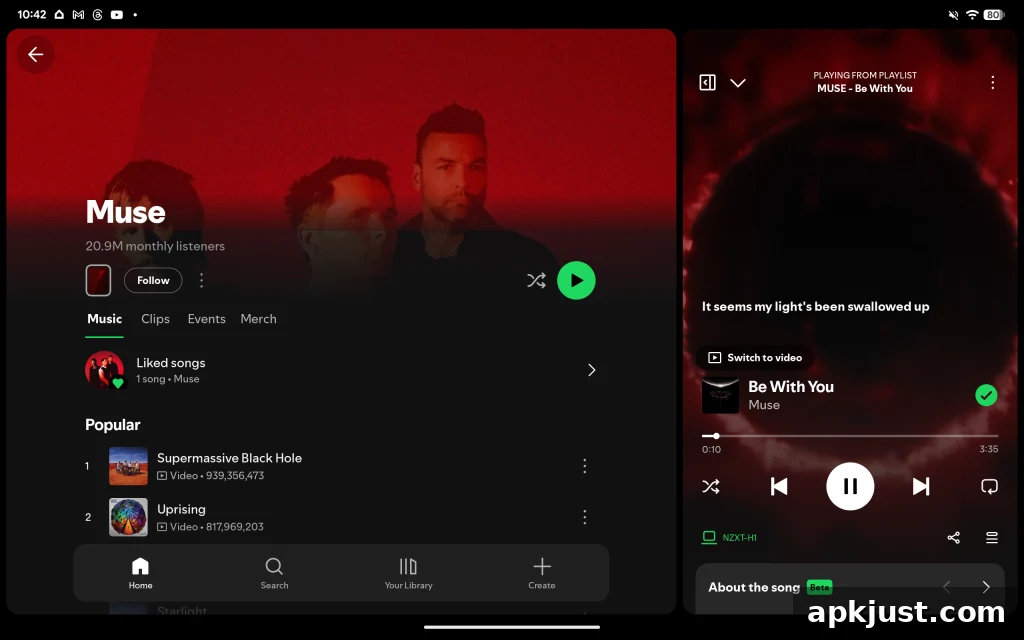
The new tablet UI is not limited to traditional slate tablets. It is also appearing on several Android foldables, although availability varies across models. We have observed the redesigned interface on the Galaxy Z Fold 7, Honor Magic V6, and Pixel 9 Pro Fold. At the same time, some models such as the Oppo Find N6 do not yet show the update.
There are plausible reasons for this selective availability. Spotify may be rolling the redesign in phases, or the differences could stem from how individual devices report screen dimensions, aspect ratios, or pixel densities. Optimization for particular screen sizes and fold states can require additional testing and adjustments, so it’s common for a UI tuned for larger displays to reach devices in stages.
Here are examples of the redesigned Spotify interface on the Galaxy Z Fold 7, showing the split Now Playing panel and adjusted navigation for a wide, foldable display:
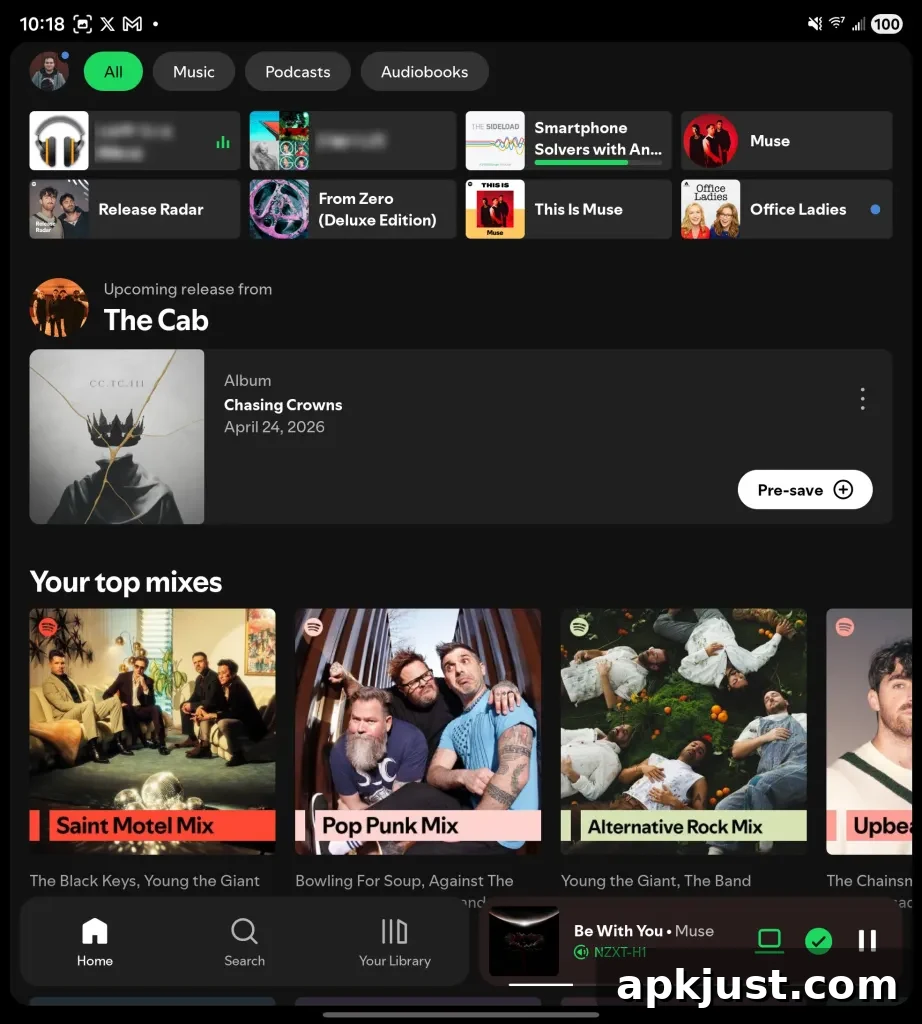
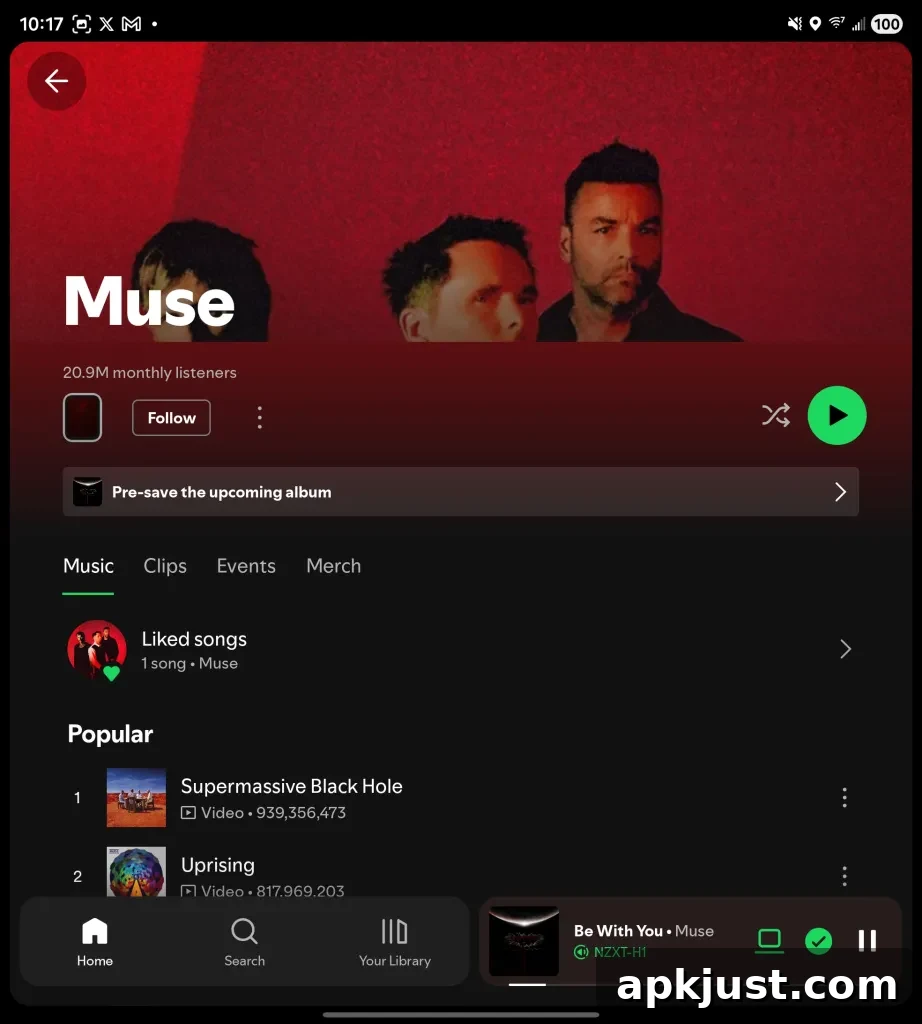
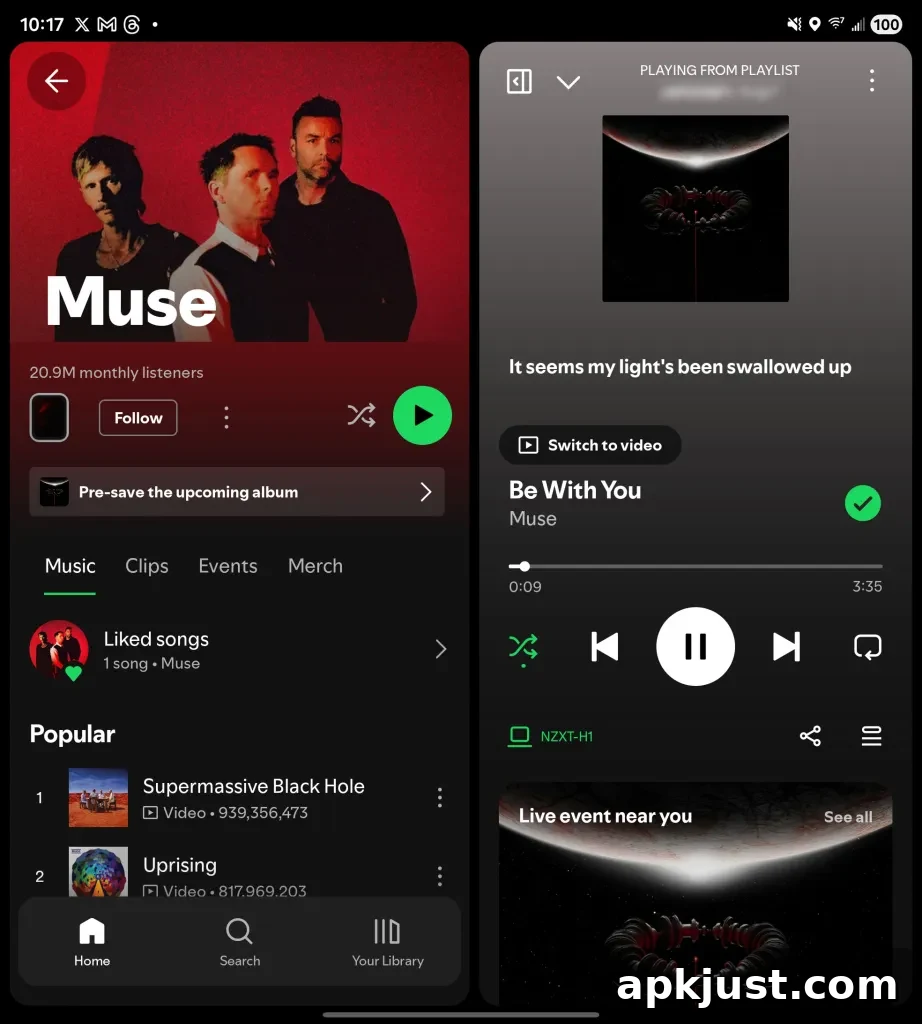
From a usability standpoint, the redesign makes sense: having persistent playback controls on a separate panel prevents accidental navigation away from what’s playing and reduces the need to toggle between screens. It also encourages exploration of content — playlists, albums, and podcasts — while keeping listening controls handy. For users who switch frequently between listening and browsing, this can be a welcome productivity and convenience improvement.
Because the rollout is still unfolding, some users on particular hardware may not see the new layout immediately. If your device hasn’t received the update, it may appear in a future app release or after a staged server-side rollout completes. Users can ensure their Spotify app is up to date through their device’s app store to get the latest features as they become available.
A separate redesign for the Wear OS Spotify app was released earlier in the year, bringing gesture improvements and more video support to the smartwatch experience.
More on Spotify:
- Spotify’s AI-powered playlists can now help you find podcasts too
- Spotify makes it easier to find the samples behind your favorite songs
- Spotify now rolling out redesigned Wear OS app with new gestures, more video
Follow Ben: Twitter/X, Threads, Bluesky, and Instagram