
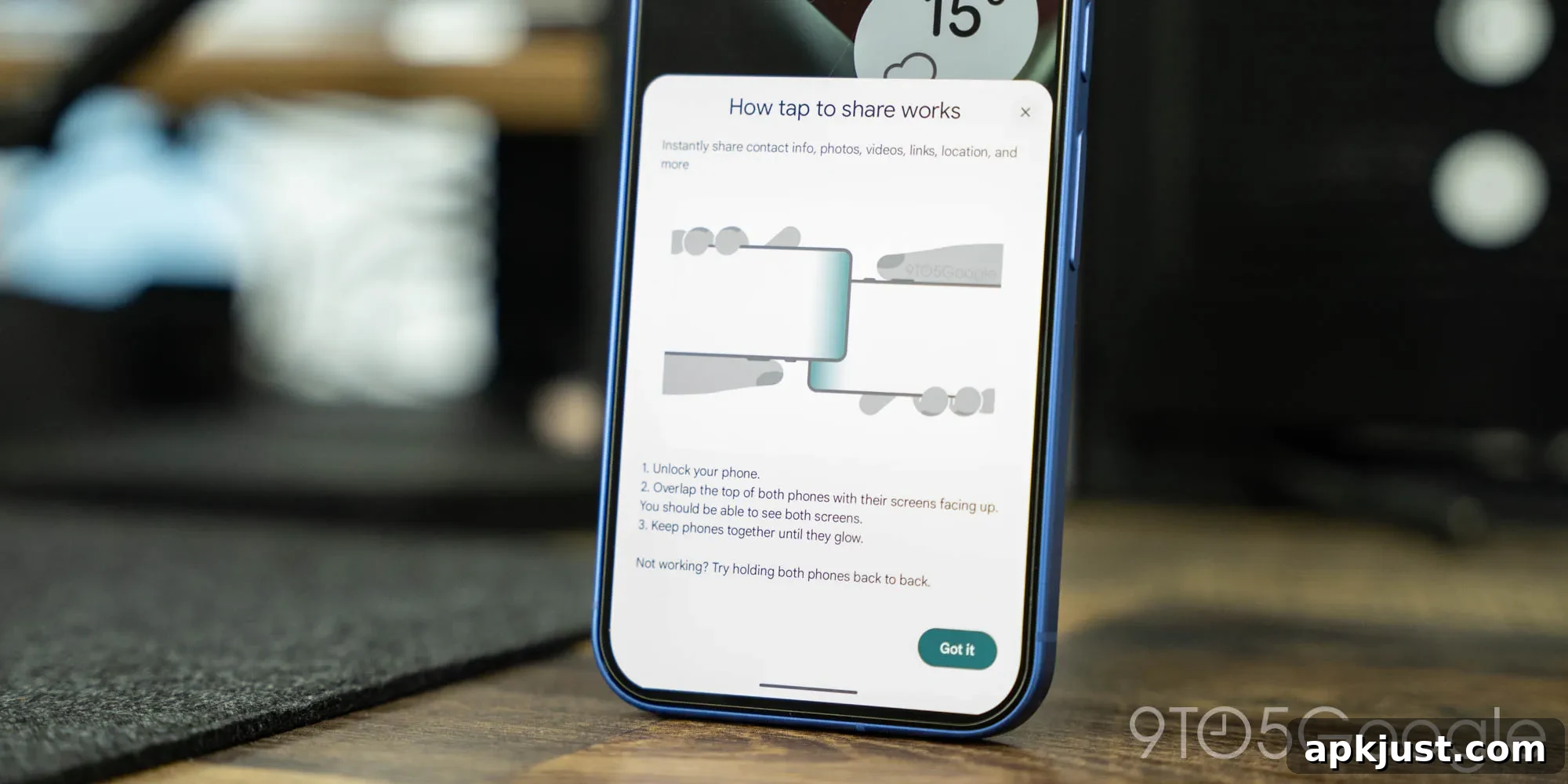
Google is developing a new “Tap to Share” feature for Android, and recent app updates give us an early look at how it will work and what users can expect. This feature revives the familiar idea of tapping two phones together to share content, a concept Android users once knew through Android Beam.
Android Beam allowed two phones to exchange photos, files, and other content by touching their backs together. That capability was discontinued some time ago, but similar functionality persisted in limited form through shortcuts within Android’s Quick Share tools. Now, Google appears to be building a fresh, more integrated solution aimed at making phone-to-phone sharing simpler and more intuitive.
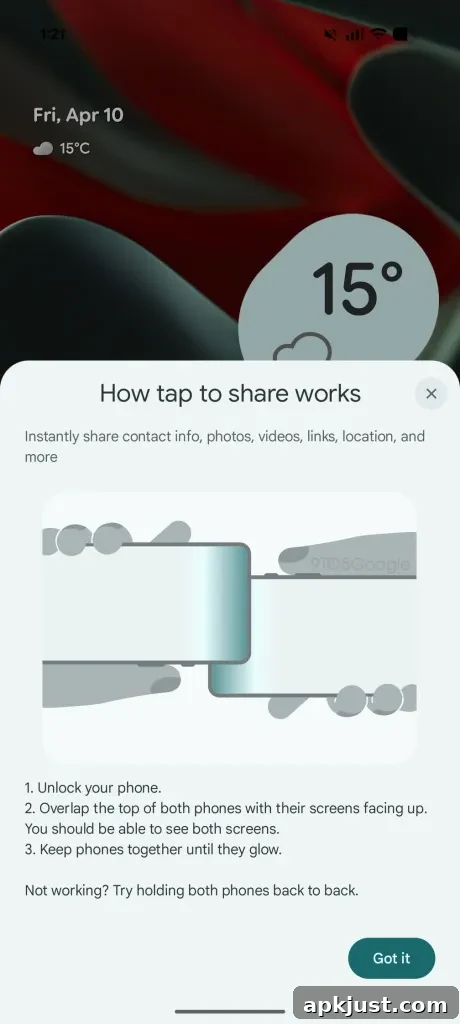
From the latest app files, we discovered a new pop-up that explains “how tap to share works.” The on-screen instructions describe a straightforward three-step process:
Instantly share contact info, photos, videos, links, location, and more
- Unlock your phone.
- Overlap the top of both phones with their screens facing up so you can see both displays.
- Keep the phones together until they glow.
If it doesn’t work, try holding the phones back to back.
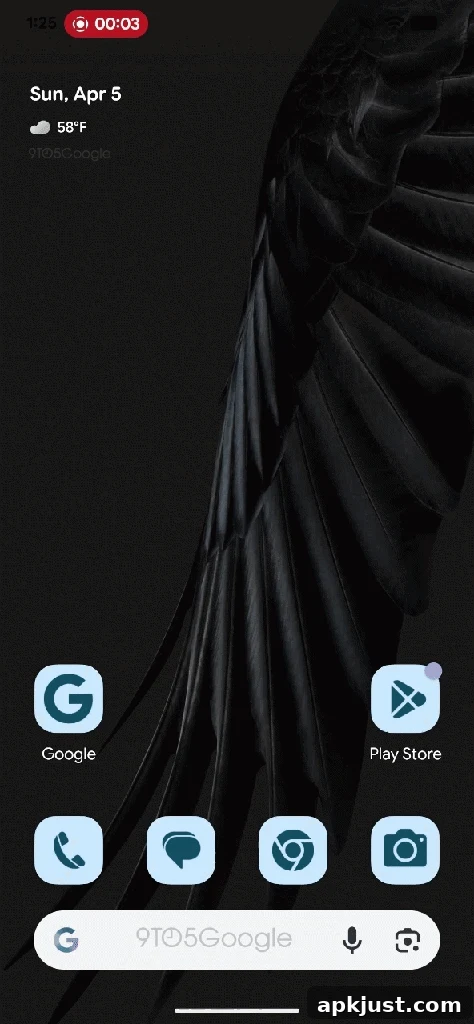
The interface also includes a brief “glow” animation meant to appear when the two devices detect each other. While the feature is not fully functional yet, the visual and instructional elements give a clear sense of the intended user experience: a quick, low-friction way to share content with another Android device.
About this preview: This article is based on a decompilation and inspection of a recent app update published by Google. Examining those internal files reveals hints about future features and UI elements. Keep in mind that not all discoveries will become final, and details may change before any public release. This preview aims to show likely behaviors and design choices rather than promise a finished product.
The implementation appears designed to integrate with Android’s existing share sheet in some way, though the exact mechanics are not fully clear. In practice, you will likely need to have something open — a photo, contact card, link, or other content — and then initiate the tap-to-share interaction to hand that content off to another phone.
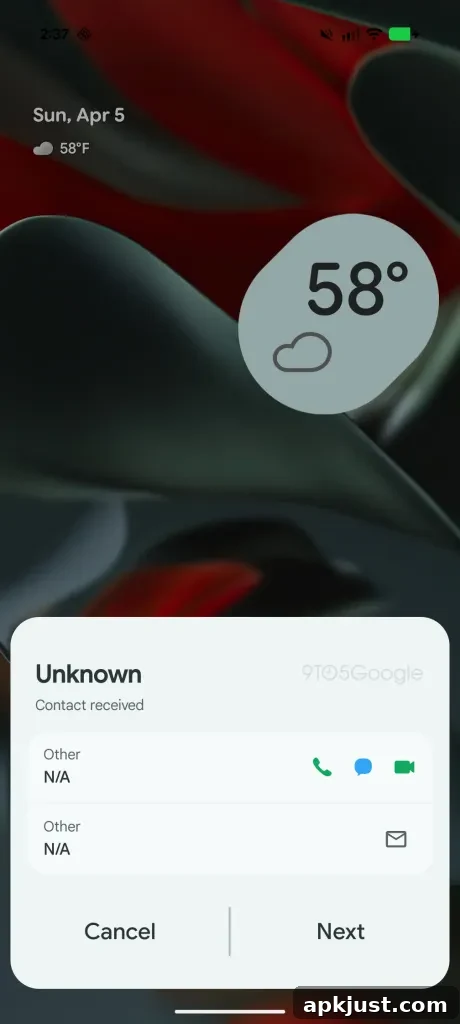
There is also evidence that Samsung devices may receive specialized handling, such as native support for sharing contact cards (VCard format). The pop-up interface we enabled on a Pixel device contains design cues tailored to Samsung phones, suggesting that OEM-specific UI variations are part of Google’s approach. Despite that, the core function should be available across a wide range of Android devices.
One helpful detail included in the pop-up is a troubleshooting tip related to NFC antenna placement. Unlike iPhones, which have a consistent NFC location, Android phones vary: some models place the antenna near the top of the back, while others locate it nearer the center. This difference can affect where you need to align two phones for reliable detection, so the suggestion to try holding the devices back to back makes practical sense and should help users who run into connection issues.
As with any feature spotted early in development, there’s no guarantee Tap to Share will ship exactly as shown or adhere to a specific timeline. Google may refine the visuals, adjust device compatibility, or change how the share sheet integrates with the new tap interaction before a public release.
Dylan contributed to this article.
More on Android:
- What’s new in Android’s April 2026 Google System Updates
- Samsung expands AirDrop-style sharing to additional Galaxy devices with an update
- Android’s sideload bypass now persists when upgrading to a new phone
Follow Ben: Twitter/X, Threads, Bluesky, and Instagram