
On Tuesday, a number of Google Fi subscribers experienced a loss of mobile data connectivity after seeing an error message stating, “Your SIM card is no longer active.” The problem affected some customers but did not appear to impact every account on the network.
The issue was acknowledged by Google Fi on its support page, where a banner informed users that higher-than-normal contact volumes were causing longer wait times. The notice specifically referenced the “Your SIM card is no longer active” message and stated that the company was aware of the problem and working to resolve it as quickly as possible. Users were advised to check back later for updates.
Reports from affected subscribers indicate a mix of experiences. Some customers were able to reach Google Fi support and have the issue resolved when a support agent performed actions from their side, followed by a device restart. In those cases, mobile data returned to normal after the agent’s intervention and reboot.
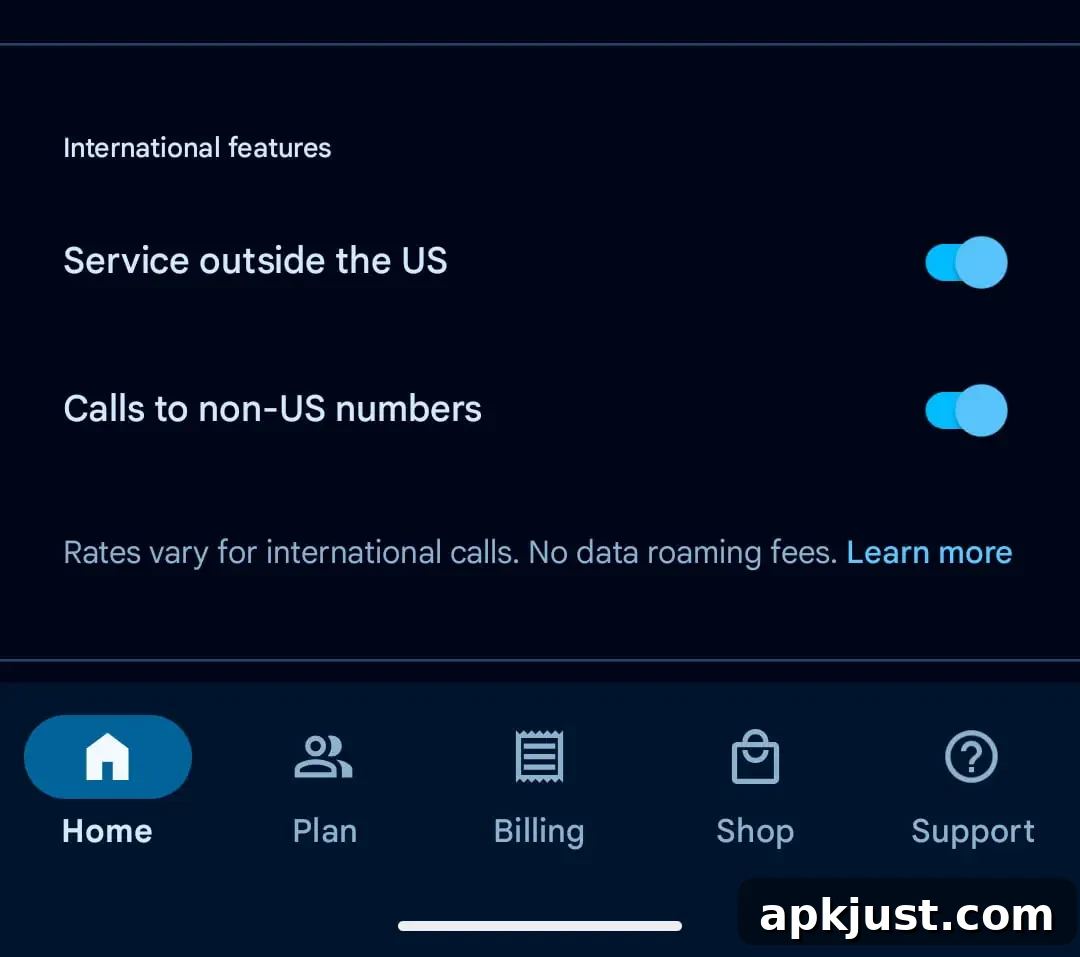
Community troubleshooting also surfaced a few potential workarounds that helped some people regain connectivity without waiting for official fixes. One commonly shared method involved opening the Google Fi app, tapping the user profile at the top of the screen, scrolling to the “International features” section, and toggling off the “Calls to non-US members” option. After waiting about a minute, toggling the setting back on sometimes restored data service. While this workaround helped some users, it may not work for everyone and appears to be a temporary toggle rather than a formal resolution.
Because not all subscribers were affected, it’s possible the interruption stemmed from a targeted provisioning or account validation problem, rather than a full network outage. Mobile virtual network operators like Google Fi rely on a combination of cellular operators and cloud-based account management systems; when those systems encounter errors, some accounts can show as inactive while others continue working. Google Fi’s public acknowledgement suggests the cause was on the provider side rather than an issue with individual devices or SIM hardware.
If you are a Google Fi customer currently dealing with this error, here are a few practical steps you can take:
- Check the Google Fi app for any alerts or messages tied to your account profile and examine any toggles under international or calling features, as some users reported temporary success with toggling settings.
- Restart your phone after making any changes in the app or after speaking with support; a reboot can force the device to re-register with the network and accept updated provisioning.
- Contact Google Fi support through the app or support channels listed in your account; some subscribers needed a support agent to perform actions on their account to restore service.
- Be prepared for longer-than-usual wait times when contacting support, as the provider noted that contact volumes were higher than normal during this incident.
For many users, service returned after an agent reset their account settings and a subsequent reboot. For others, the temporary workaround in the app provided a quick fix until Google Fi rolled out a broader remediation. If your mobile service remains interrupted, keeping an eye on official support notices and attempting an account refresh through the app are reasonable next steps.
Incidents like this underline the importance of redundant communication options. If mobile data is critical for your day-to-day tasks, consider alternative backup options such as Wi‑Fi calling where available or using a secondary carrier temporarily until your primary service is fully restored.
Updating…