
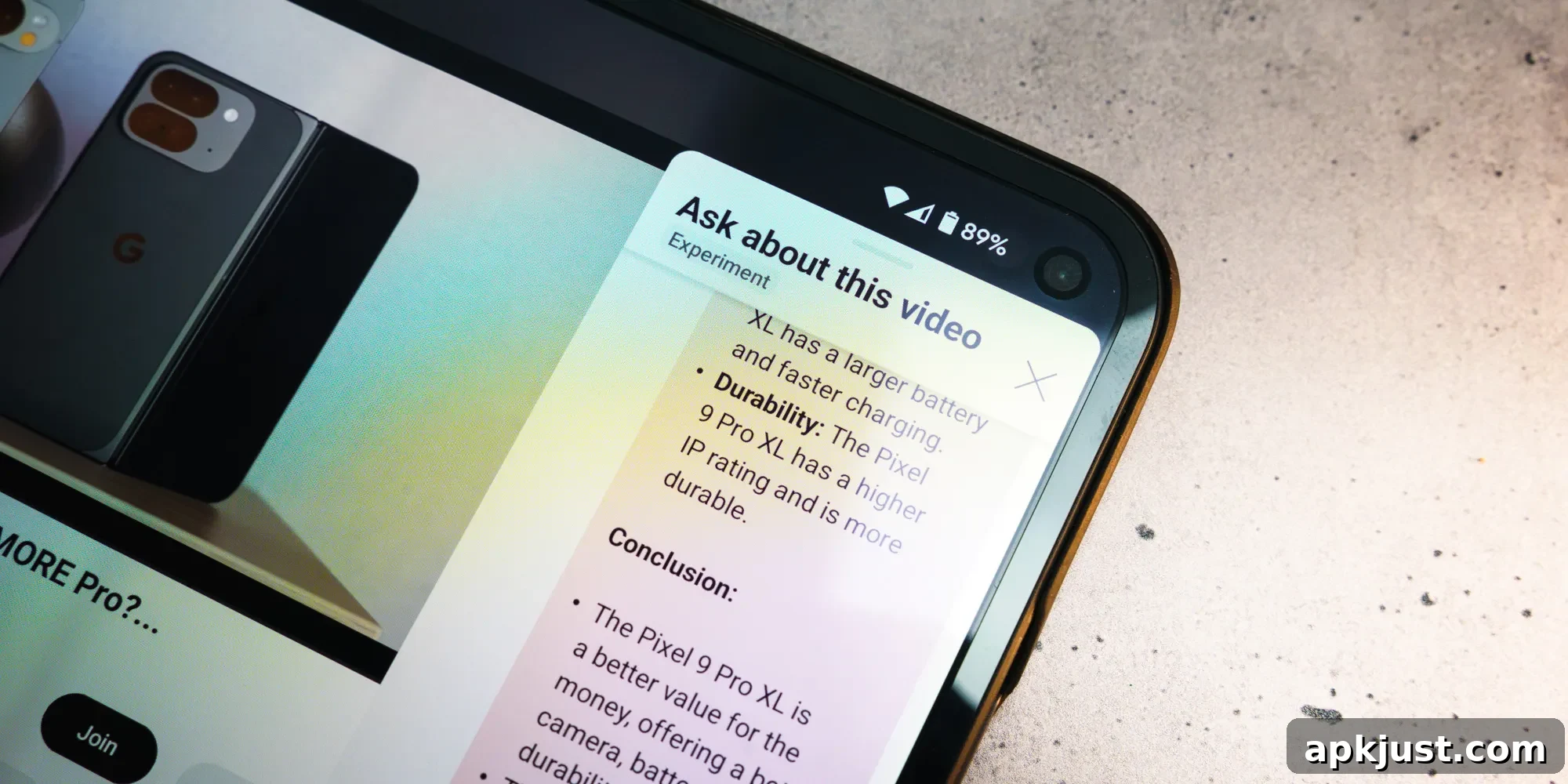
YouTube is ending testing for its conversational “Ask” AI feature on televisions and plans to roll the capability out to all users soon. The feature, which brings an interactive AI assistant directly into the video player on TV apps, aims to make discovering information about a video faster and more natural by using voice or suggested prompts from the on-screen menu.
The “Ask” button first appeared in YouTube’s mobile app several years ago, and after a period of testing it saw a wider release on phones and tablets. While the mobile experience benefited from the conversational AI earlier, the TV app remained in testing for longer. That gap is now closing as YouTube prepares to bring the same conversational functionality to television users, allowing viewers to ask questions about what they’re watching without leaving the app or searching manually.
Once available on your TV, the “Ask” control will appear in the video’s control HUD much like it does on Android, iOS and the web. Selecting the “Ask” chip opens a menu that slides in from the right side of the screen. If your TV remote includes a built-in microphone, the remote will pick up voice input so you can speak naturally. The AI then listens to the question and provides context-aware answers, summaries, or suggested follow-up prompts related to the current video.
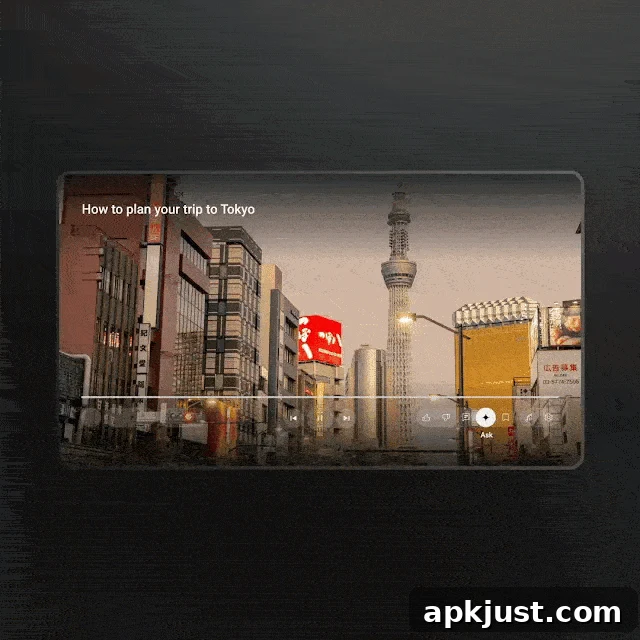
Google’s own description of the TV experience highlights practical uses that range from entertainment to practical planning. The company emphasizes that viewers can ask about song meanings, request breakdowns of podcasts or long-form conversations, and even pose practical questions inspired by content they’re watching. For instance, a travel-related video could prompt questions about local transportation tips or best times to visit popular spots featured in the clip.
Try using your TV remote’s microphone to ask questions about the video you’re watching, or select the sparkle icon to get started
Watching your favorite artist’s latest music video? Ask questions while you watch to learn the meaning behind the lyrics
Tuning into a podcast and missed something they said? Ask for a breakdown to help decode the episode
Planning an upcoming trip to Japan? Ask something like “How to navigate Tokyo’s public transport easily?”
Or, you can choose from suggested prompts such as “recommend related content”
If a remote lacks a microphone, YouTube’s TV AI menu will still provide suggested prompts and pre-filled questions that users can select with the remote’s directional controls. That ensures a functional experience even without voice input, though voice interaction is the most fluid and natural way to benefit from the conversational features. Most modern smart TV remotes do include microphones, so the majority of users should be able to use voice queries immediately once the feature reaches their device.
YouTube has not shared a detailed timeline for the full rollout, stating simply that the feature is “coming.” Given that the conversational AI has already been in TV testing since late February 2026, the wider release is likely imminent. When it becomes available, the feature is expected to arrive through a YouTube app update pushed via the TV platform or through an automatic server-side activation, depending on the device and manufacturer.
Beyond convenience, the TV “Ask” feature highlights a broader trend toward integrating AI-driven assistants directly into media consumption. By surfacing context-aware answers and relevant content recommendations without forcing viewers to leave the playback screen, YouTube aims to make discovery and understanding of video content quicker and more intuitive. At the same time, YouTube will need to balance accuracy, relevance and privacy in delivering those conversational responses, and users should expect ongoing improvements as Google gathers feedback from a larger user base.
Keep an eye on your TV’s YouTube app over the coming weeks for the rollout. Once it appears, look for the sparkle or “Ask” icon in the player controls to begin trying voice queries or choosing suggested prompts tailored to the video you’re watching.
More on YouTube:
- YouTube adds Android Auto support for background play controls
- YouTube fixes bug that had users running into annoying CAPTCHA loops [U]
- YouTube becomes FIFA World Cup 2026 ‘preferred platform,’ but it won’t replace streaming