
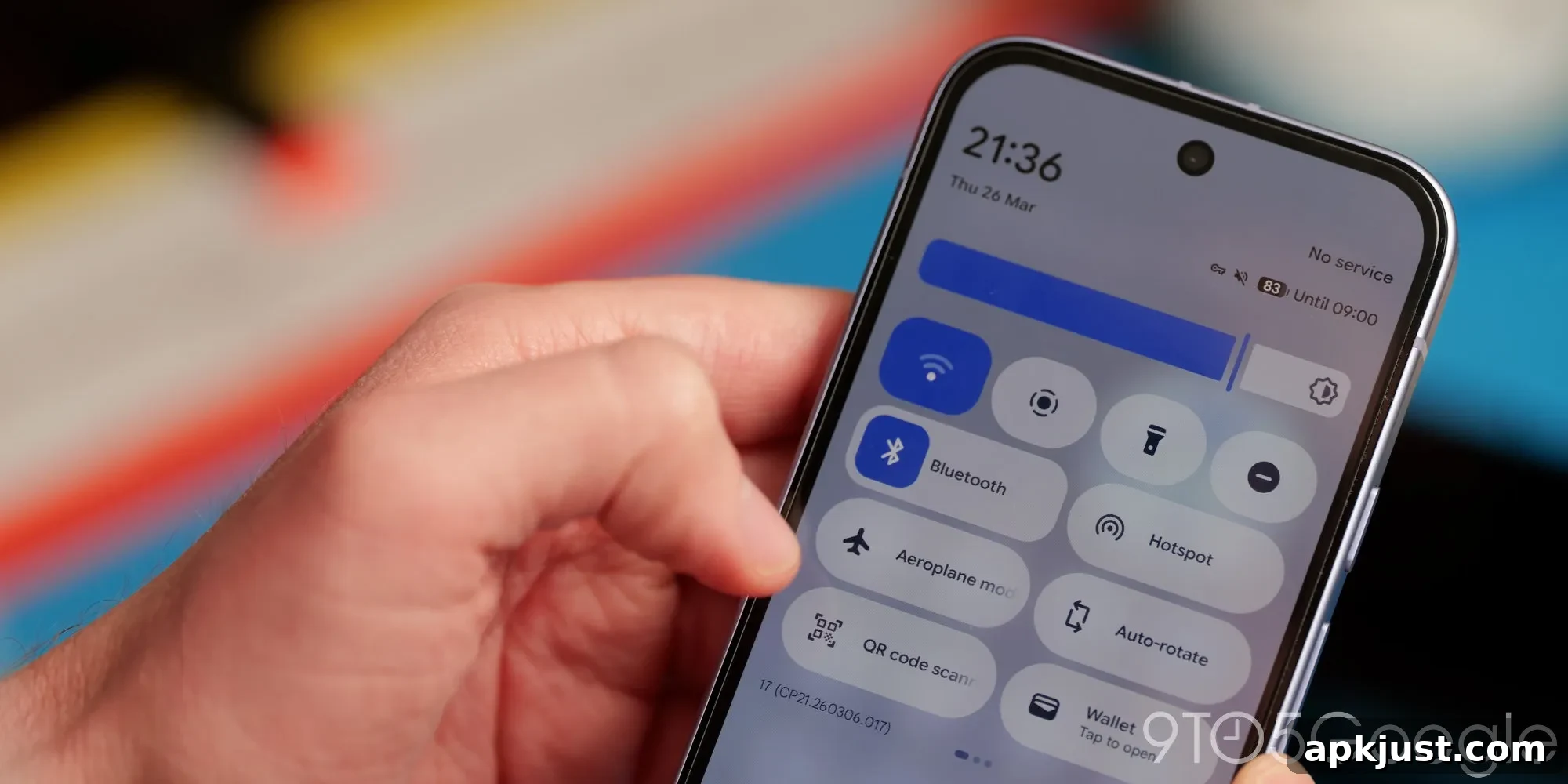
Google has restored the ability to toggle your device’s Wi‑Fi on and off with a single tap of the Quick Settings (QS) tile in Android 17 Beta 3. This change returns a simple, direct control many users preferred before Android 12 altered the tile’s behavior.
With Android 12, the Wi‑Fi QS tile stopped acting as a straightforward on/off switch. Tapping the tile opened a pop-up that displayed nearby networks and additional options, and the option to enable or disable Wi‑Fi was nested inside that panel. What had been a one‑step action became a multi‑step process, which frustrated many users who wanted the convenience of a single tap to immediately enable or disable their device Wi‑Fi radio.
Android 17 Beta 3 for eligible Pixel phones restores a clearer, faster workflow. The tile now operates in a dual‑mode layout: when displayed as a 2×1 tile, tapping the left side—the Wi‑Fi icon—will toggle the onboard Wi‑Fi connection directly. Tapping the right side, where the currently connected network name appears, opens the familiar popup with nearby networks and connection details. When Wi‑Fi is disabled, the tile shows scrolling text indicating whether local networks are available. If you use a 1×1 tile layout, the tile behaves like the previous single‑tap tile. A long press on the tile continues to open the full Settings page for the Internet section.
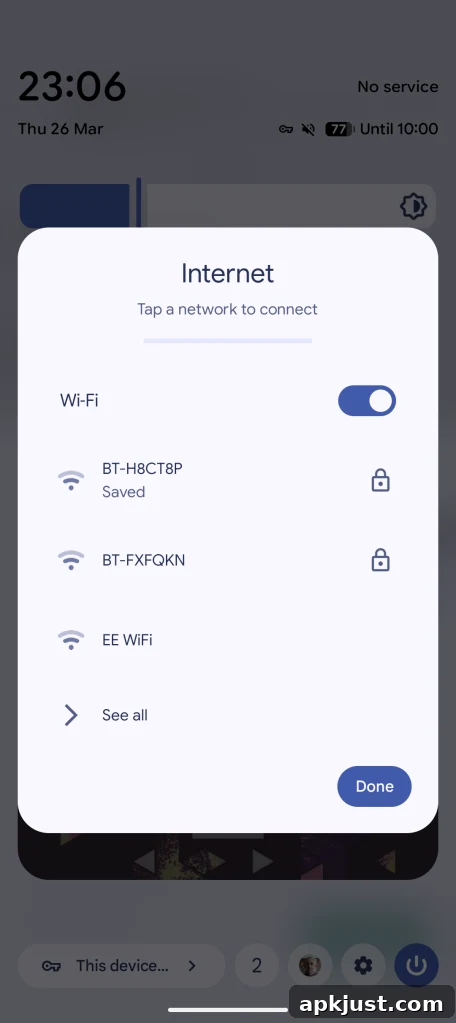
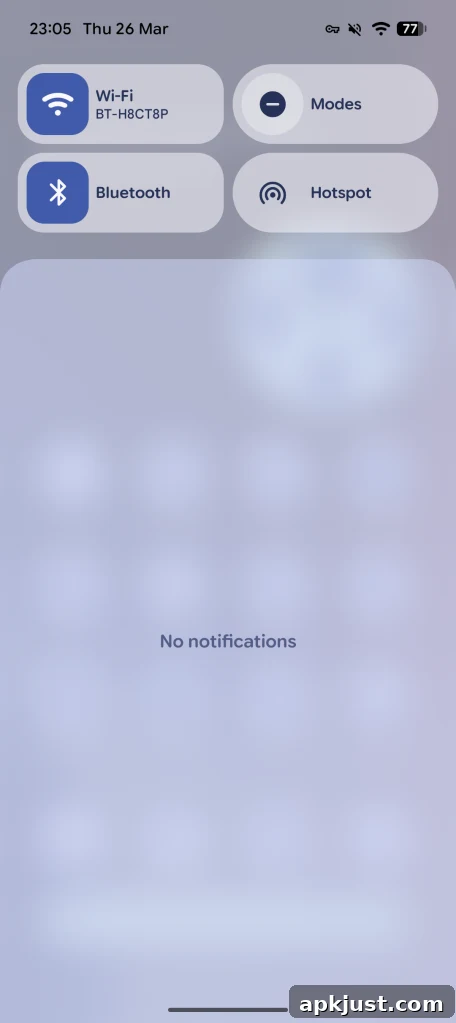
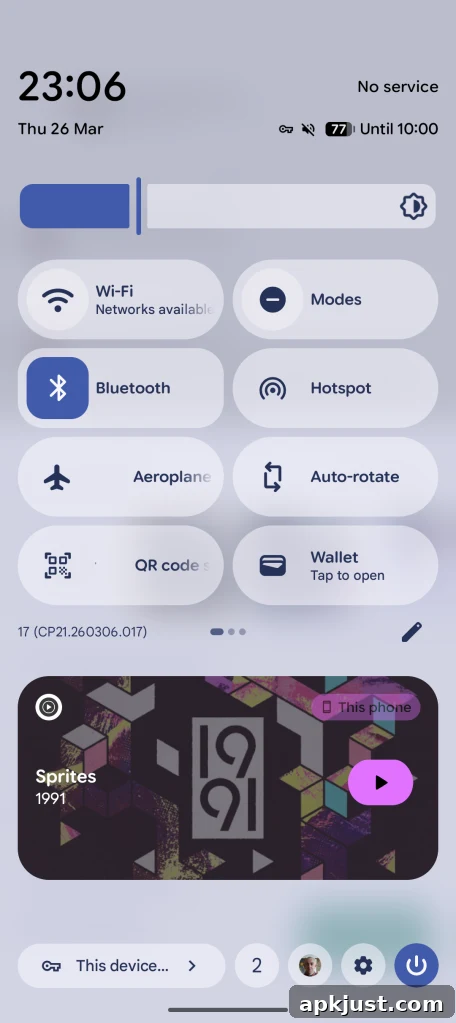
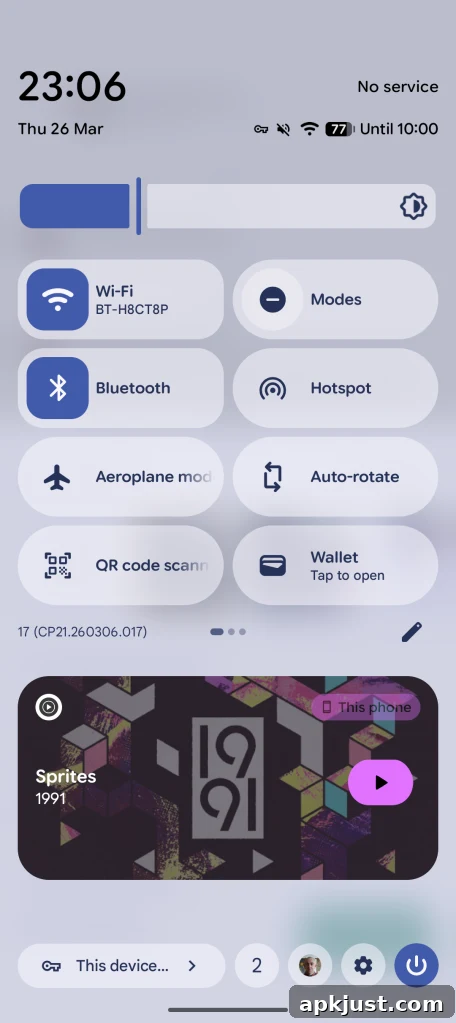
This tile behavior mirrors a similar change Google made to the Bluetooth Quick Settings tile in Android 16 QPR1, where the tile was split between a quick toggle and access to connection details. Reinstating the one‑tap Wi‑Fi toggle brings back a small but meaningful convenience: it saves time in common scenarios, such as turning Wi‑Fi off to preserve battery, quickly disconnecting from a public hotspot, or toggling the radio when moving between cellular and Wi‑Fi coverage.
The decision to revert to a simpler toggle highlights how user feedback can influence interface decisions. Many users found the Android 12 approach less efficient because it required an extra tap to do something that used to be immediate. By offering both quick toggling and easy access to network details from the same tile, Android 17 Beta 3 aims to strike a balance between speed and functionality.
Beyond the tile change, the restored behavior also improves accessibility for users who rely on fast, predictable controls. Power users, commuters, and people who frequently switch networks will particularly appreciate the return of the single‑tap toggle, while users who need to manage or inspect network connections still have the detailed view one tap away.
If you prefer the older or newer layout, note that behavior can depend on tile size and how the device manufacturer or launcher presents Quick Settings. The long‑press shortcut to the Internet section in Settings remains available for deeper network configuration, including advanced Wi‑Fi options and mobile data settings.
More on Android 17:
- Android 17 Beta 3 lets you control which apps are forced into dark theme
- Android 17 Beta 3 brings Google’s screen recorder redesign out of Canary
- Android 17 Beta 3 splits Wi‑Fi and mobile data into separate Quick Settings tiles