
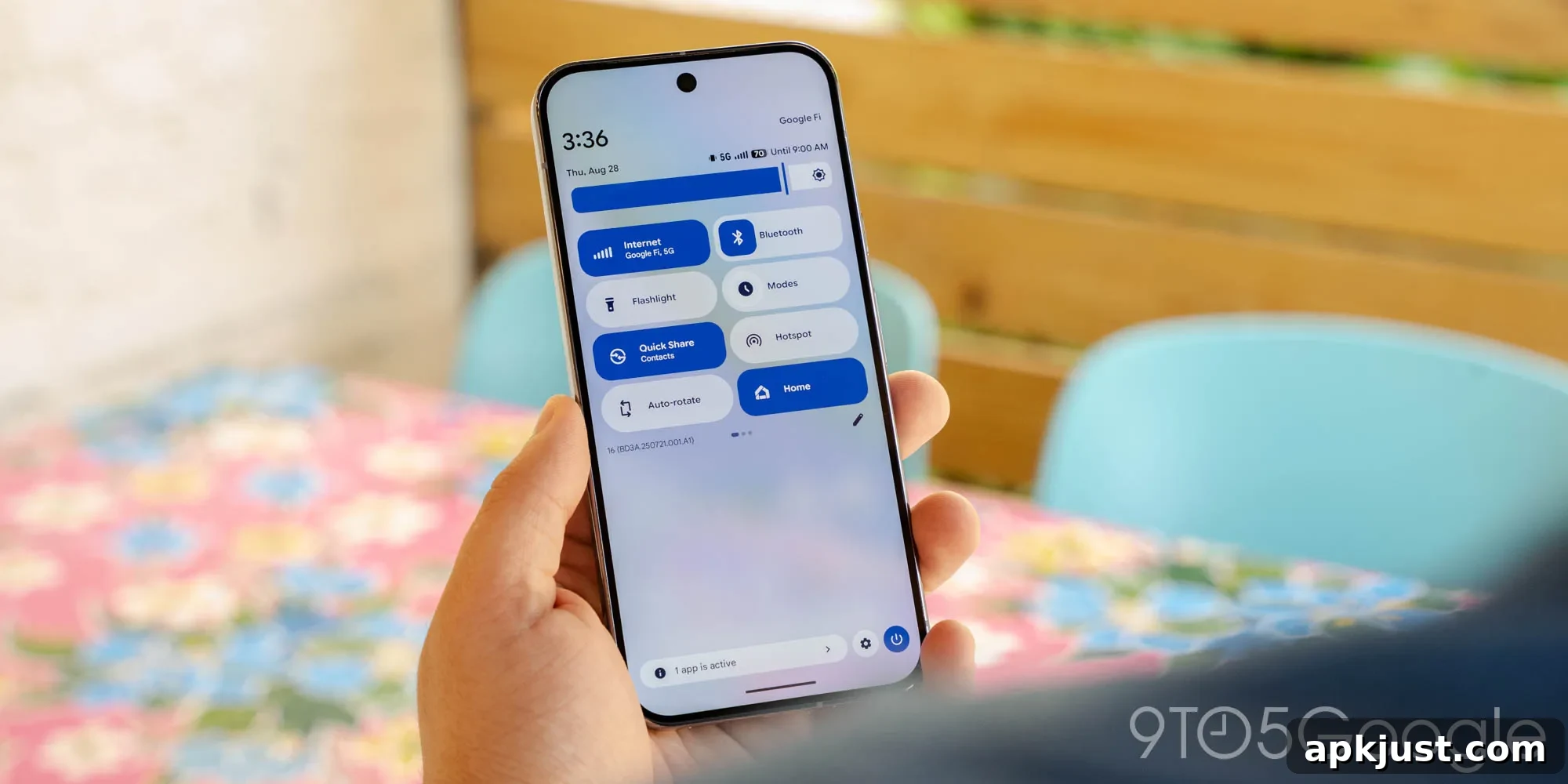
For many years Android grouped mobile data and Wi‑Fi controls under a single Quick Settings tile. With Android 17 Beta 3, Google appears to be separating those two connection options into distinct tiles, a change that makes the Quick Settings area clearer and faster to use.
Android 17 Beta 3 introduces a dedicated mobile data tile alongside the existing Wi‑Fi tile. Previously, a single combined icon represented both connection types and required extra taps to access mobile data toggles. The new layout splits these functions so each connection method has its own tile, simplifying direct control over Wi‑Fi or cellular data from the Quick Settings panel.
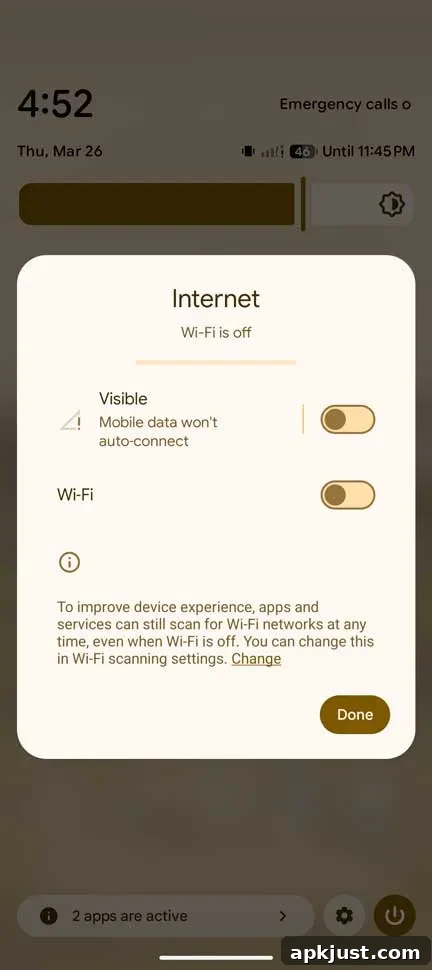
This separation is practical: if you need to disable mobile data quickly, you no longer have to open the Wi‑Fi flyout or navigate deeper into settings. A single tap on the mobile data tile turns cellular data off, while tapping the Wi‑Fi tile toggles Wi‑Fi. In the current beta, Wi‑Fi reactivates immediately when tapped, whereas mobile data toggling prompts a confirmation to prevent accidental disconnection.
Long‑pressing either tile still brings up the familiar network menu that has existed in previous Android versions. That behavior suggests Google is treating the split tiles as a first step — a functional proof that could be refined in upcoming beta releases or the final Android 17 build.
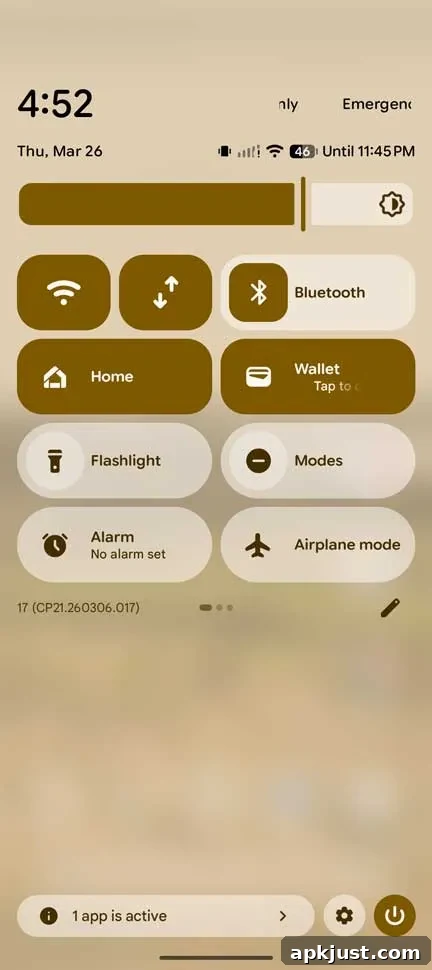
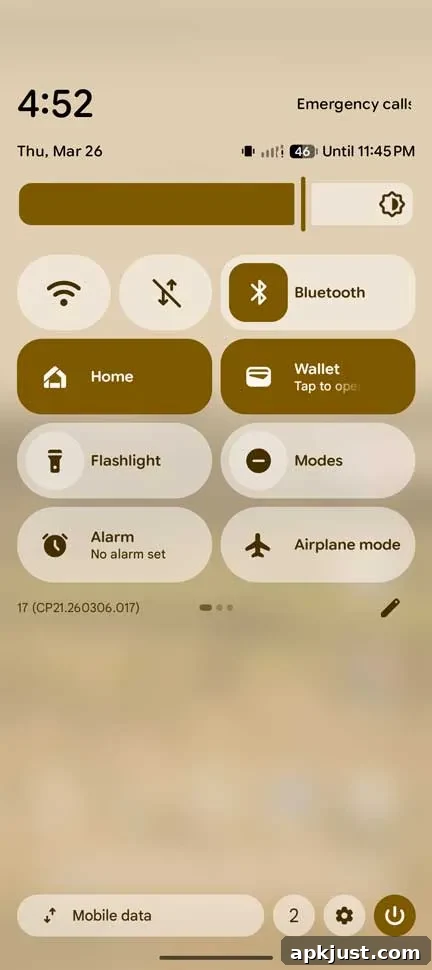
Like any other Quick Settings tile, the new mobile data tile can be moved, resized, or rearranged to match your preferred layout. Users who routinely switch between networks, manage data caps, or frequently toggle connectivity will find the dedicated tile particularly convenient. It reduces the number of interactions required to manage connections and makes the state of each connection type more visible at a glance.
The split also supports clearer visual feedback. With separate tiles, iconography and color indicators can more explicitly reflect the status of Wi‑Fi and mobile data independently, which helps avoid confusion when a device is connected to Wi‑Fi but still using cellular data for certain apps, or vice versa.
From a design and usability perspective, separating network controls aligns with broader trends in mobile UI that favor modular, task‑focused controls. Quick Settings tiles are meant for immediate actions, and decoupling Wi‑Fi and mobile data reinforces that principle. Developers and interface designers gain a more flexible foundation for future improvements, such as more granular data controls, per‑tile shortcuts, or expanded quick actions tied to each connection type.
At the moment this change is visible in Android 17 Beta 3 builds rolling out to compatible devices. As with any beta feature, behavior may evolve before the final release. Users enrolled in the beta program and those testing Android 17 on supported hardware can confirm the new tile arrangement and experiment with the updated Quick Settings workflow.
Overall, splitting mobile data and Wi‑Fi into separate Quick Settings tiles is a small but meaningful refinement. It streamlines common tasks, reduces accidental toggles, and offers clearer status information—improvements that should benefit both everyday users and power users who customize their quick actions.
The new layout and behavior are included in the Android 17 Beta 3 release.
More on Android 17:
- Multitasking “Bubbles” now live in Android 17 Beta 3 update
- Here’s everything new in Android 17 Beta 3 [Gallery]
- How to install the Android 17 Beta on Google Pixel