
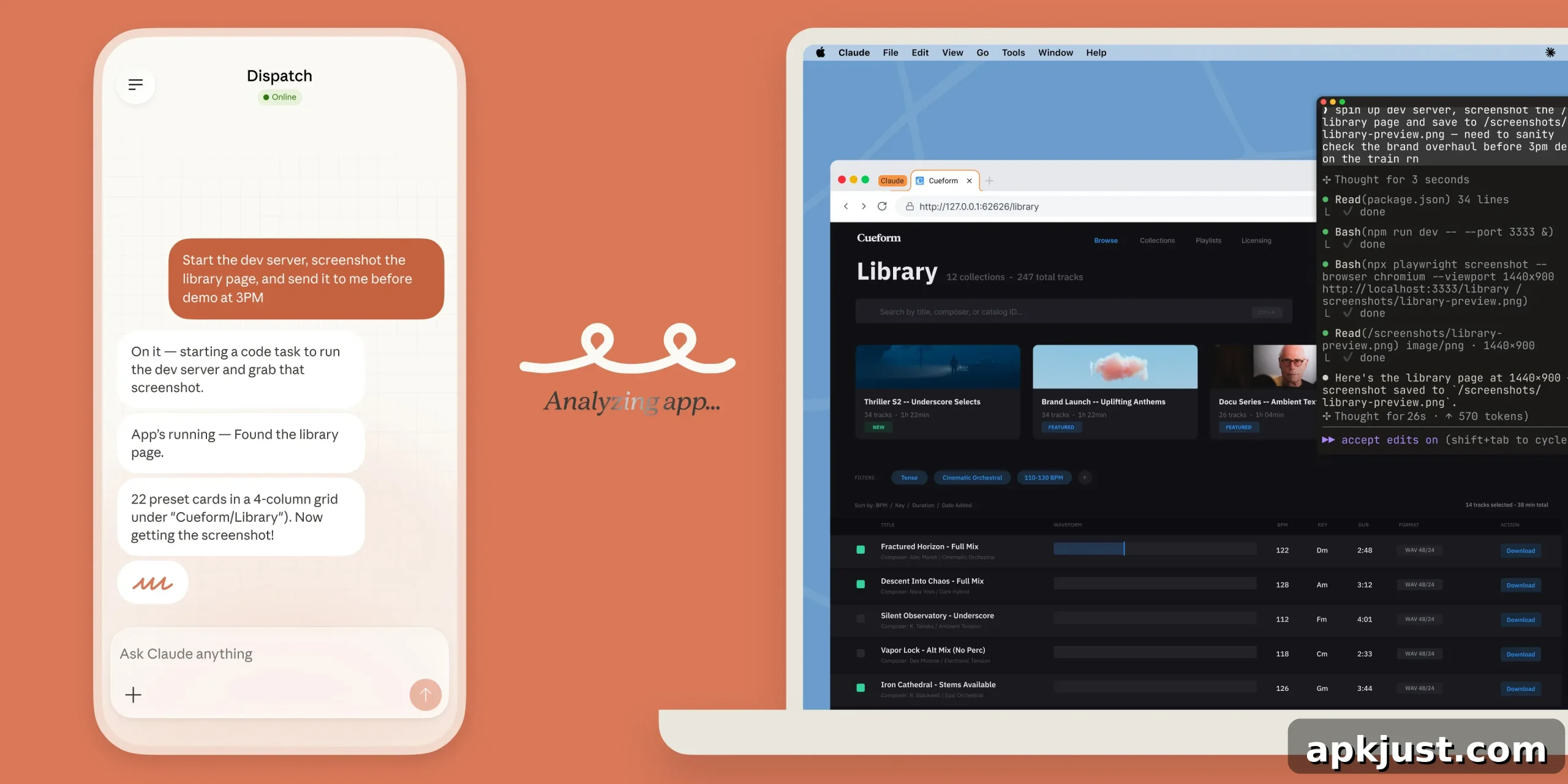
Anthropic has introduced a striking new capability for its Claude assistant that lets you instruct the AI from your phone to remotely control your computer and execute tasks on your behalf.
A recent update to Claude Cowork and Claude Code adds functionality that enables Claude to interact directly with your computer environment. When permitted, the assistant can open files, control the browser, use the mouse and keyboard to scroll and click, input text, and run tools to complete jobs you assign.
This functionality resembles other screen automation systems, but Anthropic’s implementation is designed to be more flexible and integrated with existing connectors and workflows.
- For comparison, other assistants have begun offering app and screen automation that controls mobile apps or desktop windows; Claude’s approach aims to extend that same idea while prioritizing the most appropriate integration method first.
When you ask Claude to perform a task, it first attempts to use any direct connectors you already have set up, such as Slack or Google Calendar. If those connectors are not available or not sufficient for the task, Claude can then resort to controlling your browser, mouse, keyboard, and screen to complete the work, always requesting your explicit permission before taking those steps.
Anthropic describes the behavior this way:
Claude will reach for the most precise tool first — starting with connectors to services like Slack or Google Calendar. When there isn’t a connector, Claude can directly control your browser, mouse, keyboard, and screen to complete tasks. It will scroll, click to open, and explore as needed, always asking for your explicit permission first.
This feature integrates with Dispatch, a mechanism for sending commands to Claude from a paired smartphone app. Using Dispatch, you can assign a job on your phone and have the Claude client running on your desktop perform it while your computer is awake. That means you can start a task remotely, switch to other work, and later open the finished results on your computer.
Anthropic demonstrates the feature with several practical examples showing the kinds of tasks Claude can automate for you:
- Export a document to PDF and attach it to a calendar invitation.
- Start a development server on your machine and capture a screenshot of a particular page.
- Batch edit a set of photos to a required size and apply a watermark.
These examples illustrate how remote desktop automation can save time on repetitive or multi-step tasks by letting the assistant act directly in your environment rather than only offering instructions or code snippets.
Anthropic emphasizes several safety and privacy controls for this capability. Claude can only access the applications you explicitly grant permission to, and you can stop the process at any time. The company recommends avoiding granting access to highly sensitive applications — for example, apps used for banking, legal matters, or medical records. Anthropic also states that Claude is trained to refrain from actions such as executing stock trades, entering highly sensitive personal data, or scraping facial images.
A key operational requirement is that your computer and the desktop Claude client must be awake and active for the assistant to perform remote tasks. If your machine is offline, sleeping, or otherwise unavailable, Claude cannot exercise direct control.
At launch, remote computer control via Claude is offered for paid Claude Pro and Max subscribers. Those plans provide access to this feature under the pricing tiers Anthropic has established. The capability is currently available on macOS; Windows support was not part of the initial rollout.
More on AI:
- Updates and usage adjustments for Claude have been announced periodically to expand access and refine limits.
- User interface and app redesigns are appearing across several AI apps as providers refine how they present tools and subscription options.
- Usage milestones and growth of AI assistants continue to influence how platforms prioritize feature development.
Follow Ben: Twitter/X, Threads, Bluesky, and Instagram