Google has released Android Canary 2603, introducing several visible changes since the recent Android 17 Beta 2 release.
The build ZP11.260220.007, which includes the March 2026 security patch, is available for a wide range of Pixel devices: Pixel 10a, Pixel 10, Pixel 10 Pro, Pixel 10 Pro XL, Pixel 10 Pro Fold, Pixel 9a, Pixel 9, Pixel 9 Pro, Pixel 9 Pro XL, Pixel 9 Pro Fold, Pixel 8a, Pixel 8, Pixel 8 Pro, Pixel 7a, Pixel 7 Pro, Pixel 7, Pixel 6a, Pixel 6 Pro, Pixel 6, Pixel Fold, and Pixel Tablet.
Android Canary is Google’s channel for testing early operating system additions. It is tailored for developers who want to try the newest Android APIs and experimental features. Because Canary builds are preliminary, some features may never be included in a stable release. Nonetheless, many changes from Canary make their way into the broader Android Beta program. The initial installation uses the Android Flash Tool, with subsequent updates available as over-the-air packages.
This article will be updated as new changes appear.
Updating…
Screen record redesign
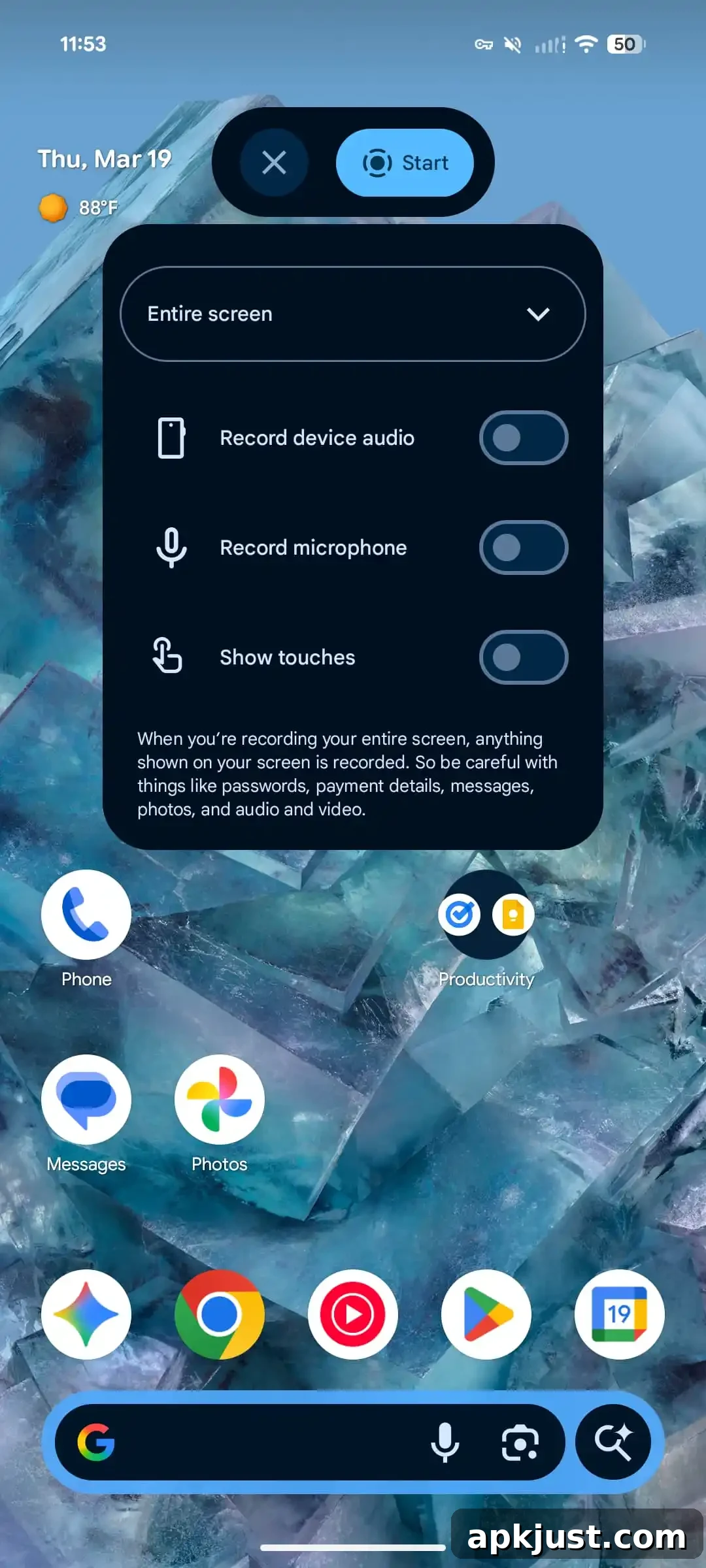
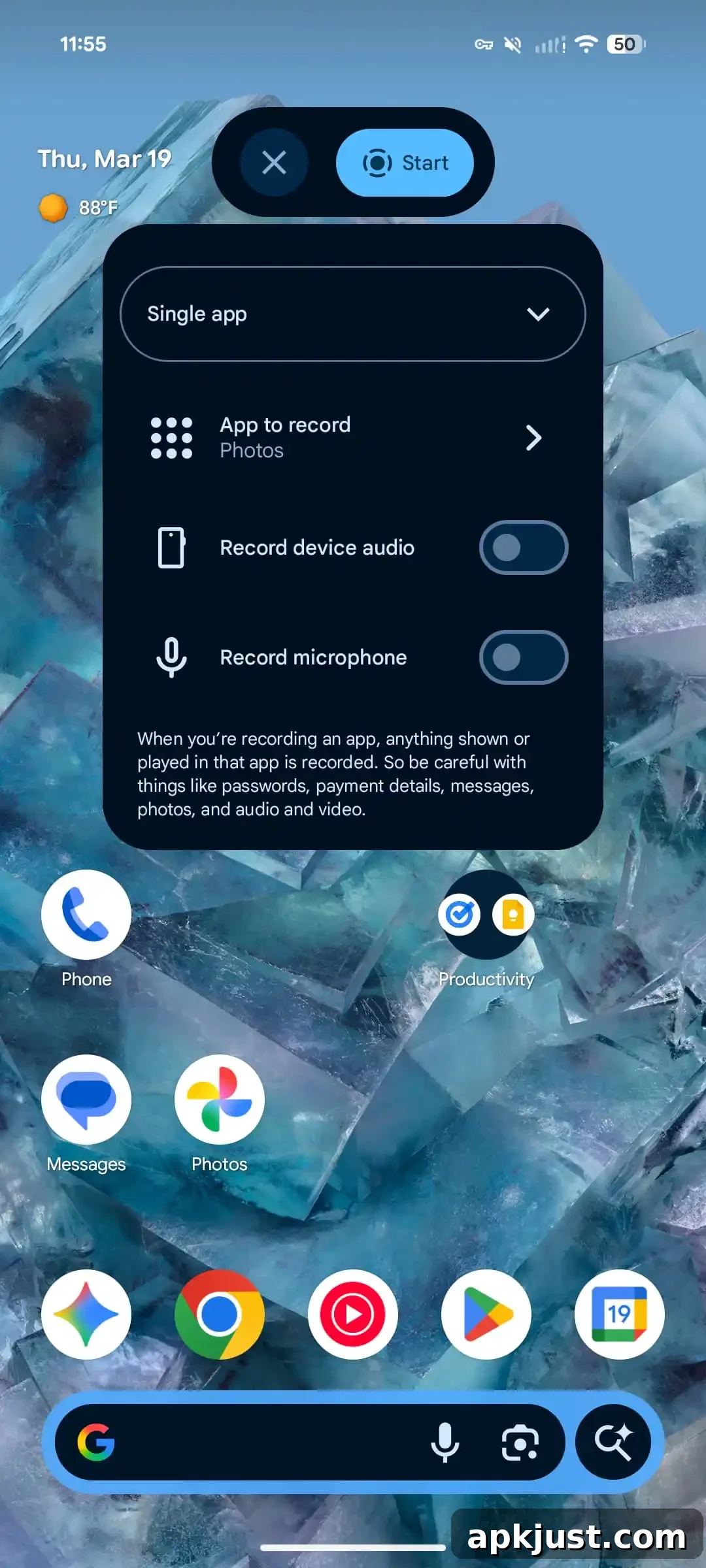
The screen recording experience receives a notable redesign. Tapping the Quick Settings tile now opens a floating pill-shaped control offering a clear “Start” button and options to adjust the recording target before you begin. You can choose between recording the Entire screen or a Single app. Available options include:
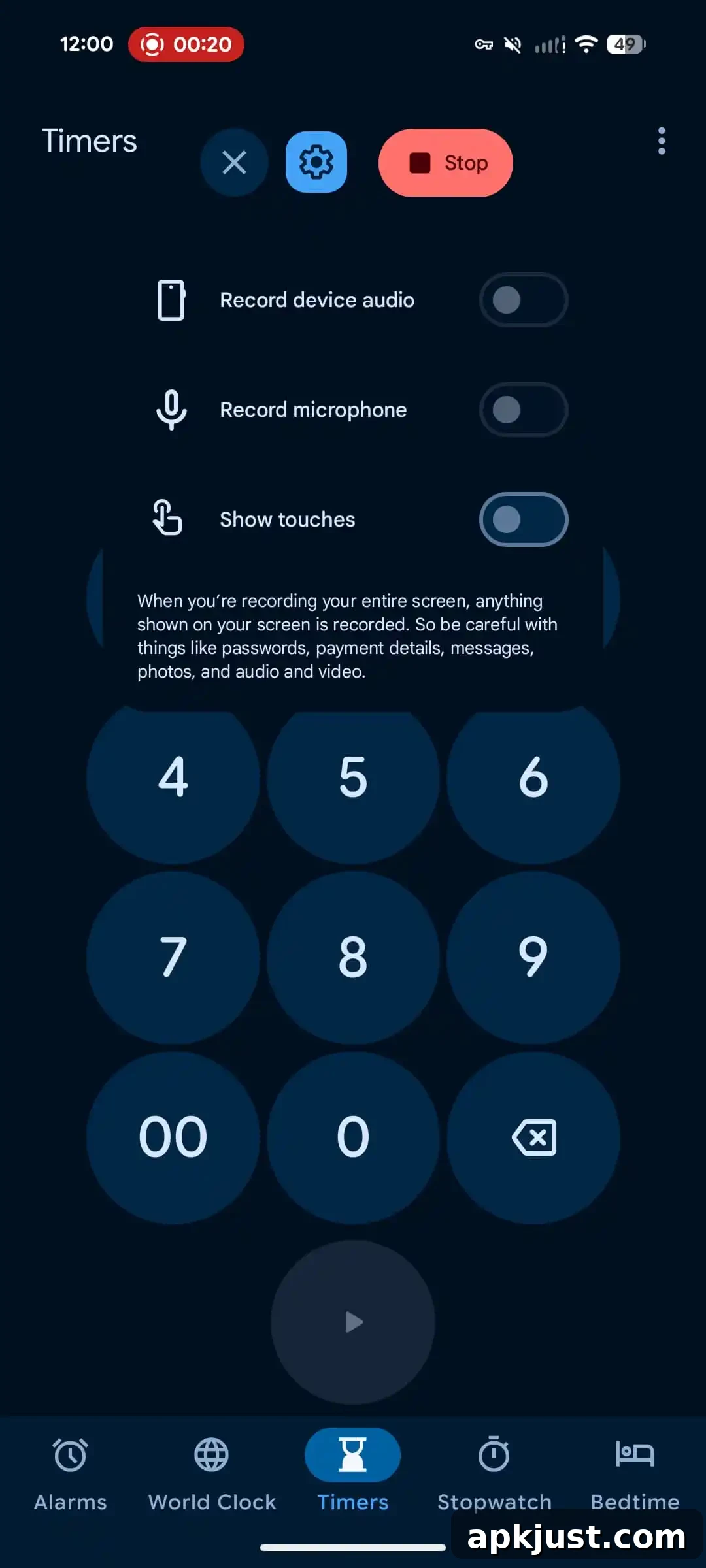
- Entire screen: Record device audio, Record microphone, Show touches
- Single app: Select app to record, Record device audio, Record microphone
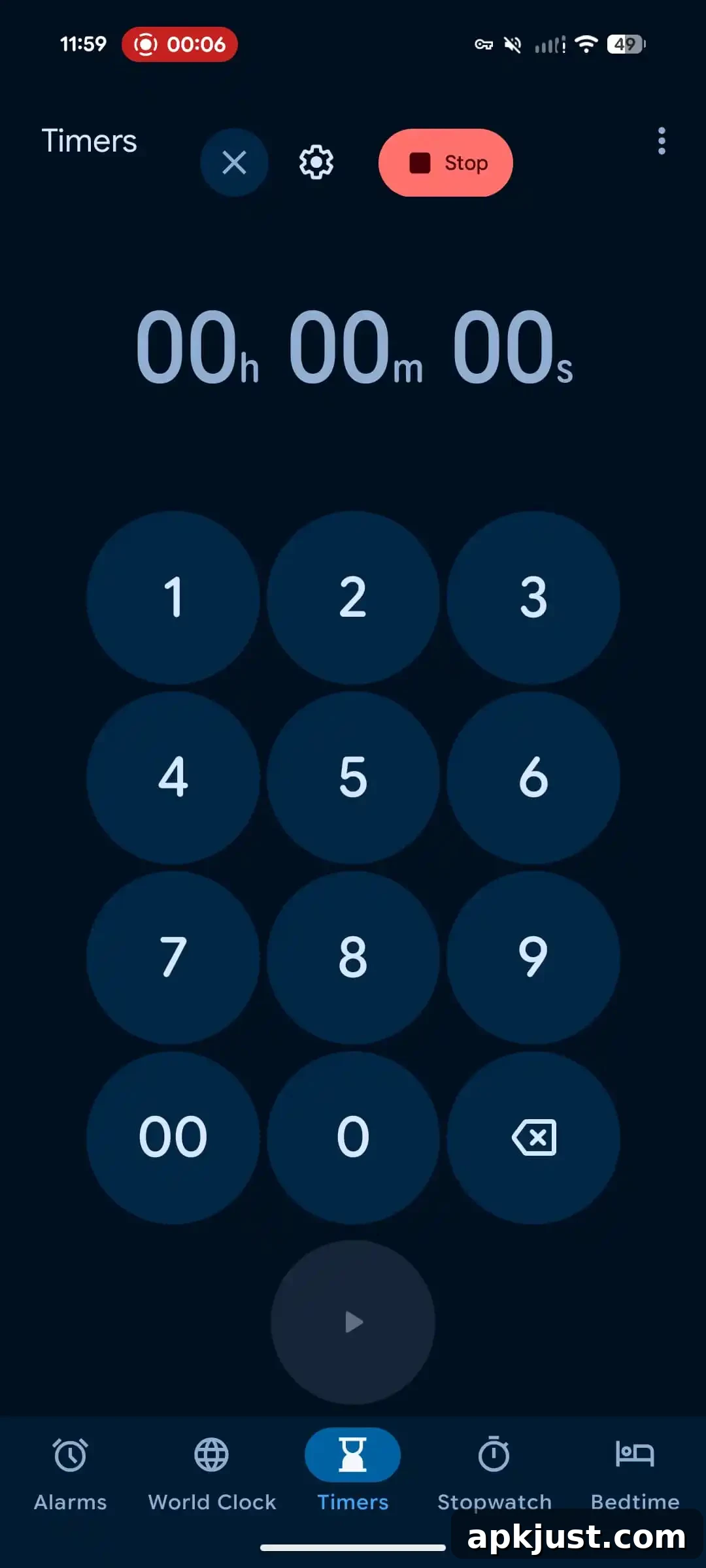
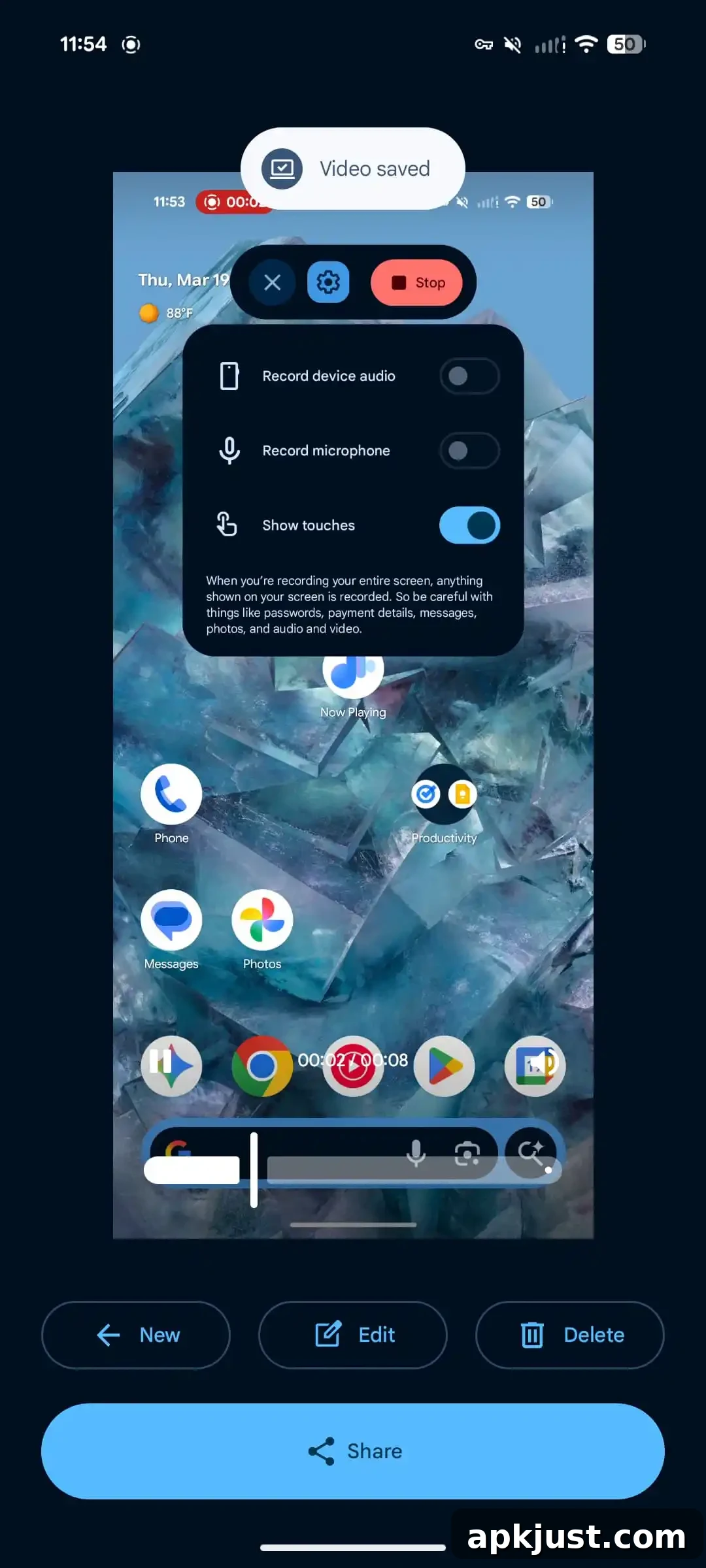
While recording, a status bar indicator provides quick access to the floating UI. From there you can open settings or stop the recording. When the session ends, a new post-recording interface appears that lets you preview the clip, edit it, delete it, or share it. A “New” button returns you to the recorder to start another capture.
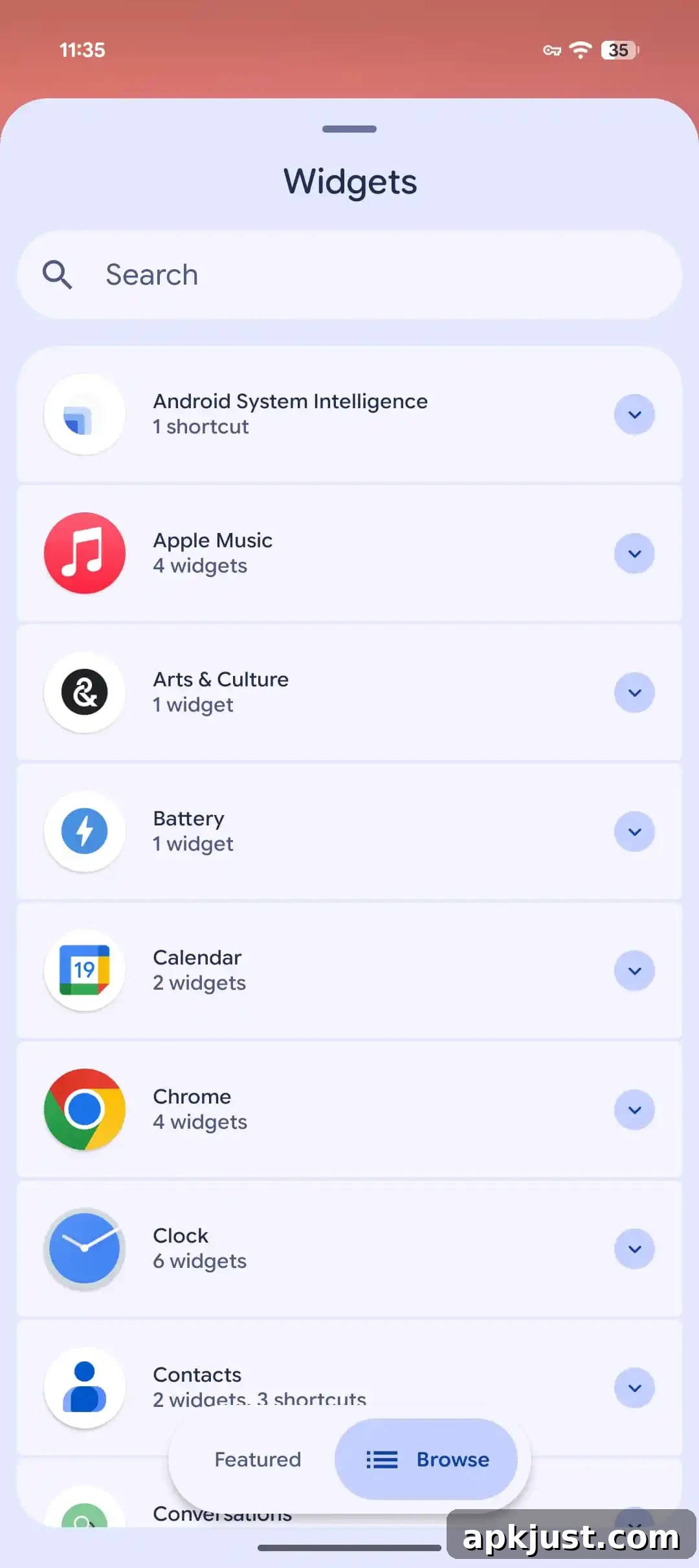
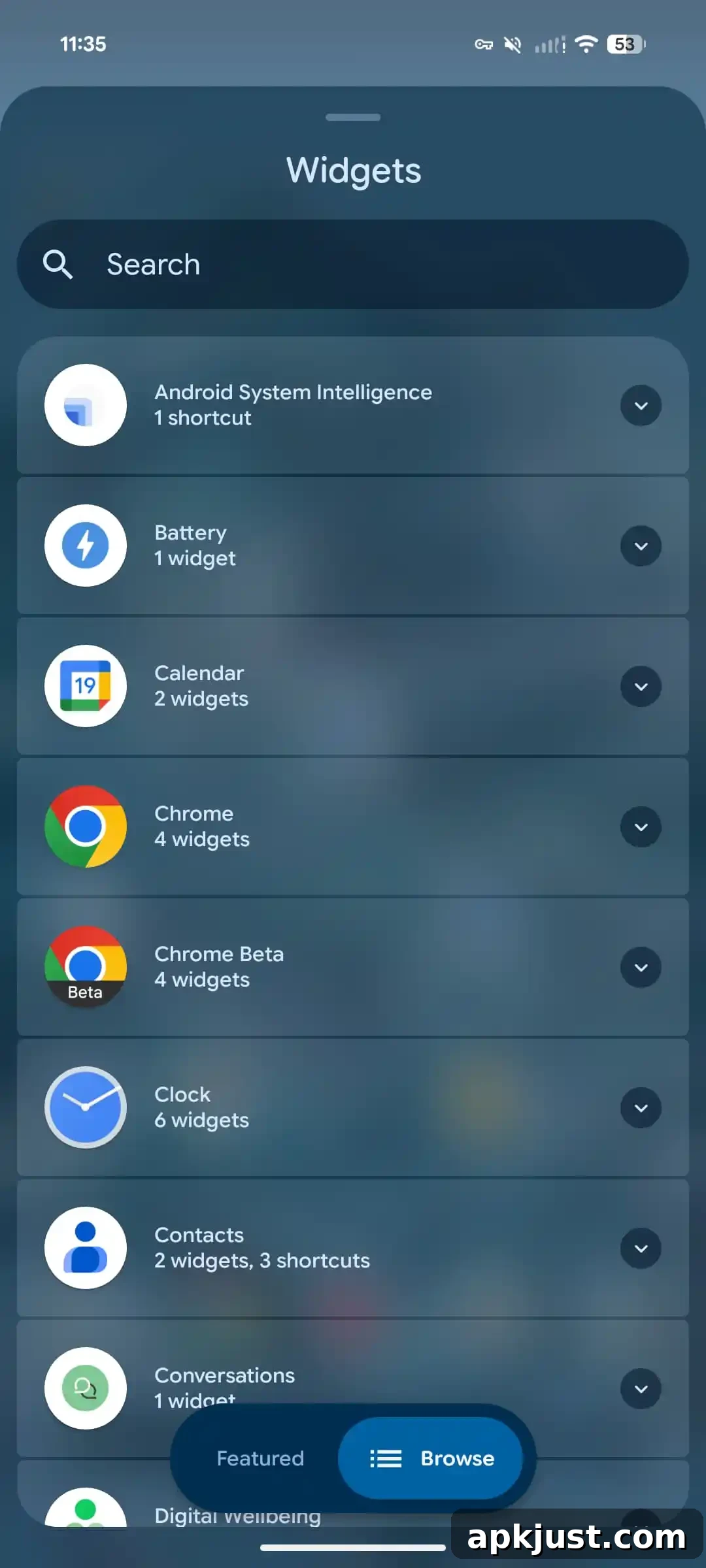
More blur in system UI, like Widgets pane
Android 17 Beta 2 vs. Canary 2603
Canary 2603 adds a stronger blur effect across various system surfaces, matching and in some cases deepening the visual treatment first seen in Android 17 Beta 2. The Widgets pane and other system overlays adopt a softer, more frosted appearance that improves contrast and legibility while maintaining a modern, layered look.
Separate Wi-Fi & Mobile data QS toggles
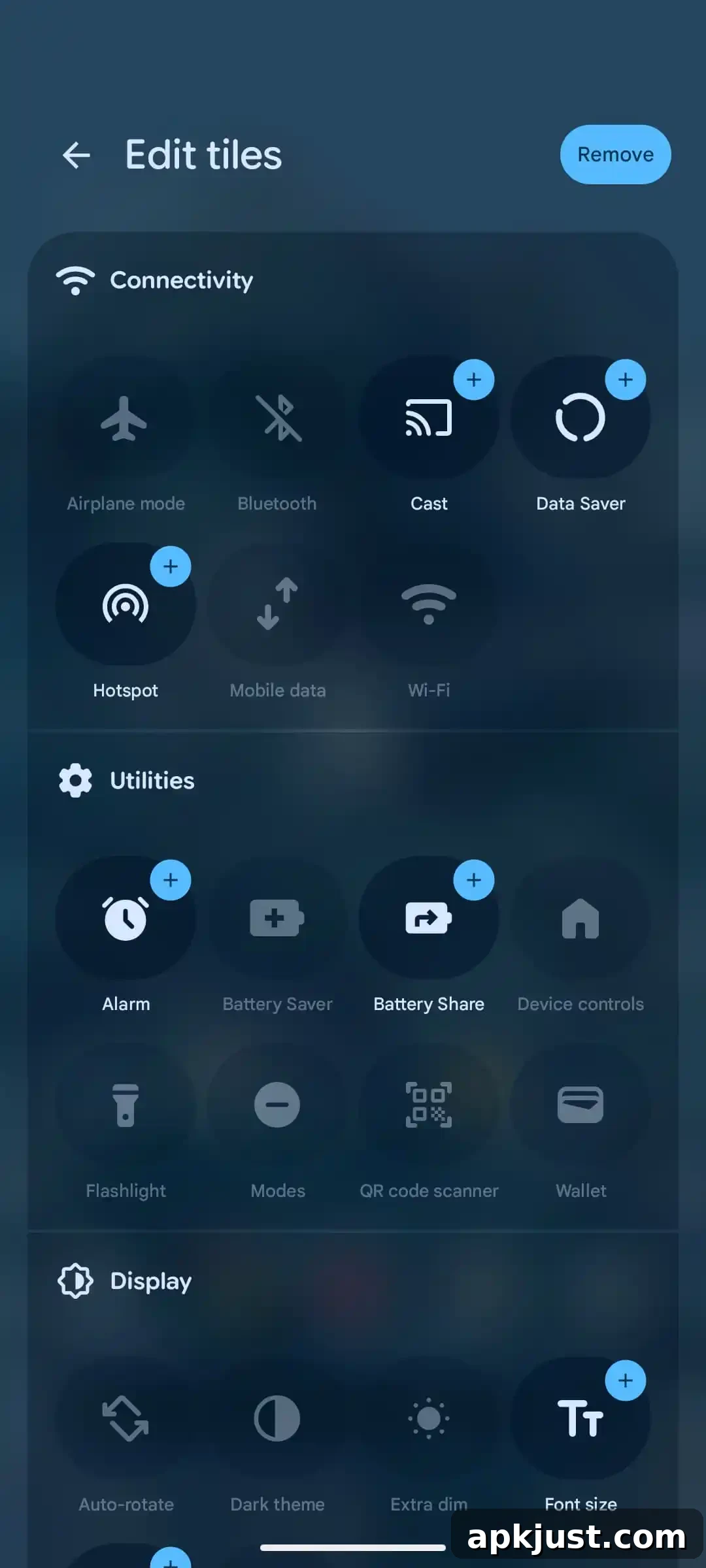
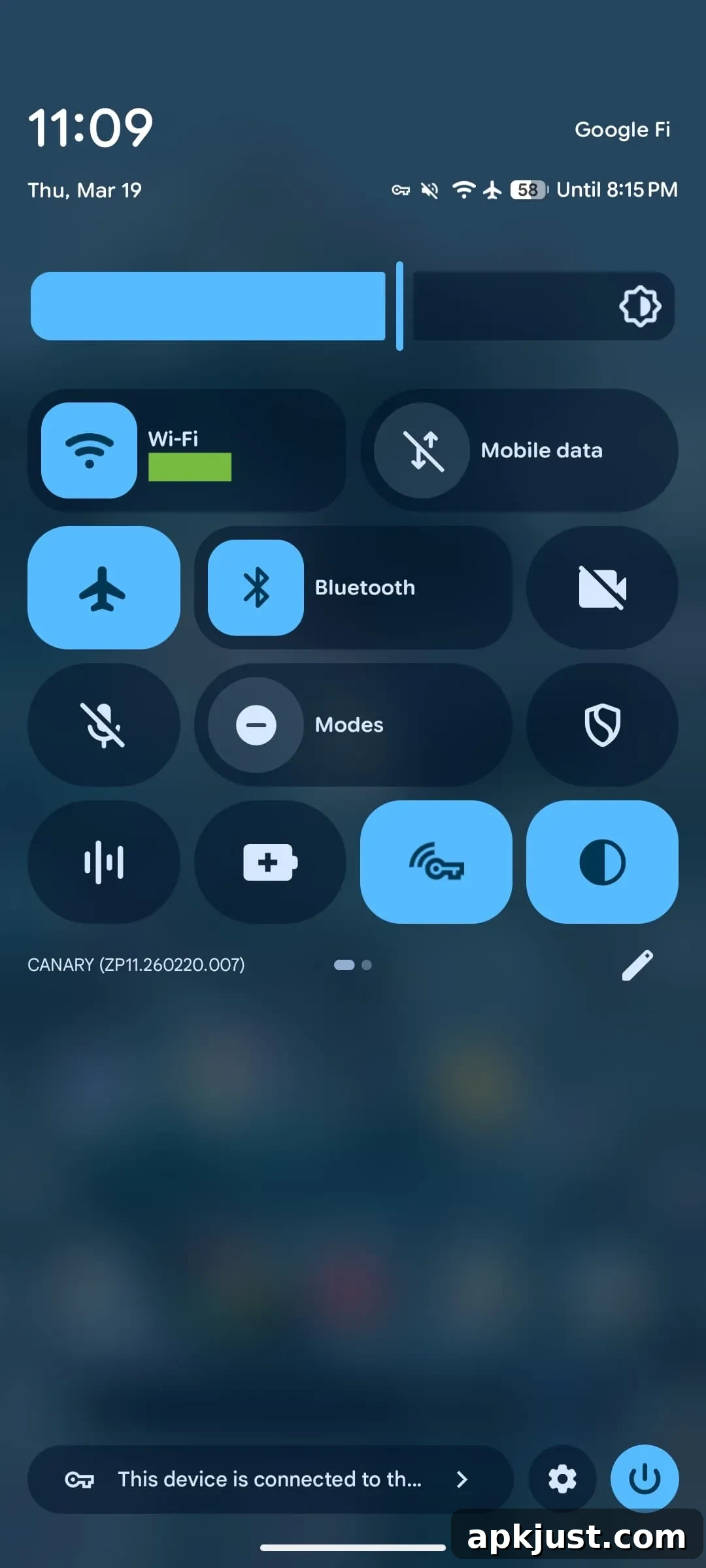
The Internet Quick Settings tile has been split back into two distinct toggles: Wi‑Fi and Mobile data. If you currently use the combined Internet tile, it will be converted to the Wi‑Fi tile after updating. Users who want quick access to cellular data toggling can add the Mobile data tile manually to their Quick Settings layout.
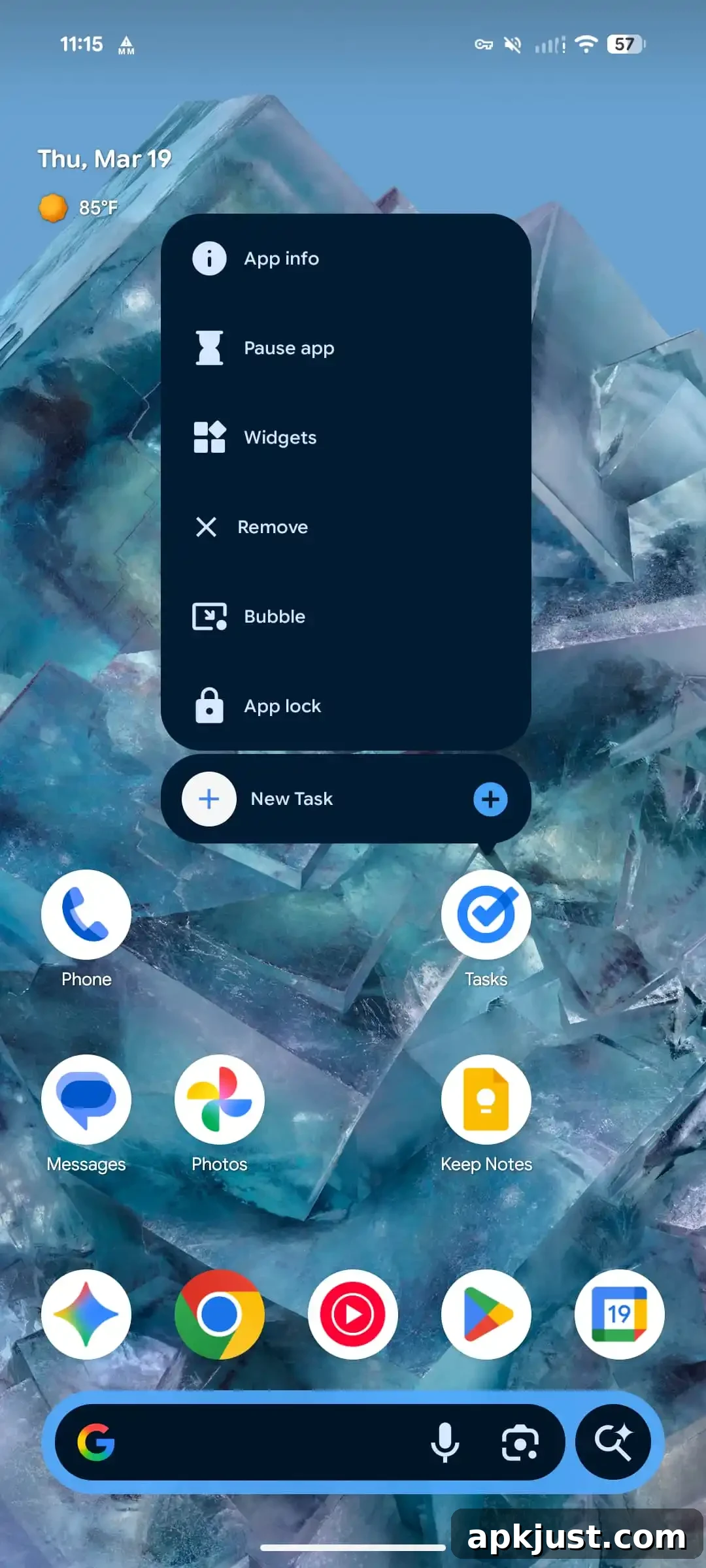
App lock & Bubbles
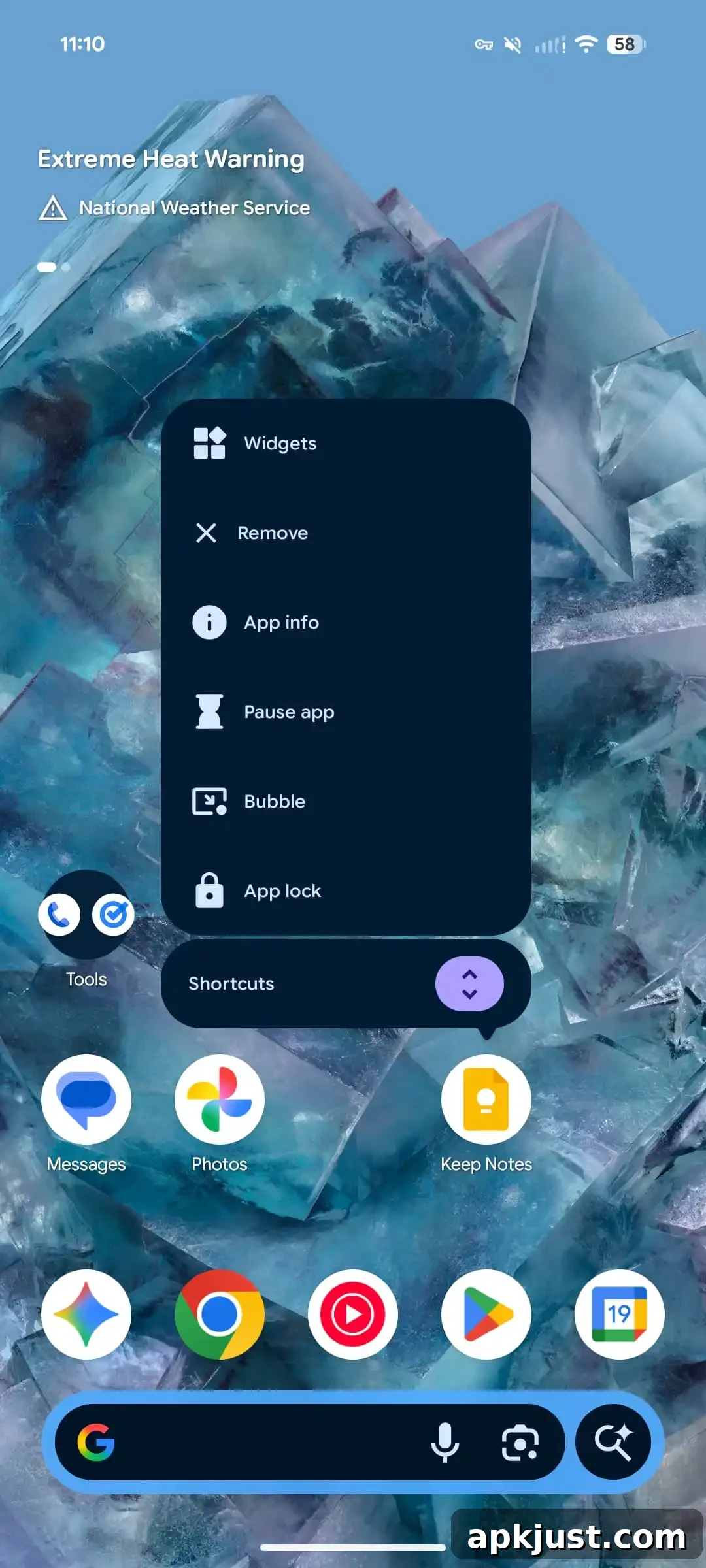
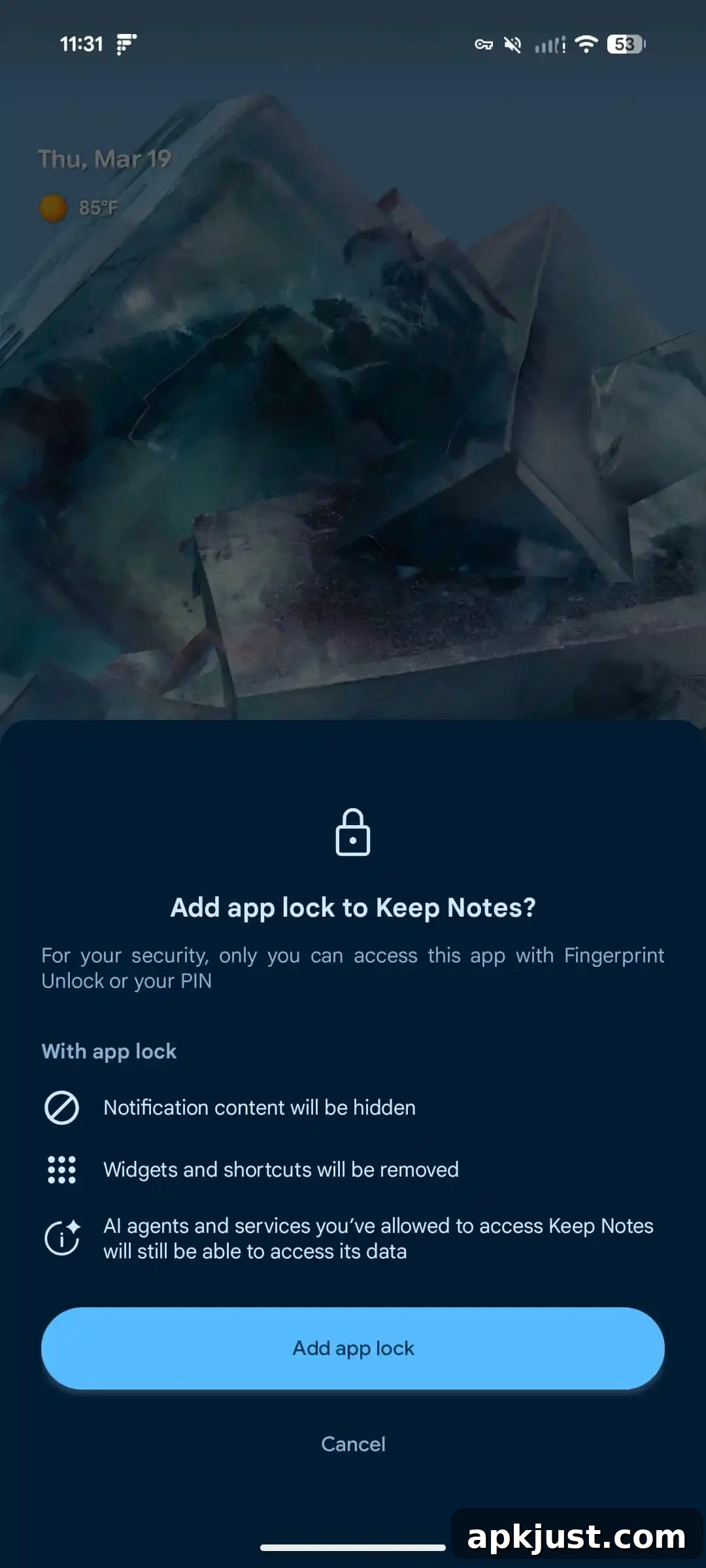
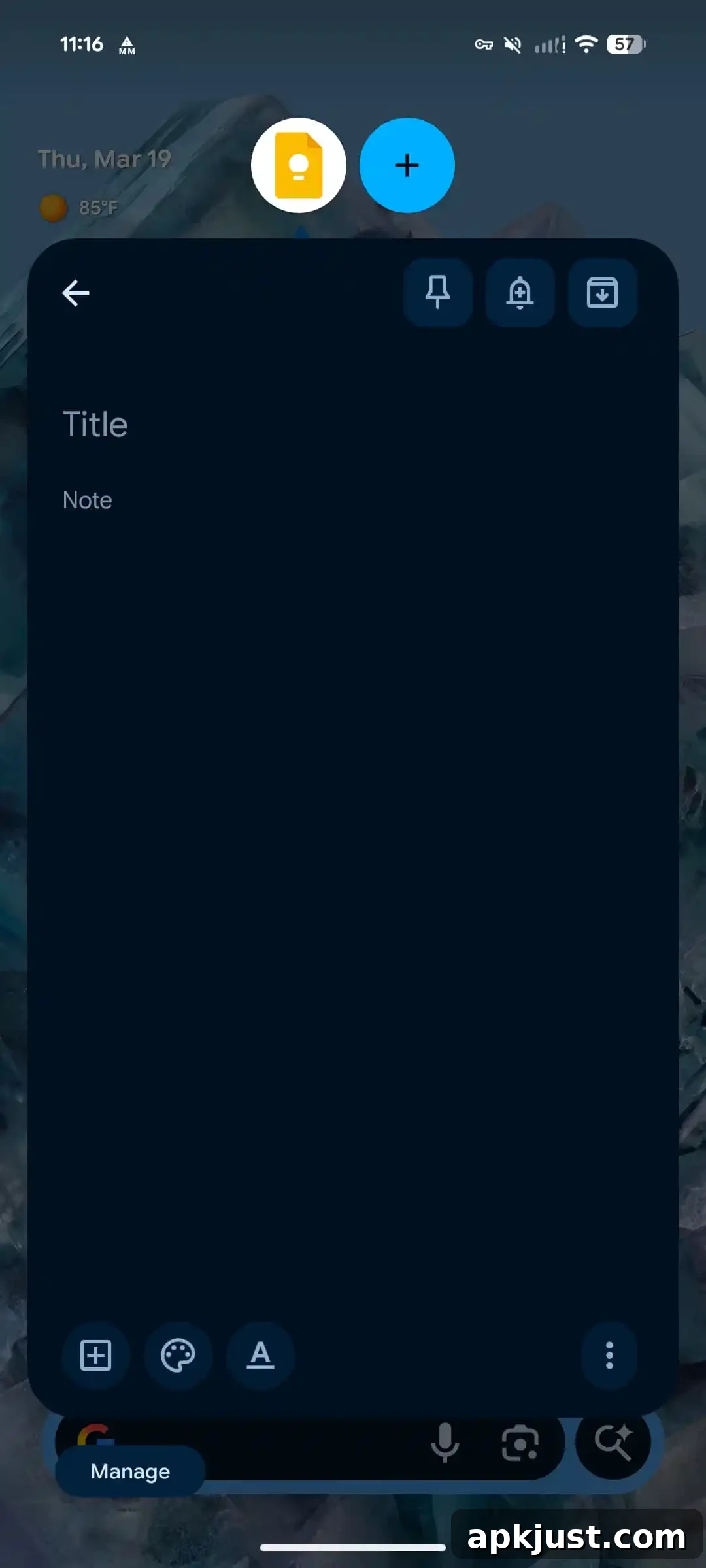
A new App lock option appears in the long-press app menu, alongside the updated Bubbles control that was introduced in Android 17 Beta 2. Bubbles are fully enabled in this Canary build. Long-press any app icon to reveal these options and control whether an app can be locked or present floating conversation bubbles.
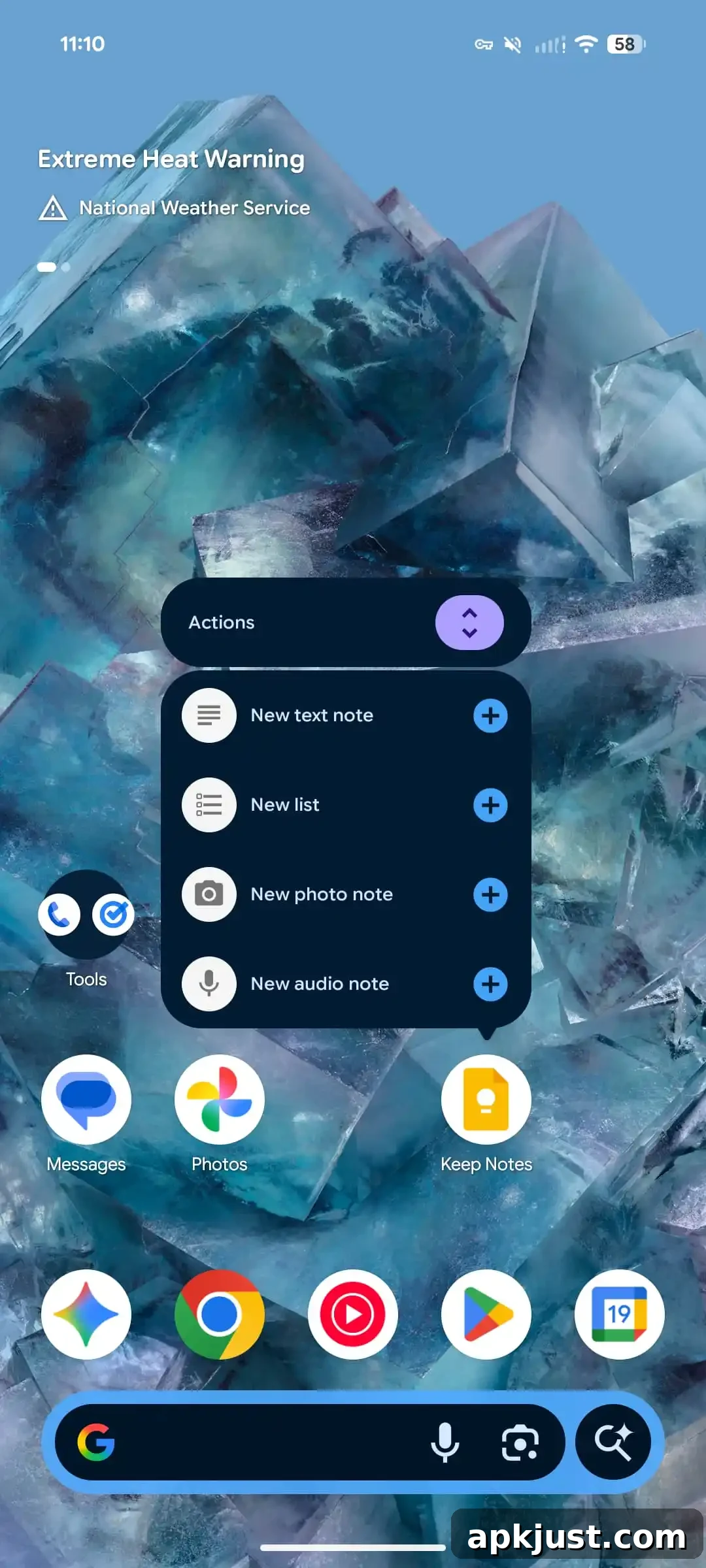
Redesigned app long-press menu
The long-press menu has been reorganized to reduce clutter and make common actions easier to access. When an app provides multiple shortcuts (typically two to four), those shortcuts are grouped inside a new “Shortcuts” submenu. Tapping the expand control reveals the hidden shortcuts and minimizes the primary action buttons to keep the menu compact. Apps with only a single shortcut keep the previous simpler layout.