
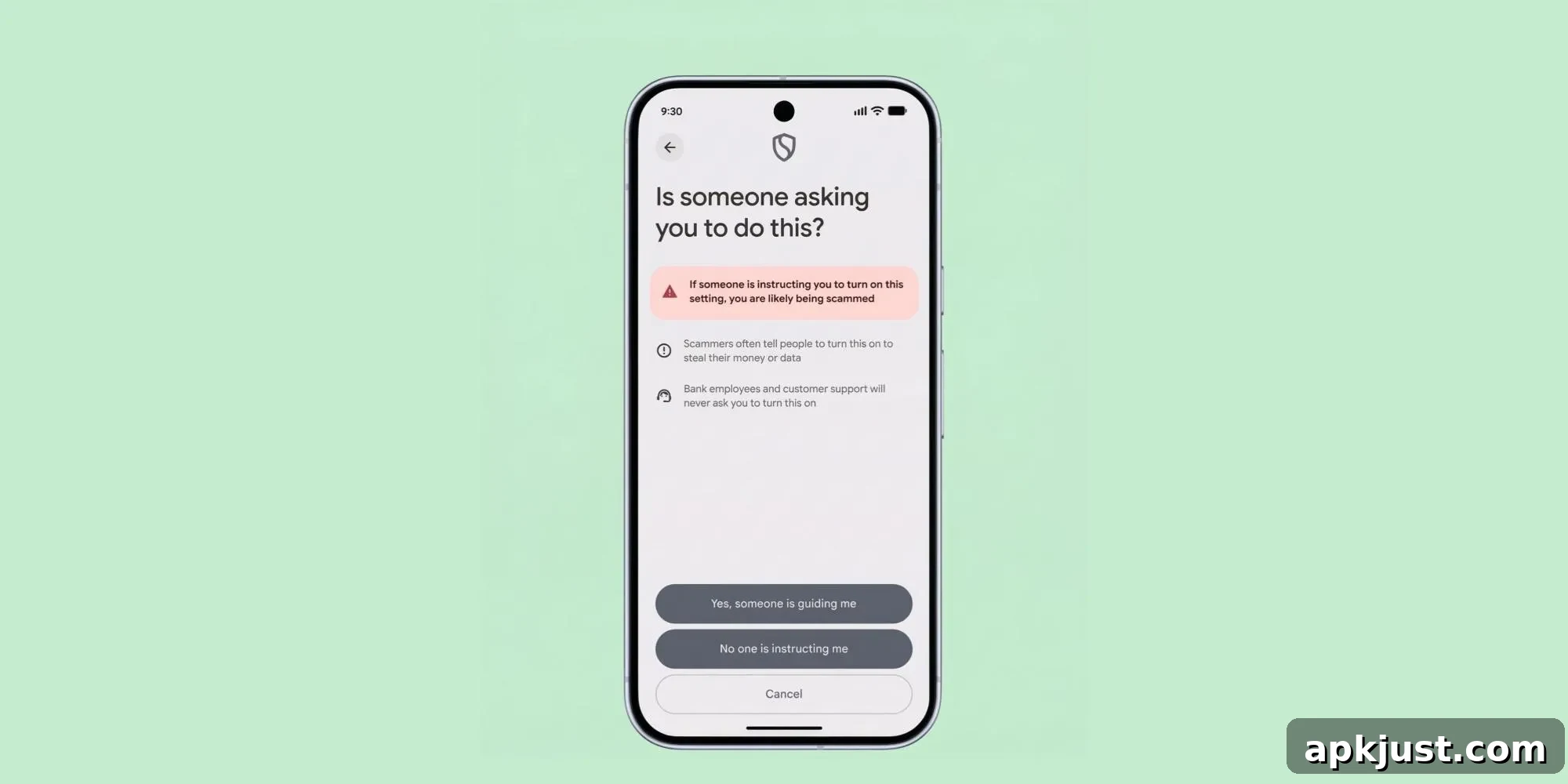
Later this year, Google will roll out a new Android developer verification system. For experienced users, Android will include an “advanced flow” that allows disabling the verification requirement so that apps from unverified developers can be installed when a user consciously chooses to do so.
This advanced flow is intended for knowledgeable users and enthusiasts who understand the risks and want the flexibility to install software from sources that have not completed Google’s verification process. Google emphasizes that the flow is carefully designed to reduce the chance that someone under pressure from a scammer will be tricked into turning off security protections.
Scammers often use fear and urgency—threatening financial loss, legal problems, or harm to loved ones—to coerce victims into bypassing security warnings. They may stay on the phone with a victim and instruct them step by step to disable protections before the victim has time to think or ask for help.
The advanced flow begins with enabling Developer mode on the device. To do this, open Settings > About phone and locate the Build number. Tap that entry seven times until a message appears confirming “You are now a developer!” Once enabled, a new “Developer options” menu item will appear either in the System settings or via search.
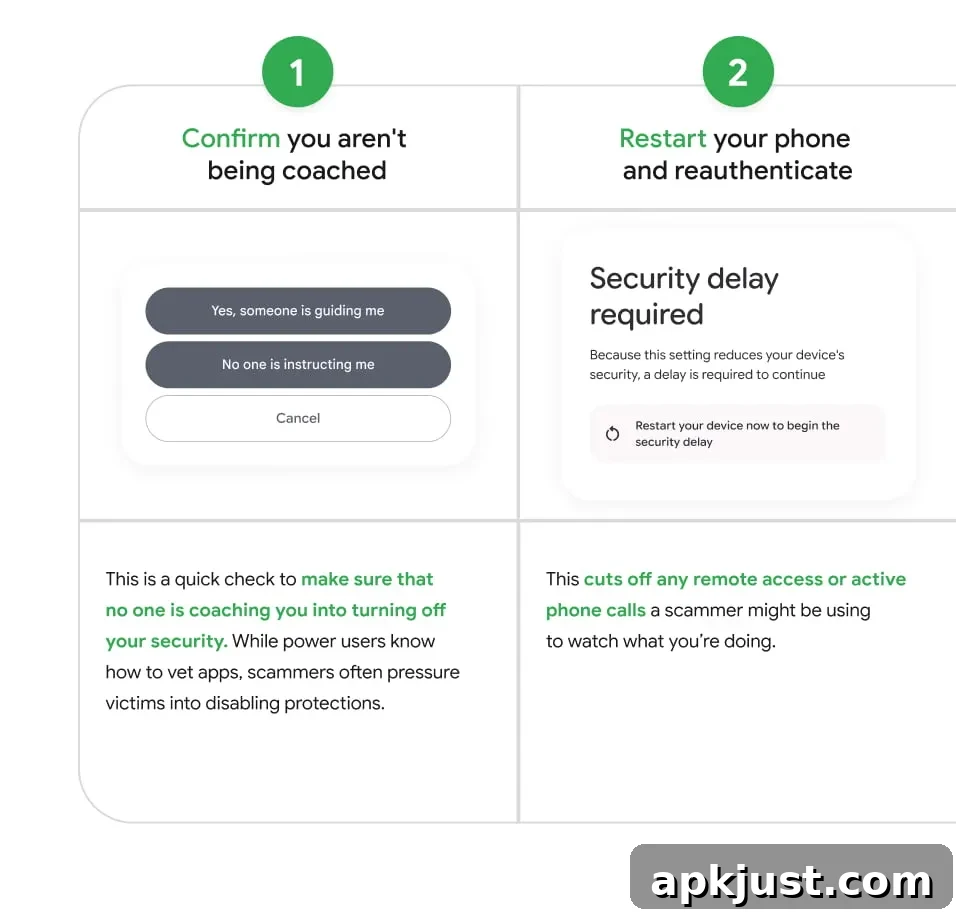
- You must explicitly confirm that you are not being coached, guided, or pressured by someone else to disable security measures. This step is intended to make the user stop and consider whether they are acting under duress.
- The process then requires a device restart and re-authentication. Restarting severs any active remote sessions or ongoing calls that a scammer could be using to monitor or direct your actions.
- A mandatory “security wait” follows. For one day, the device enforces a delay during which you must verify your identity using biometric authentication (fingerprint or face unlock) or your device PIN. This pause is a one-time safeguard intended to ensure that the change is being made by the device owner rather than an attacker.
- After completing these steps, you can choose to allow installation of apps from unverified developers indefinitely. There is also an option to enable this permission temporarily for seven days if you prefer a shorter, reversible allowance.
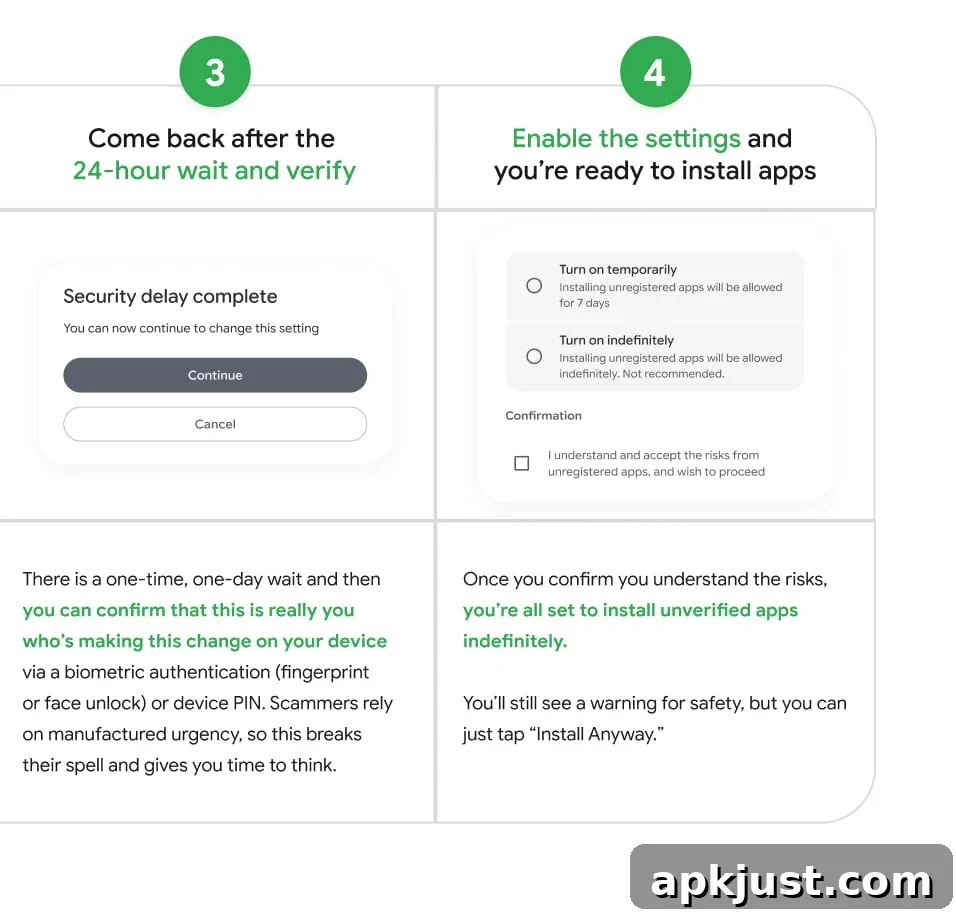
When you attempt to install an app from an unverified developer, the system will still display a clear warning indicating that the app comes from an unverified source. If you have completed the advanced flow, however, the warning can be dismissed by choosing the “Install Anyway” option. That choice should be made only when you trust the source or understand the risks involved.
Google plans to make the advanced flow available in August through Google Play services, applying to all supported versions of Android. This rollout will precede the broader enforcement of new developer verification requirements. At the same time, Google will introduce limited distribution accounts that let developers share apps with up to 20 users without paying the normal registration fee or providing government ID, simplifying distribution for small teams, testers, and private groups.
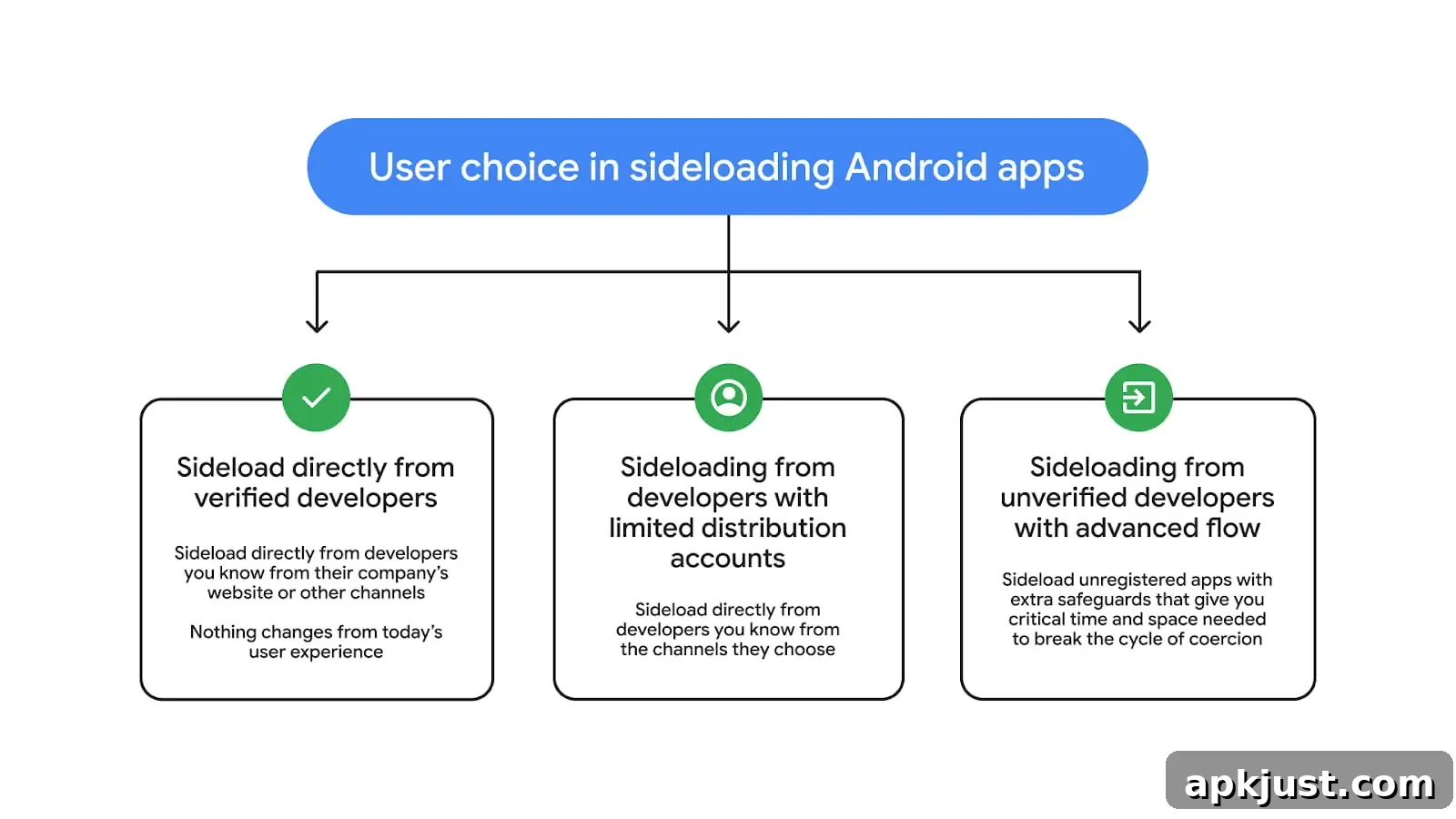
Overall, the advanced flow seeks to strike a balance between user control and safety. It gives technically proficient users the option to install apps from unverified developers while adding deliberate friction—confirmation prompts, a mandatory reboot, and a one-day verification delay—to protect less experienced users from social engineering and coercion. Whether you choose the temporary seven-day option or permanent allowance, follow best practices: verify the app source, review requested permissions, and consider using a dedicated test device if you are unsure about an app’s origin.