
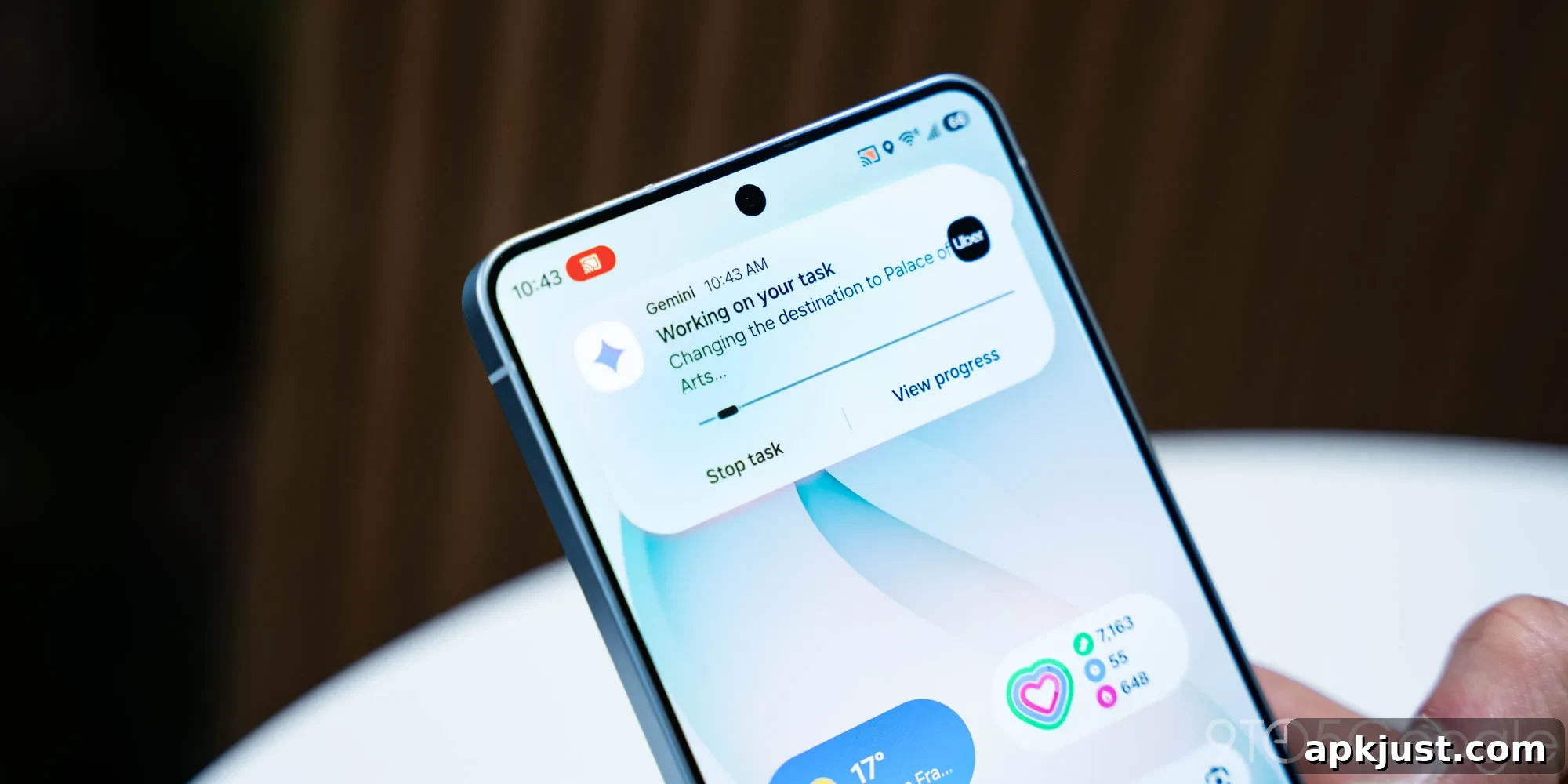
Google has begun rolling out Gemini screen automation on the Galaxy S26, bringing a new level of app interaction to supported devices. This feature automates taps, scrolls, and typing by running the target app in a virtual window on the phone while cloud processing determines actions. Like other Gemini features, screen automation is subject to daily usage limits based on account tier.
Users with a free Google account can make 5 screen automation requests per day. Each request instructs the cloud-based Gemini system to control the app interface on the phone—locating buttons, entering text, and navigating screens—to complete tasks on the user’s behalf.
For paying subscribers, Google offers higher daily allowances. Google AI Plus subscribers, at $7.99 per month, receive 12 requests per day. The Google AI Pro plan, priced at $19.99 per month, raises that limit to 20 requests daily. For users who need substantially more automation, Google AI Ultra subscribers—at $249.99 per month—get up to 120 requests per day. These tiers reflect increasing access to automated interactions and faster completion of routine tasks.
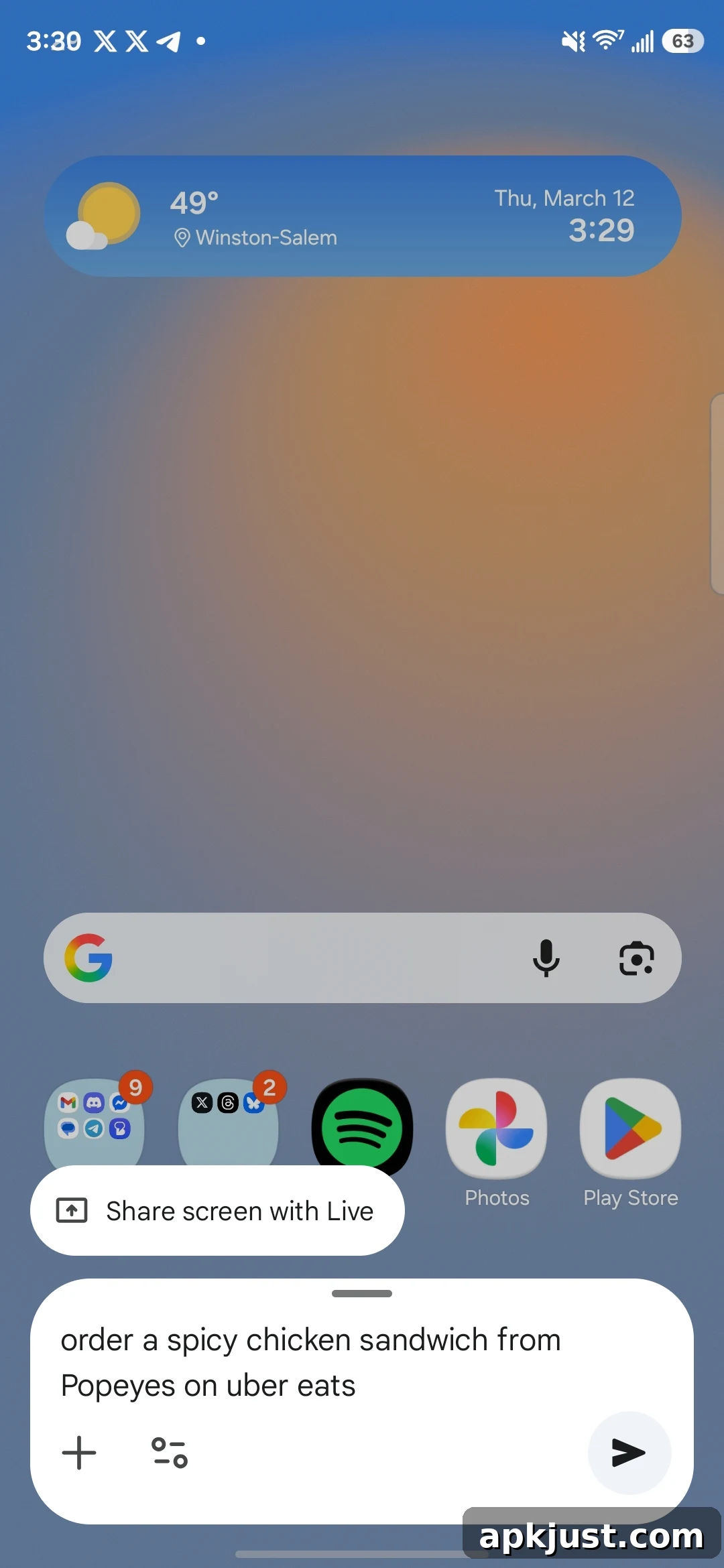
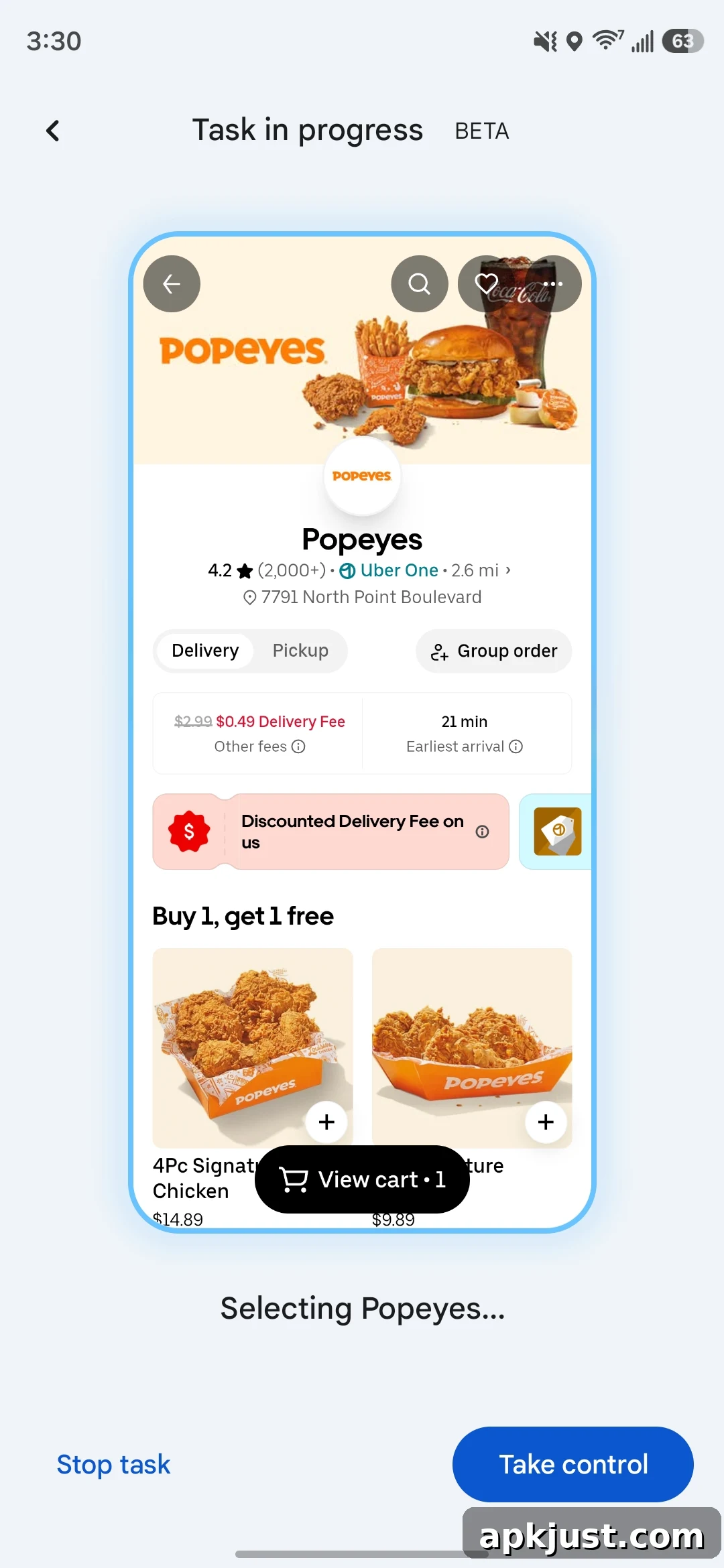
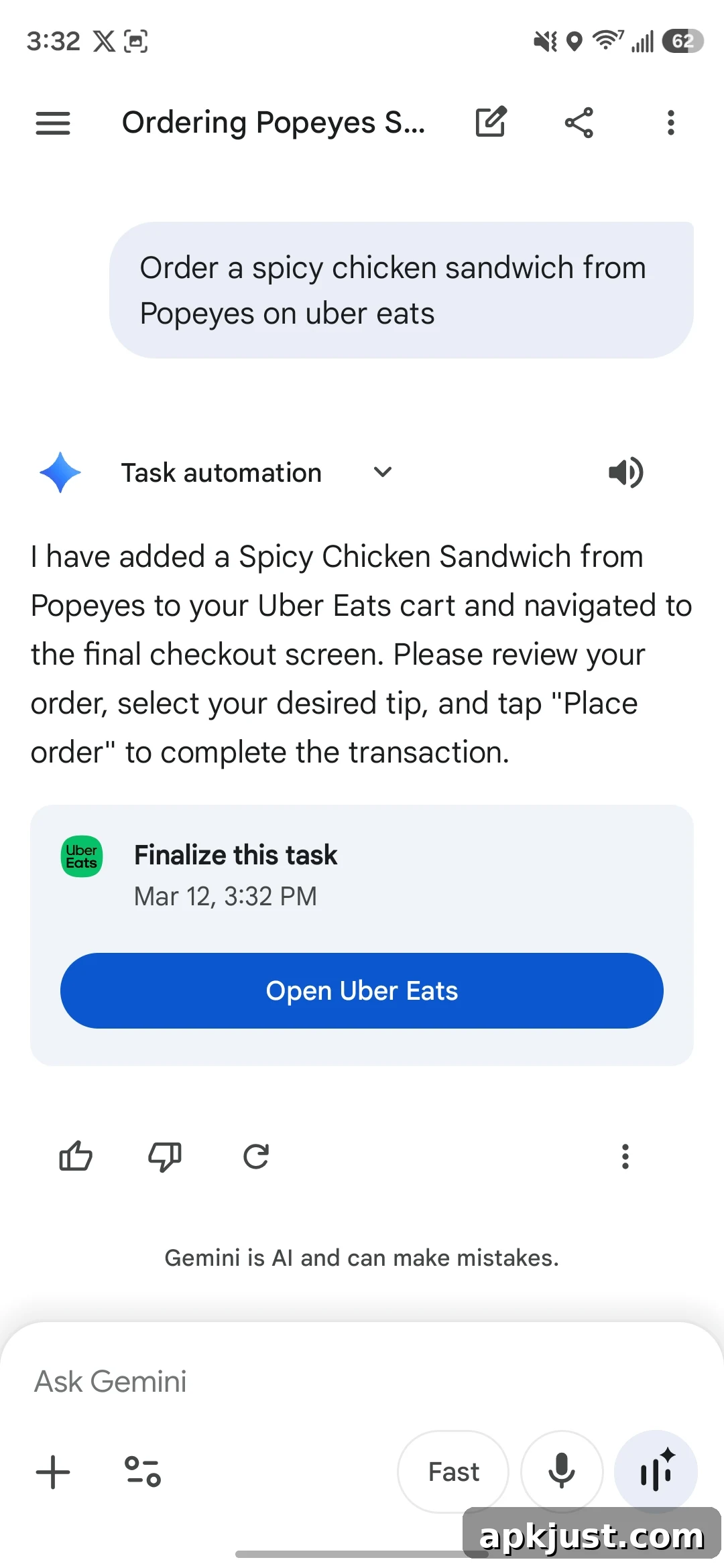
Gemini screen automation is distinct from the Gemini Agent capability, which uses a live web browser instance in the cloud and remains available only to AI Ultra subscribers. The Gemini Agent provides up to 200 requests per day for those subscribers and typically addresses web-based automation scenarios, whereas screen automation acts directly within mobile apps through the virtualized app window approach.
At launch, Gemini screen automation supports a set of popular apps and services, including Lyft, Uber, GrubHub, DoorDash, Uber Eats, and Starbucks. The feature is aimed at simplifying everyday tasks by translating plain-language instructions into precise app interactions. Typical commands you can use with screen automation include the following examples:
Book a ride:
- Book a ride to the airport
- Schedule a ride for tomorrow
Order food:
- Reorder my last coffee
- Order pizza for delivery
Order groceries:
- Add milk and eggs to my grocery cart
- Order groceries to my mom’s house
On the Galaxy S26 series, Gemini screen automation is available in the United States and Korea. Support for Google’s Pixel 10 lineup—Pixel 10, Pixel 10 Pro, and Pixel 10 Pro XL—was not live at the time of this rollout but is expected to arrive for US users when Google enables it. Availability and app support may expand over time as Google tests the feature on additional devices and regions.
More on Gemini:
- Gemini rolls out overlay redesign that adds full Tools menu
- Gemini Live rolling out floating pill redesign
- Gemini app rolling out ‘Past Chats’ personalization to free users
As with any feature that relies on cloud processing and device-level control, users should be mindful of privacy and security settings. Gemini’s automation executes actions in a controlled virtual environment and uses your authenticated session with each app to perform tasks. If you rely on automated workflows for frequent tasks—rides, food orders, or grocery shopping—choosing the right subscription tier can help avoid daily limits and keep those workflows running smoothly.