
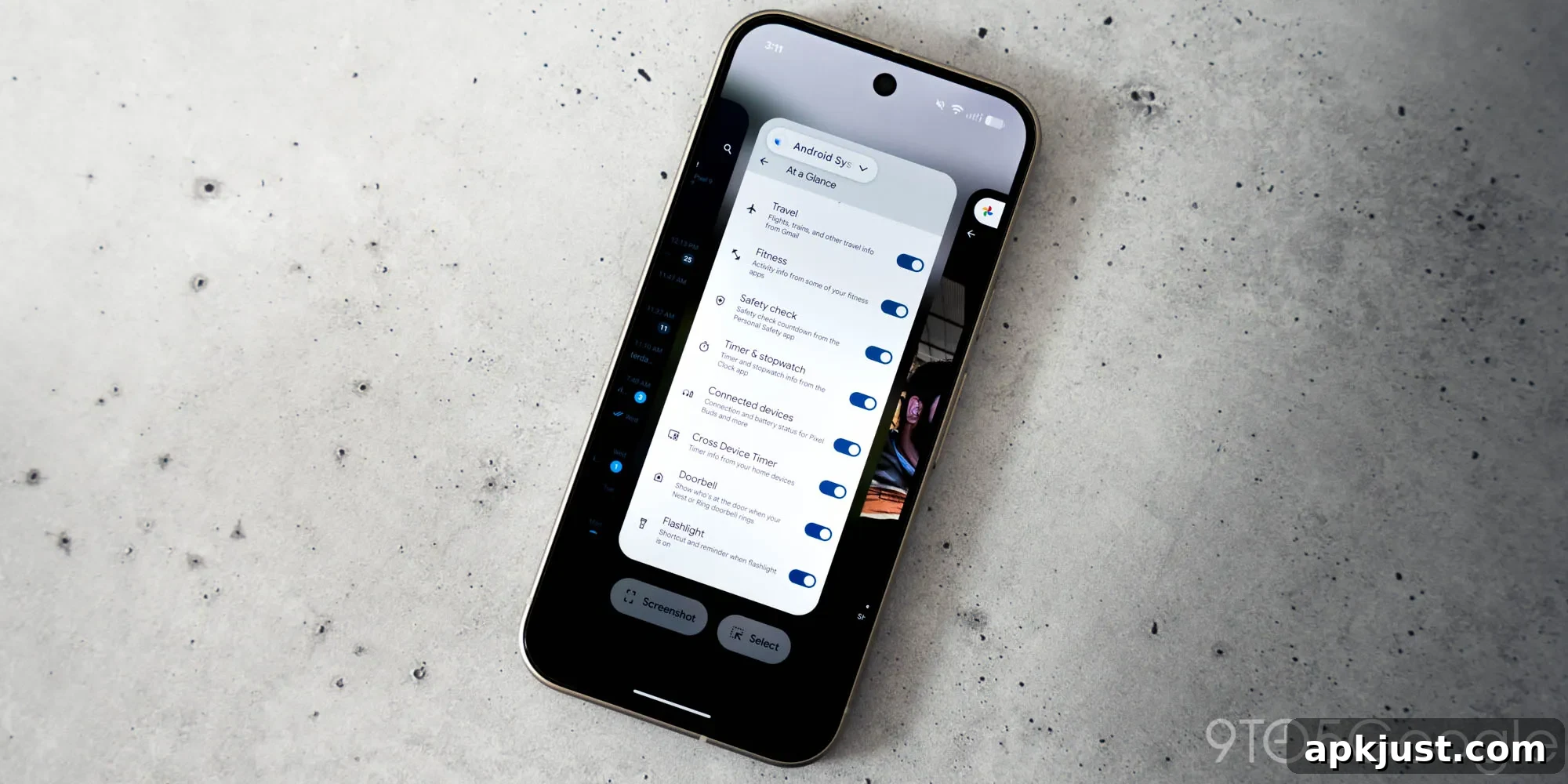
Pixel owners have long enjoyed a convenient Select feature in the Recents menu that lets them quickly capture text and images for copying, sharing, or saving. That convenience, particularly for images, has taken a step back with the Android 16 QPR3 update, which changes how image actions work in Recents and removes a direct save option.
The Select button first appeared during the Android 11 pre-release period and has stayed useful across several Android visual updates. Its main benefit is allowing users to highlight and copy text directly from any app shown in the Recents screen, without fully opening the app. Until recently, the same Select flow for images provided options to copy, share, save, or open the image in Google Lens.
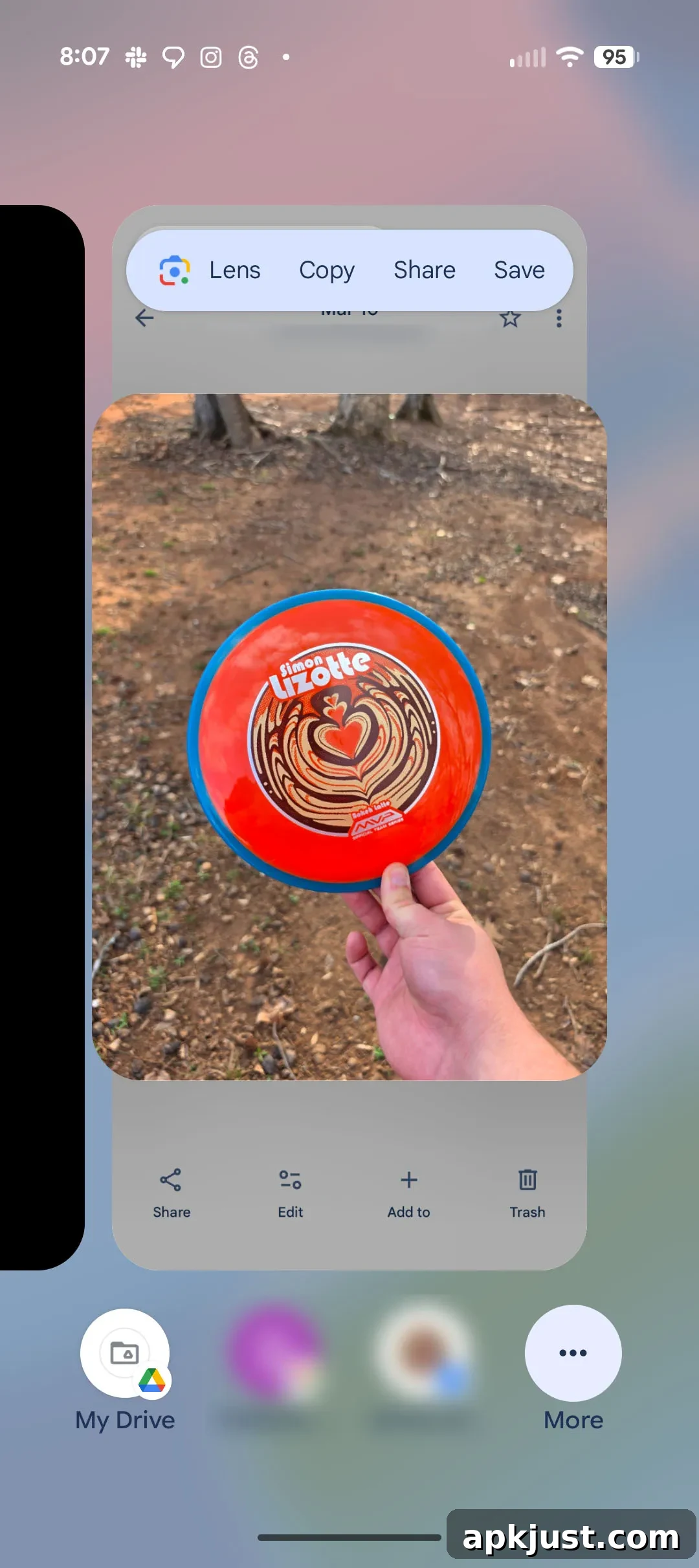
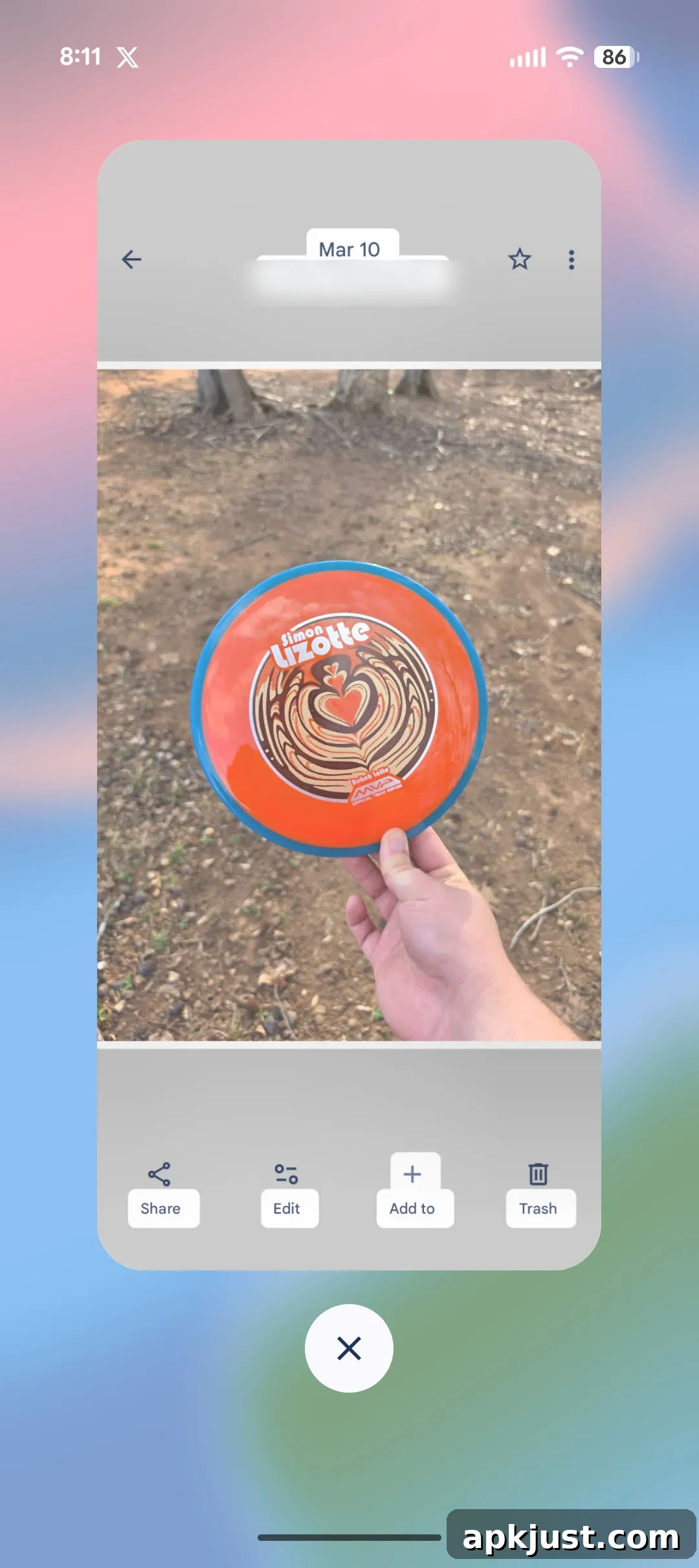
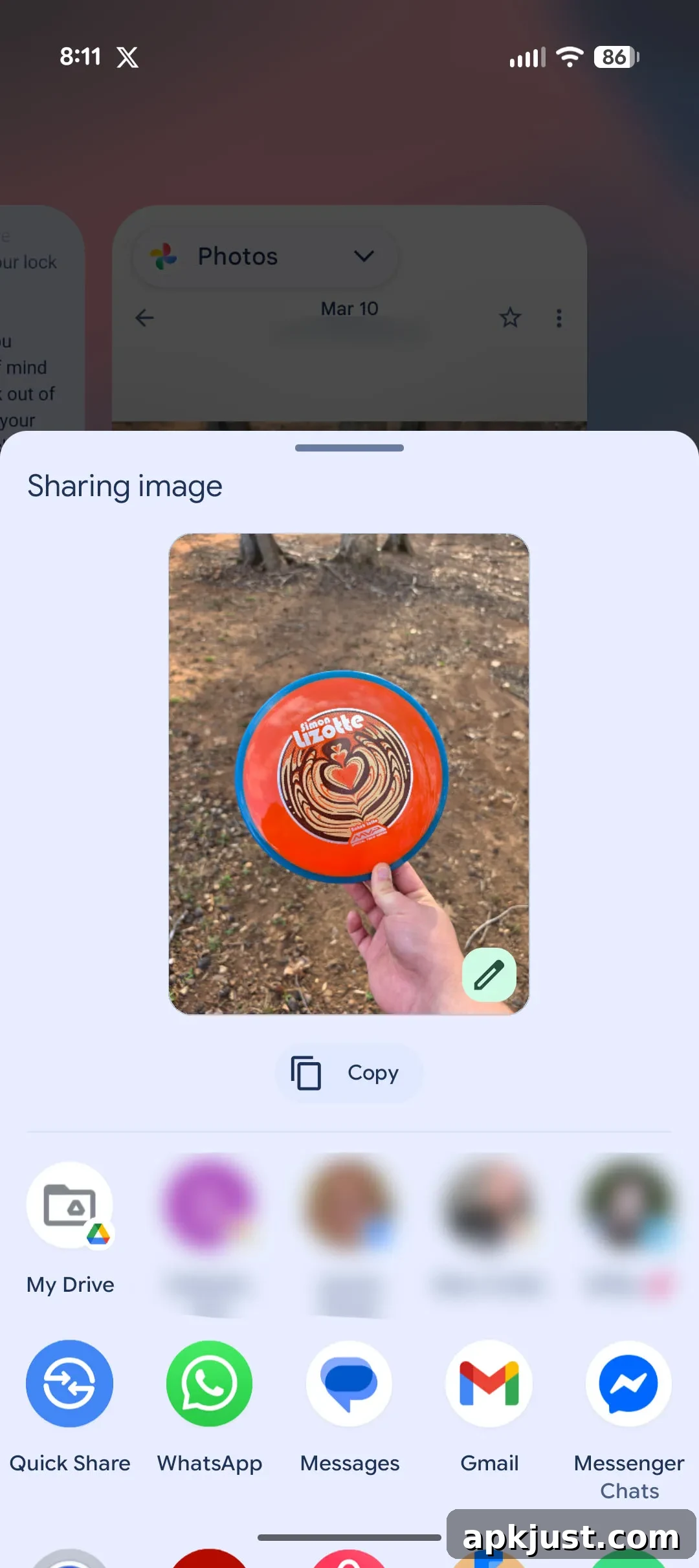
The first image above illustrates how Select previously worked. The second and third images demonstrate the current behavior on Pixel devices after the March update: tapping a highlighted image in Recents now immediately opens the system share sheet. That change removes the prior dedicated option to save an image directly from the Recents Select UI and bypasses an automatic Lens preview that used to be available.
Text selection appears mostly unchanged for many users — you can still highlight and copy text from Recents — but the image workflow is clearly different. With Android 16 QPR3, the Select command for photos triggers the share flow, forcing users to choose a target app or service first. Copying the image remains available from the share sheet, and users can still send the image to other apps, but the immediate, single-tap Save action that once lived in Recents is gone.
There are workarounds. From the share sheet you can upload the image to Google Photos or save it to a file manager such as Files by Google. Those methods accomplish the same result, but they require extra taps and feel more cumbersome than the previous one-touch Save option. For users who frequently relied on the direct save feature in Recents, the new flow represents a downgrade in convenience.
It’s worth noting one possible reason behind the change: Google’s ongoing efforts to emphasize contextual search and sharing features, such as Circle to Search, may have influenced how Lens and other options are presented. Circle to Search and other search-centric tools can replicate some Lens functionality, but they don’t replace the simplicity of saving an image in one tap from the Recents screen. Until the save action returns to a more direct spot in the UI, users who prefer quick image saving will find the new behavior less efficient.
User reports suggest slight variation across devices. Some Pixel models still allow text selection with or without first tapping the Select button, while others require explicitly tapping Select before highlighting text. That inconsistency suggests Google is still iterating on the Recents layout and Select interaction across Android 16 builds and device configurations. Keep an eye on future updates in case Google restores the direct save option or refines the share sheet shortcuts to make saving faster.
In summary, Android 16 QPR3 keeps the core Select capability for text intact for many users, but it alters the image handling in Recents in a way that removes the immediate Save option and routes image actions through the share sheet. The result is a less direct workflow for saving photos, which may frustrate users who valued the previous one-tap convenience on Pixel devices.